
Scoop – News & Magazine Elementor Pro Template Kit
- Updated on November 27, 2025
- 100% Original Product & Well Documented
- Unlimited Domain Usage
*Important Note:
The image should not be Part of the template kit. You need to use your own reliable Source.


Original price was: ₹999.00.₹299.00Current price is: ₹299.00.
- Secured & Scanned by Virus total & McAfee.
- Access to Free updates for Lifetime
- All products are Under GPL License (Unlimited Domain Usage)
- We Not Provide any Support For this Product

Lifetime Membership
Access 6700+ Premium WordPress Themes & Plugins, Elementor Templates, Mobile Apps, PHP scripts with Lifetime Updates.
Join Premium MembershipRecently Viewed
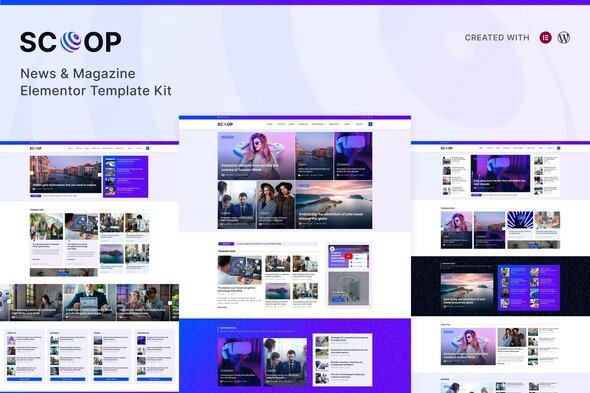
Scoop: A News and Magazine Elementor Pro Template Kit
Build Your Online Publication Faster and More Effectively
Creating a professional news or magazine website often involves significant design and development time. For web developers, agencies, and business owners in the media space, getting a polished, functional site up quickly is crucial. The Scoop Elementor Pro Template Kit is designed to address this challenge, offering a complete set of tools to construct a content-rich publication site without starting from scratch. It provides a structured yet adaptable foundation, helping you deliver engaging news and articles to your audience efficiently. This kit focuses on practical design elements that contribute to a strong online presence for any media-related project.
Key Features for Efficient Content Delivery
Comprehensive Template Collection
Scoop includes over 20 well-designed templates, giving you extensive options for various content types and page layouts. This range ensures you have a suitable design for nearly any section of your site, from article pages to contact forms. Having multiple pre-built templates saves considerable time in the design phase, allowing you to focus on content.
Flexible Homepage and Content Layouts
The kit offers three effective homepage variations, letting you choose the best first impression for your readers. Beyond the homepage, you’ll find three dedicated single post layouts and two category archive designs. These options help you present individual articles clearly and organize your content archives logically, improving reader navigation and overall site experience.
Built for Responsiveness and Elementor Pro
Every template within Scoop is fully responsive, meaning your content will display correctly and be readable across all devices, whether desktops, tablets, or smartphones. This is essential for reaching today’s diverse audience. Built with Elementor Pro, customization is straightforward using its familiar drag-and-drop interface, allowing for quick adjustments to suit your specific branding and content needs.
Ideal Use Cases and Applications
This template kit is particularly well-suited for journalists, editors, independent bloggers, and small media publishers who need to establish or update their online presence. If you’re launching a new local news site, a specialized industry publication, or a personal blog focused on current events, Scoop provides the necessary structure. It works effectively for digital agencies building media sites for clients, allowing them to deliver professional results efficiently. The kit integrates seamlessly with Elementor Pro, making it a reliable choice for any project requiring robust page-building capabilities.
Simplified Implementation and Performance
Setting up Scoop is a quick process, allowing you to import templates and get started with customization without delay. The structured design contributes to a good user experience across different devices, which is vital for content consumption. By using an Elementor Pro template kit, you benefit from a system that is designed for manageable updates and consistent performance. This approach ensures your site remains current and functions reliably over time.
Download from Plugintheme at an affordable price and improve your news and magazine website projects.
 Scoop - News & Magazine Elementor Pro Template Kit
How to use Kit:
Install and activate the “Template Kit – Import” plugin from Plugins > Add New in WordPress.
Do not unzip.
Go to Template Kit – Import > Upload Template Kit Zip File button.
Before importing a template, ensure the Install Requirements button is clicked to activate required plugins.
For best results, do not import more than one template at a time.










 Mobile Apps
 php script
 How to
Reviews
There are no reviews yet