
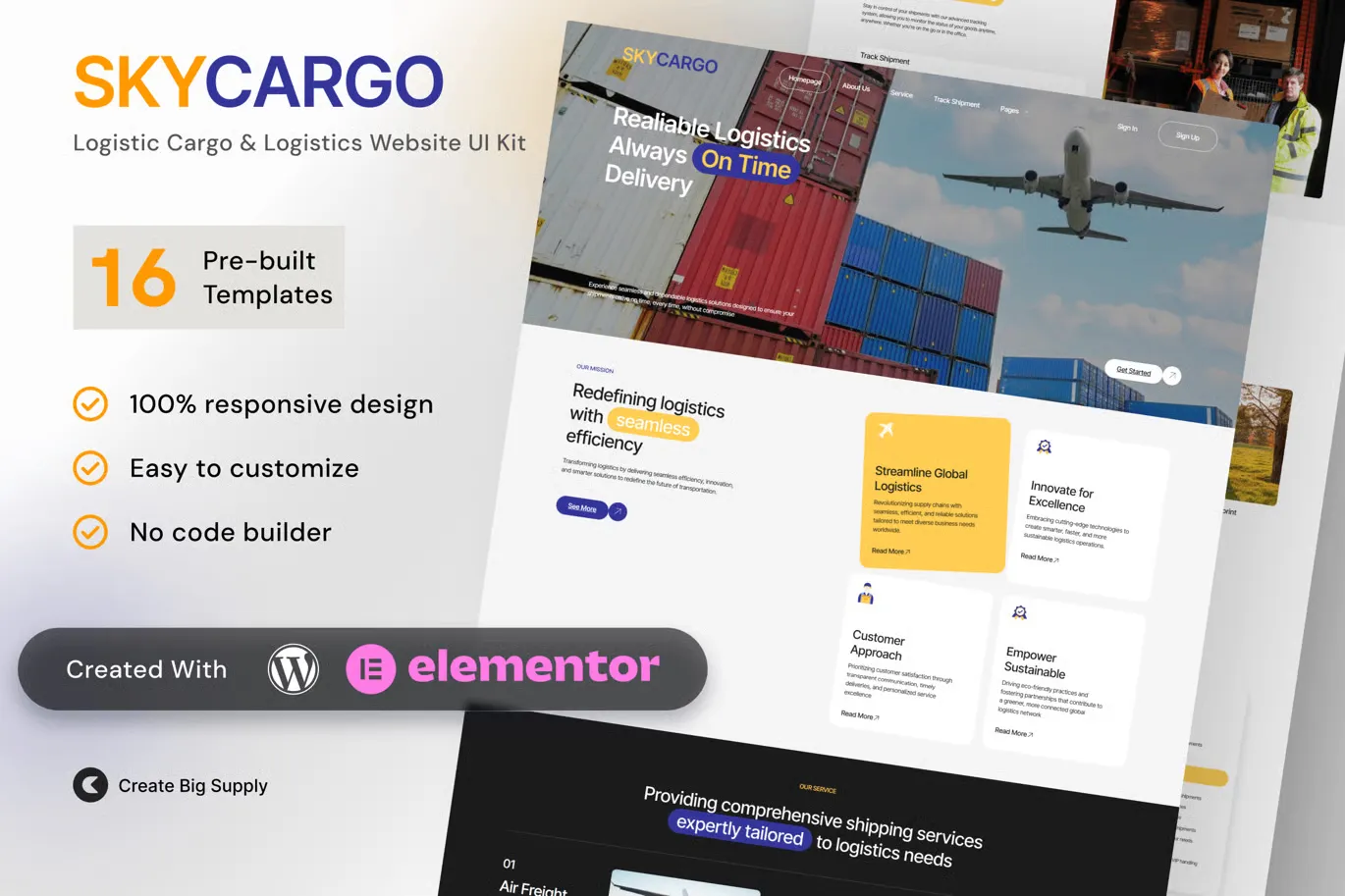
Skycargo Logistics and Cargo Elementor Template Kit for Freight Delivery and Transportation Services
- Updated on May 3, 2026
- 100% Original Product & Well Documented
- Unlimited Domain Usage
*Important Note:
The image should not be Part of the template kit. You need to use your own reliable Source.


Original price was: ₹999.00.₹299.00Current price is: ₹299.00.
Build your freight website in an afternoon. Skycargo gives cargo and logistics companies a professional, ready-made Elementor site — no coding, no developer fees. Includes lifetime updates and instant download.
- Secured & Scanned by Virus total & McAfee.
- Access to Free updates for Lifetime
- All products are Under GPL License (Unlimited Domain Usage)
- We Not Provide any Support For this Product

Lifetime Membership
Access 6700+ Premium WordPress Themes & Plugins, Elementor Templates, Mobile Apps, PHP scripts with Lifetime Updates.
Join Premium MembershipRecently Viewed
Skycargo Elementor Template Kit for Logistics and Transportation
Most logistics companies either have no website or one that looks like it was built in 2009. Skycargo fixes that. This template kit gives cargo businesses, freight agencies, and delivery services a complete, professional online presence — without hiring a developer or spending months on the project.
The kit comes ready to use: homepage with tracking integration, dedicated service pages for air freight, sea freight, road transport, and warehousing, plus about and contact sections with quote request forms built in. Every element is designed for the logistics industry — clean layouts, trustworthy typography, and calls-to-action that actually convert.
You don’t need design skills. If you’ve used Elementor to edit a WordPress page, you can build your entire site with this kit. Import the layouts, drop in your logo, swap your colors, publish. The whole process takes under 30 minutes.
What’s Included
Not just a hero image and some buttons. Skycargo includes:
- Full homepage with service highlights, tracking integration, and trust signals
- Four dedicated service pages covering air, sea, road, and warehousing
- About section for your company story, team, and certifications
- Quote request forms and contact pages designed to generate leads
- Mobile-responsive layouts that look good on any device
Who It’s For
Cargo companies tired of losing business to competitors with better websites. Freight forwarders who need a professional quote system without custom development costs. Local delivery services trying to compete with larger logistics players. Logistics startups that need to look established from day one.
If you’ve been staring at a blank website builder wondering where to start — this is your answer. No more generic templates that make your business look like everyone else.
How It Works
Download. Install through Elementor. Import the pre-built layouts. Customize with your branding. Publish.
Free lifetime updates come included. As your business grows and you need new sections — team pages, additional service listings, case studies — those updates arrive at no extra cost. Pay once, use forever.
Why Skycargo Over Custom Development?
Custom development runs $3,000 to $15,000+ and takes 8-16 weeks minimum. Agency templates often come with subscription fees, required plugins, or limitations on what you can modify.
Skycargo includes a commercial license. Use it for your own business or client projects. Modify it, brand it, make it yours — no restrictions.
The logistics industry is way behind on web design. A fast, professional site immediately sets you apart. Your website is usually the first thing potential clients see. Make it count.
Get Started
Instant download. One-time payment. No subscriptions, no hidden fees. Launch your logistics website this week.
Only logged in customers who have purchased this product may leave a review.
How to use Kit:
Install and activate the “Template Kit – Import” plugin from Plugins > Add New in WordPress.
Do not unzip.
Go to Template Kit – Import > Upload Template Kit Zip File button.
Before importing a template, ensure the Install Requirements button is clicked to activate required plugins.
For best results, do not import more than one template at a time.
RELATED PRODUCTS

DIVI – Original License | One Time Payment – Exclusive Deal

Elementor Pro 4.2.3 + Elementorism Landing Pages WordPress Plugin

907 5.3.6 – Responsive Multi-Purpose WordPress Theme

Element Pack Pro 9.1.0 – Addon For Elementor






 Mobile Apps
 php script
 How to
Reviews
There are no reviews yet