
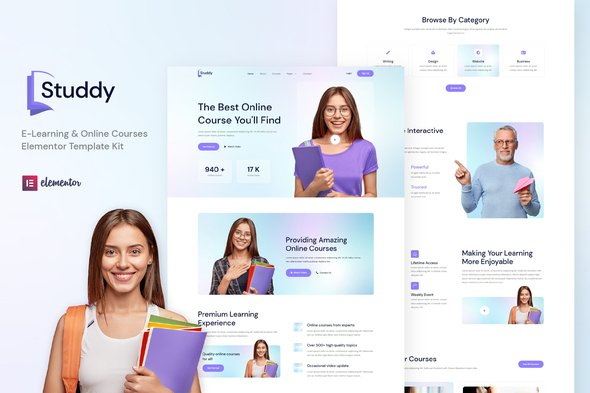
Studdy – E-Learning & Online Courses Elementor Template Kit
- Updated on October 8, 2025
- 100% Original Product & Well Documented
- Unlimited Domain Usage
*Important Note:
The image should not be Part of the template kit. You need to use your own reliable Source.


Original price was: ₹999.00.₹299.00Current price is: ₹299.00.
- Secured & Scanned by Virus total & McAfee.
- Access to Free updates for Lifetime
- All products are Under GPL License (Unlimited Domain Usage)
- We Not Provide any Support For this Product

Lifetime Membership
Access 6700+ Premium WordPress Themes & Plugins, Elementor Templates, Mobile Apps, PHP scripts with Lifetime Updates.
Join Premium MembershipRecently Viewed
Studdy – E-Learning & Online Courses Elementor Template Kit
Build Your Online Education Platform Efficiently
Creating a professional online presence for your educational content can often feel like a big project, especially when you want a custom look without spending excessive time on design or writing code. The Studdy Elementor Template Kit addresses this directly. It provides a complete foundation for anyone looking to establish or improve an e-learning website, an online course selling platform, or a dedicated training center. This kit is designed to help you create a functional and well-designed site quickly, so you can focus more on your content and less on the technical setup.
Key Features for Developers and Educators
This template kit includes several important features that make your development process smoother and more cost-effective.
No Elementor Pro Requirement
One significant benefit of Studdy is that it doesn’t require Elementor Pro. You can build a robust education platform using only the free version of Elementor and other compatible free plugins. This helps keep your project costs down while still giving you access to powerful page-building tools. It means more budget can go towards content creation or marketing, rather than premium plugin licenses.
Comprehensive Page and Template Collection
Studdy comes packed with more than 10 ready-to-use pages and over 12 additional templates. This extensive collection covers common needs for an education site, from course listings and instructor profiles to contact pages and more. Having these pre-built layouts significantly reduces the time you would otherwise spend designing each page from scratch, allowing for faster project completion.
Clean, Responsive Design
The kit features a simple, modern, and clean design that ensures your content stands out. Crucially, it’s built with a 100% responsive layout, meaning your website will look and function correctly on any device, whether it’s a desktop computer, tablet, or smartphone. This attention to responsive design helps provide a good user experience for all your students and visitors.
Practical Use Cases and Applications
The Studdy template kit is a practical choice for a range of educational ventures. If you’re an individual instructor planning to sell your own courses or host webinars, this kit offers a structured way to present your offerings. For larger training centers or education institutes, Studdy provides the necessary pages to showcase multiple courses, instructor teams, and program details. It also works well for creating an education hub that curates tutorials or resources. This kit is a complete solution for anyone needing a functional online learning presence without getting bogged down in complex coding tasks.
Simple Setup and Management
Setting up your site with Studdy is a straightforward process. Because it’s an Elementor template kit, customization can be handled visually, without needing to write any code. The ready-to-use pages provide a strong starting point, and you can quickly adjust colors, fonts, and layouts to match your brand. Its responsive nature ensures your site is accessible and effective across all devices, a key factor for today’s diverse user base. Regular WordPress and Elementor updates will keep your site running smoothly, with maintenance being as simple as updating your plugins.
Get started on your e-learning platform today. Download Studdy from Plugintheme at an affordable price.
 Studdy - E-Learning & Online Courses Elementor Template Kit
How to use Kit:
Install and activate the “Template Kit – Import” plugin from Plugins > Add New in WordPress.
Do not unzip.
Go to Template Kit – Import > Upload Template Kit Zip File button.
Before importing a template, ensure the Install Requirements button is clicked to activate required plugins.
For best results, do not import more than one template at a time.










 Mobile Apps
 php script
 How to

Reviews
There are no reviews yet