
Verdova – Solar & Green Renewable Energy Elementor Template Kit
- Updated on May 3, 2026
- 100% Original Product & Well Documented
- Unlimited Domain Usage
*Important Note:
The image should not be Part of the template kit. You need to use your own reliable Source.


Original price was: ₹999.00.₹299.00Current price is: ₹299.00.
10+ pages built for solar companies who need a professional site without the agency price tag. Verdova installs in Elementor, works on mobile, and comes with a commercial license. Download and launch in a day.
- Secured & Scanned by Virus total & McAfee.
- Access to Free updates for Lifetime
- All products are Under GPL License (Unlimited Domain Usage)
- We Not Provide any Support For this Product

Lifetime Membership
Access 6700+ Premium WordPress Themes & Plugins, Elementor Templates, Mobile Apps, PHP scripts with Lifetime Updates.
Join Premium MembershipRecently Viewed
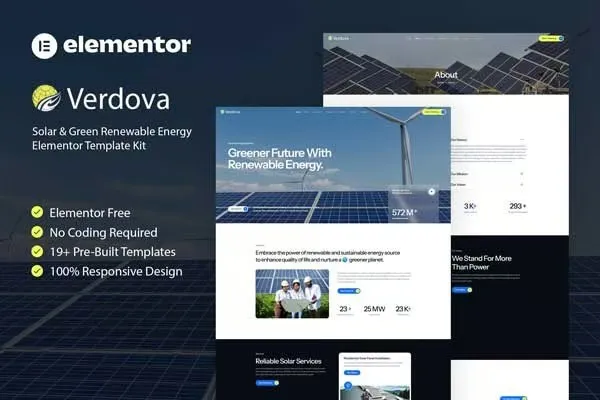
Verdova Elementor Template Kit for Solar and Renewable Energy Businesses
You know your solar business. You probably don’t know how to build a website that doesn’t look like every other template out there. Verdova solves that. It’s a complete Elementor template kit designed specifically for clean energy companies — 10+ pages you can have live in a few hours, not months.
What Verdova Offers
This kit covers the pages solar companies actually need: homepage with a hero section that doesn’t look generic, service pages where you can add pricing or quote forms, a project portfolio for showing off completed installations, team and about pages, a blog layout, and contact forms that actually convert. The color palette uses forest greens and earth tones that reinforce what your business stands for — no stock photo vibes.
- Homepage with hero, services overview, and social proof sections
- Services and solutions pages with space for quotes or pricing
- Project portfolio and case studies showcase
- Team, about, and contact pages — just add your info
- Blog layout for energy tips, industry news, or company updates
Key Features That Set Verdova Apart
Most template kits are built for everyone, which means they end up fitting no one well. Verdova is different. The layout walks visitors from “what do they do?” to “let me contact them” — with places to highlight your environmental impact stats, service areas, and credentials. No coding required. Just drag, drop, and edit.
- Fully responsive — looks clean on phones, tablets, and desktops
- Built with free Elementor widgets — no premium plugins to buy
- Global styles let you swap in your brand colors in minutes
- Clean code structure that search engines actually like
- Works in Chrome, Firefox, Safari, and Edge
Who Should Buy Verdova
Solar installers, wind energy companies, sustainable architecture firms, green product shops, and environmental nonprofits. If you need a professional-looking site but don’t have the budget for a custom build, this kit gives you a solid foundation. You just need Elementor (free version works) and a few hours to make it yours.
How to Use This Template Kit
After purchase, download the kit files and import them through Elementor. Replace the placeholder content with your own — your services, your projects, your contact info. Add your logo, pick your brand colors, and hit publish. Most people go from download to live site in an afternoon. If you hit a snag, lifetime support is included.
Why Choose Verdova Over Free Templates
Free templates usually nickel-and-dime you somewhere. Watermarks you have to pay to remove. Limited customization. Designs that look like 2015. Verdova gives you a commercial license upfront — use it for your own business or client projects, no attribution needed. One payment, lifetime updates, no subscription. A site that actually fits your industry and looks like you hired a designer.
Ready to Launch Your Solar Website?
Verdova has everything you need to get a professional solar or renewable energy site online fast. Instant download, lifetime updates, commercial license included. Most users are live within 24 hours.
Only logged in customers who have purchased this product may leave a review.
How to use Kit:
Install and activate the “Template Kit – Import” plugin from Plugins > Add New in WordPress.
Do not unzip.
Go to Template Kit – Import > Upload Template Kit Zip File button.
Before importing a template, ensure the Install Requirements button is clicked to activate required plugins.
For best results, do not import more than one template at a time.
RELATED PRODUCTS

DIVI – Original License | One Time Payment – Exclusive Deal

Elementor Pro 4.2.3 + Elementorism Landing Pages WordPress Plugin

907 5.3.6 – Responsive Multi-Purpose WordPress Theme

Element Pack Pro 9.1.0 – Addon For Elementor






 Mobile Apps
 php script
 How to
Reviews
There are no reviews yet