
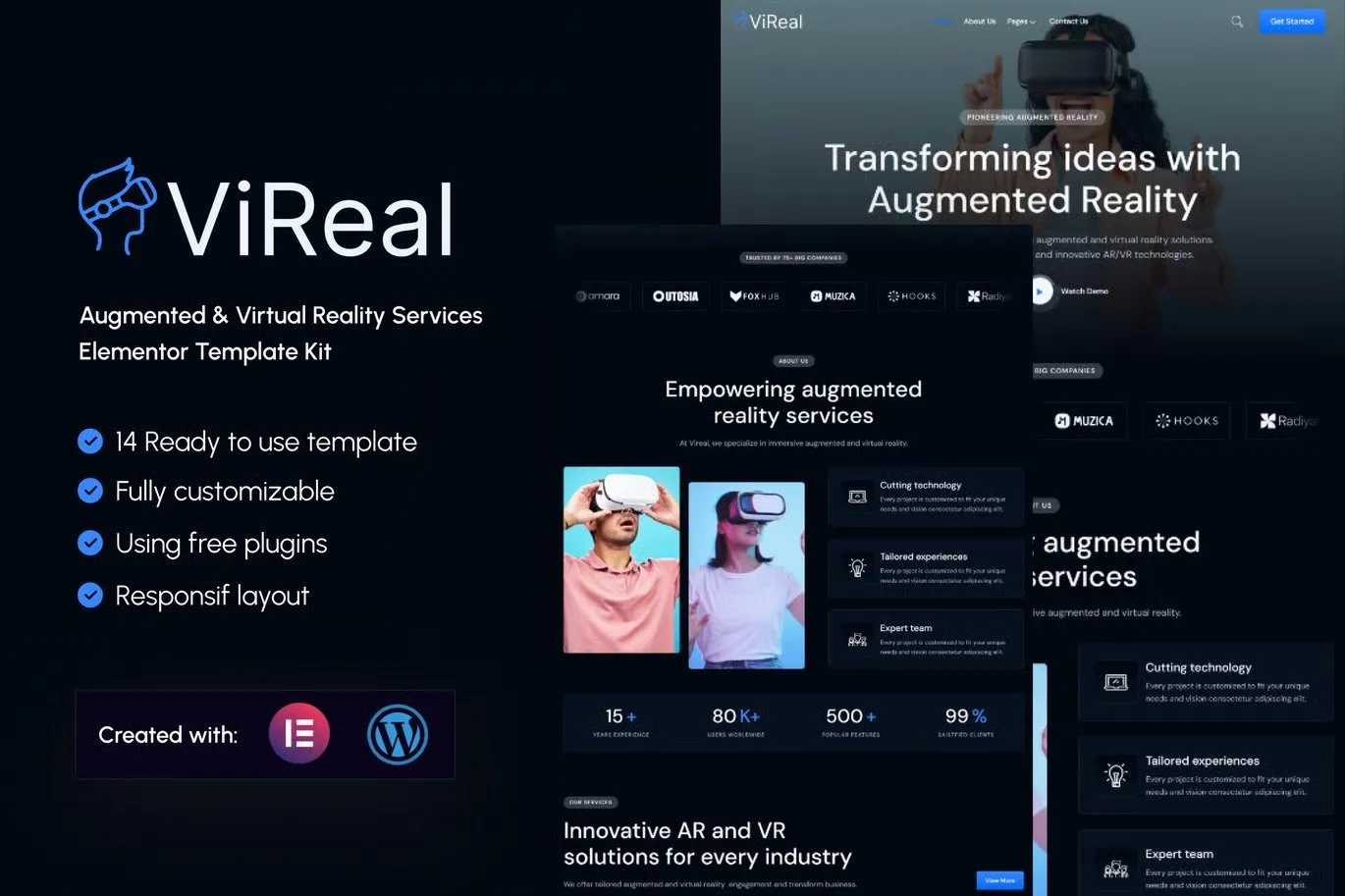
Vireal – Augmented & Virtual Reality Services Elementor Template Kit
- Updated on May 3, 2026
- 100% Original Product & Well Documented
- Unlimited Domain Usage
*Important Note:
The image should not be Part of the template kit. You need to use your own reliable Source.


Original price was: ₹999.00.₹299.00Current price is: ₹299.00.
A sleek, ready-to-use Elementor template kit built specifically for AR/VR agencies and tech companies. Get a professional website up in hours, not weeks — no coding required.
- Secured & Scanned by Virus total & McAfee.
- Access to Free updates for Lifetime
- All products are Under GPL License (Unlimited Domain Usage)
- We Not Provide any Support For this Product

Lifetime Membership
Access 6700+ Premium WordPress Themes & Plugins, Elementor Templates, Mobile Apps, PHP scripts with Lifetime Updates.
Join Premium MembershipRecently Viewed
Vireal AR VR Elementor Template Kit for Modern Tech Businesses
If you’re building a website for an augmented reality or virtual reality company, you need a design that matches your innovation. Vireal delivers just that — a polished, modern template kit that helps AR/VR startups, digital agencies, and tech studios launch a professional online presence fast. Built for Elementor (free version), this kit requires zero coding knowledge and zero monthly subscriptions.
What You Get with Vireal
This isn’t a WordPress theme — it’s a pre-built layout system designed for the free Elementor page builder. That means you own it completely, customize every detail, and never pay recurring platform fees. The kit includes multiple page layouts crafted for immersive tech businesses: homepage sections, service pages, portfolio showcases, team displays, and contact forms.
- Fully responsive designs that look sharp on any device
- Dark-mode aesthetic perfect for futuristic brands
- Easy-to-edit typography and color controls within Elementor
- Optimized structure for fast loading speeds
Key Features Built for AR/VR Companies
Vireal speaks the language of immersive technology. Every section uses generous whitespace, bold headlines, and visual layouts that let your work shine. Showcasing VR experiences, AR applications, or client projects becomes effortless with pre-designed portfolio grids and case study templates.
- Service showcase blocks for AR/VR offerings
- Team member cards with social links
- Testimonial sliders for client trust
- Pricing table layouts for service packages
- Contact and quote request forms
Who It’s Designed For
Vireal works best for small teams and solo founders who need a professional website without agency price tags. Whether you run a VR development studio, offer AR consulting services, build immersive training programs, or launch metaverse experiences — this kit gives you a ready foundation to customize and launch.
How to Use This Template Kit
Getting started takes minutes. Install the free Elementor plugin on any WordPress site, import the Vireal kit, and start editing. Swap in your logo, adjust colors to match your brand, add your content, and publish. No design skills required. No waiting on developers. You control everything.
Why Choose Vireal Over Alternatives
Other template options often require premium Elementor Pro, expensive licenses, or come bloated with features you’ll never use. Vireal keeps things lean — designed specifically for AR/VR businesses, compatible with the free Elementor version, and priced as a one-time purchase. You get instant download, a commercial license for client projects, and lifetime updates at no extra cost.
- One-time payment — no subscriptions ever
- Commercial license included for business use
- Free customer support when you need help
- Regular updates to keep things compatible
Ready to Get Started?
Stop overthinking your website. Vireal gives you a professional, modern foundation for your AR/VR business in under an afternoon. Download instantly, install on your WordPress site, and start customizing. Your future clients are searching for immersive tech companies right now — make sure they find you.
Only logged in customers who have purchased this product may leave a review.
How to use Kit:
Install and activate the “Template Kit – Import” plugin from Plugins > Add New in WordPress.
Do not unzip.
Go to Template Kit – Import > Upload Template Kit Zip File button.
Before importing a template, ensure the Install Requirements button is clicked to activate required plugins.
For best results, do not import more than one template at a time.
RELATED PRODUCTS

DIVI – Original License | One Time Payment – Exclusive Deal

Elementor Pro 4.2.3 + Elementorism Landing Pages WordPress Plugin

907 5.3.6 – Responsive Multi-Purpose WordPress Theme

Element Pack Pro 9.1.0 – Addon For Elementor






 Mobile Apps
 php script
 How to
Reviews
There are no reviews yet