
Warri – Refugee Center Elementor Pro Template Kit
- Updated on May 3, 2026
- 100% Original Product & Well Documented
- Unlimited Domain Usage
*Important Note:
The image should not be Part of the template kit. You need to use your own reliable Source.


Original price was: ₹999.00.₹299.00Current price is: ₹299.00.
Launch a professional refugee center website in an afternoon, not months. Warri is the Elementor Pro template kit built for humanitarian organizations — download today, launch tomorrow, commercial license included.
- Secured & Scanned by Virus total & McAfee.
- Access to Free updates for Lifetime
- All products are Under GPL License (Unlimited Domain Usage)
- We Not Provide any Support For this Product

Lifetime Membership
Access 6700+ Premium WordPress Themes & Plugins, Elementor Templates, Mobile Apps, PHP scripts with Lifetime Updates.
Join Premium MembershipRecently Viewed
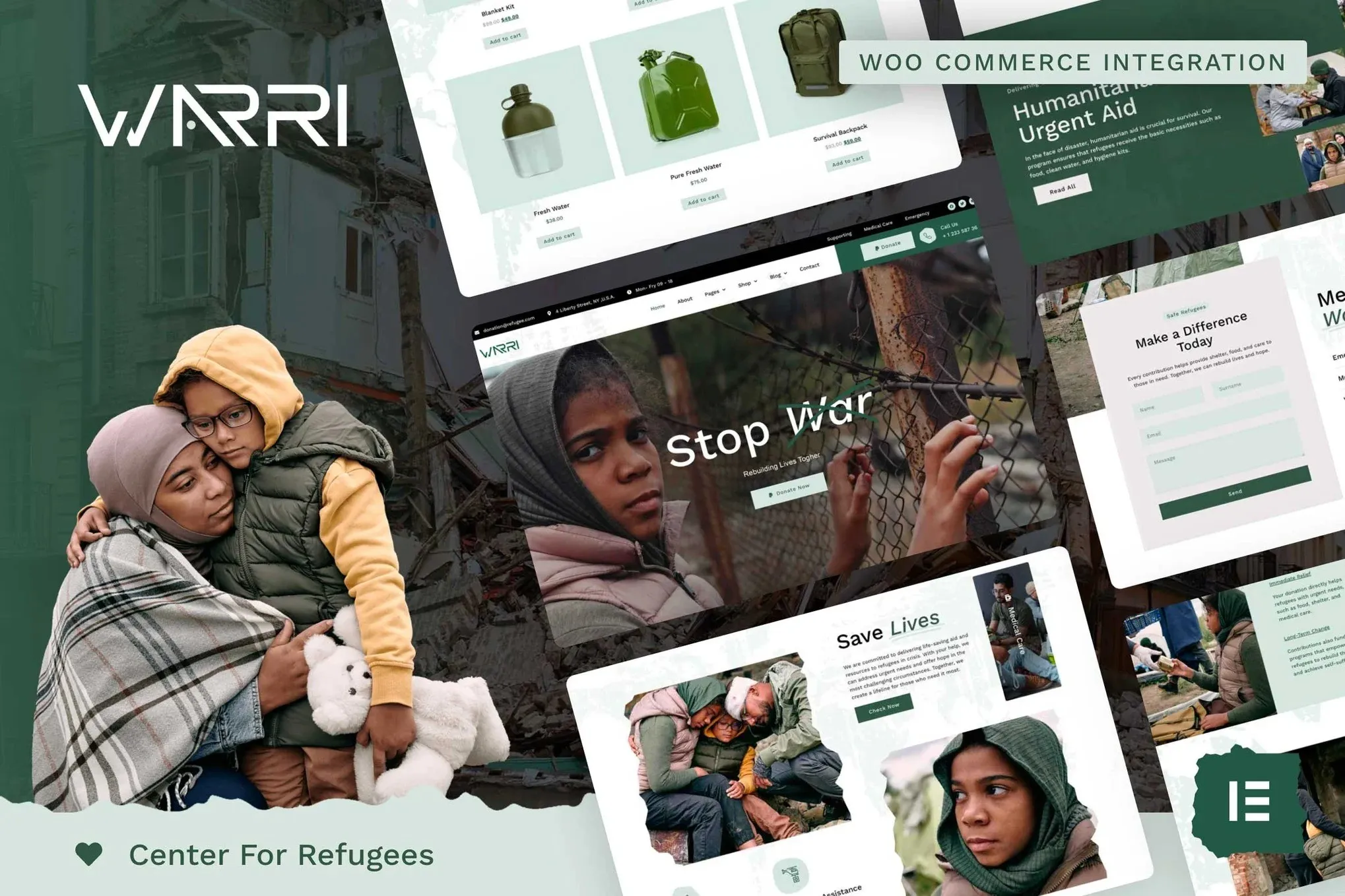
Warri Refugee Center Elementor Pro Template Kit
When every moment matters for families seeking safety, your website needs to work as hard as you do. Warri gives humanitarian organizations a professional, compassion-driven web presence without the custom development price tag. This ready-to-use Elementor template kit cuts through the design and coding headaches — download, install, and launch in a single afternoon.
What Warri Delivers
Built specifically for refugee centers, humanitarian NGOs, and shelter organizations. Every section, every layout, every color choice communicates trust and professionalism while maintaining the warmth your mission demands. No generic corporate feel. No cold clinical design. Just a website that says ‘we care’ from the first scroll.
Key Features Built for Refugee Centers
- Donation sections with payment integration prompts — ready to turn visitors into supporters
- Service listing areas for shelter programs, legal aid, language classes, and employment assistance
- Staff profiles and volunteer signup forms that build real community connection
- News and updates module to keep donors and families in the loop
- Contact and location sections built for emergency communication needs
- Fully responsive design that works on phones, tablets, and desktops — because families often access resources from mobile devices first
Who It’s For
Warri works for refugee resettlement agencies, humanitarian nonprofits, shelter networks, immigration support organizations, and disaster relief foundations. If your team can use drag-and-drop editing, you can maintain this website without touching code. Freelance designers building client sites will appreciate the pre-built sections that cut project time in half. Small nonprofit teams working with limited budgets get a premium look without the premium agency invoice.
How To Use This Template Kit
Download the package, install it on any WordPress site running Elementor Pro, and import the pre-designed layouts. Replace placeholder text with your organization’s information. Swap stock images for photos of your actual team and facilities. Publish. The entire process takes 2-4 hours for a complete site launch. Note: No Elementor Pro subscription is included — you’ll need that separately. The template kit works with Pro version’s theme builder and form features.
Why Choose Warri Over Custom Development
Custom development for a nonprofit website typically runs $3,000-$8,000. Warri delivers a professional result at a fraction of that cost — same polished appearance, same mobile responsiveness, same modern typography, instant results. The commercial license lets you use it for unlimited client projects. Lifetime free updates and a one-time payment mean no surprises down the road.
Ready to Get Started?
Download Warri today and have your refugee center website live before the week is over. One-time purchase. Lifetime access. Commercial license included. No recurring fees. Your organization deserves a website that matches the importance of your work — and Warri delivers exactly that.
Only logged in customers who have purchased this product may leave a review.
How to use Kit:
Install and activate the “Template Kit – Import” plugin from Plugins > Add New in WordPress.
Do not unzip.
Go to Template Kit – Import > Upload Template Kit Zip File button.
Before importing a template, ensure the Install Requirements button is clicked to activate required plugins.
For best results, do not import more than one template at a time.
RELATED PRODUCTS

DIVI – Original License | One Time Payment – Exclusive Deal

Elementor Pro 4.2.3 + Elementorism Landing Pages WordPress Plugin

907 5.3.6 – Responsive Multi-Purpose WordPress Theme

Element Pack Pro 9.1.0 – Addon For Elementor






 Mobile Apps
 php script
 How to
Reviews
There are no reviews yet