
WeCare – Hospital & Clinic Elementor Template Kit
- Updated on October 11, 2025
- 100% Original Product & Well Documented
- Unlimited Domain Usage
*Important Note:
The image should not be Part of the template kit. You need to use your own reliable Source.


Original price was: ₹999.00.₹299.00Current price is: ₹299.00.
- Secured & Scanned by Virus total & McAfee.
- Access to Free updates for Lifetime
- All products are Under GPL License (Unlimited Domain Usage)
- We Not Provide any Support For this Product

Lifetime Membership
Access 6700+ Premium WordPress Themes & Plugins, Elementor Templates, Mobile Apps, PHP scripts with Lifetime Updates.
Join Premium MembershipRecently Viewed
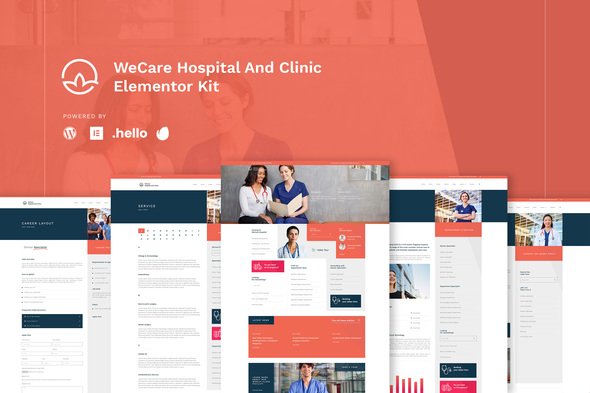
WeCare – Hospital & Clinic Elementor Template Kit
Solving Healthcare Website Challenges
Building a website for a hospital or clinic often presents unique challenges. Your clients need to present a wealth of information—departments, staff directories, services, and patient guidance—in a clear, accessible way. Traditional templates can sometimes prioritize superficial aesthetics over genuine user utility, leaving you to spend valuable time restructuring or building custom solutions. The WeCare Hospital & Clinic Template Kit is designed to address this directly, providing a robust foundation that prioritizes clarity and comprehensive information delivery based on real user needs.
Key Features for Effective Healthcare Websites
Information-Rich Layouts
WeCare helps you create a website where patients and visitors can easily find what they need. Its layouts are structured to manage extensive lists of departments, doctor profiles, and service offerings without overwhelming the user. This clear organization improves overall site navigation, ensuring critical information is always within reach.
User-Centric Design Philosophy
This template kit is built from insights into what patients and the public expect from a healthcare website. It emphasizes practical navigation and straightforward content presentation. By understanding how users seek information, WeCare provides a design that naturally guides them through your client’s services and resources, making their online experience more effective.
Prioritizing Content Clarity
Unlike kits that rely on excessive animations or decorative imagery, WeCare keeps the focus on your content. The design approach is professional and direct, ensuring your client’s vital information is the primary takeaway. This commitment to clarity results in a more professional appearance and contributes to faster page loading, important for user retention.
Who Benefits from WeCare?
WeCare is ideal for web developers and agencies working with healthcare providers, as well as business owners managing their own medical facility websites. It’s particularly well-suited for:
- Hospitals needing to organize numerous departments and medical staff.
- Large clinics requiring detailed service listings and doctor profiles.
- Medical centers aiming for an easily navigable and information-dense online presence.
This kit provides a strong framework for any project where comprehensive information delivery and ease of access are primary concerns. It works well with standard WordPress content management for creating new doctor profiles or department pages.
Streamlined Implementation and Performance
Setting up your client’s new healthcare site is straightforward with the WeCare Elementor Template Kit. Its modular design allows for quick import and customization using Elementor’s intuitive drag-and-drop interface, saving development time. All layouts are designed to be fully responsive, ensuring a consistent and accessible experience across all devices—desktops, tablets, and smartphones. The emphasis on clean structure also contributes to a more efficient website, providing a better experience for visitors.
Get Started with a Practical Solution
If you need a reliable and information-focused foundation for your next healthcare website project, WeCare offers a complete solution.
Download from Plugintheme at an affordable price.
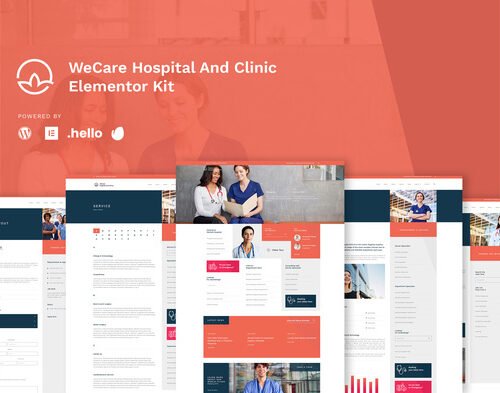 WeCare - Hospital & Clinic Elementor Template Kit
How to use Kit:
Install and activate the “Template Kit – Import” plugin from Plugins > Add New in WordPress.
Do not unzip.
Go to Template Kit – Import > Upload Template Kit Zip File button.
Before importing a template, ensure the Install Requirements button is clicked to activate required plugins.
For best results, do not import more than one template at a time.










 Mobile Apps
 php script
 How to
Reviews
There are no reviews yet