
Asista – Virtual Assistant Elementor Template Kit
- Updated on May 3, 2026
- 100% Original Product & Well Documented
- Unlimited Domain Usage
*Important Note:
The image should not be Part of the template kit. You need to use your own reliable Source.


Original price was: ₹999.00.₹299.00Current price is: ₹299.00.
Build your VA website in an afternoon. Asista gives you a complete, polished site that makes you look established and trustworthy — no designer required. Just drag, drop, and launch.
- Secured & Scanned by Virus total & McAfee.
- Access to Free updates for Lifetime
- All products are Under GPL License (Unlimited Domain Usage)
- We Not Provide any Support For this Product

Lifetime Membership
Access 6700+ Premium WordPress Themes & Plugins, Elementor Templates, Mobile Apps, PHP scripts with Lifetime Updates.
Join Premium MembershipRecently Viewed
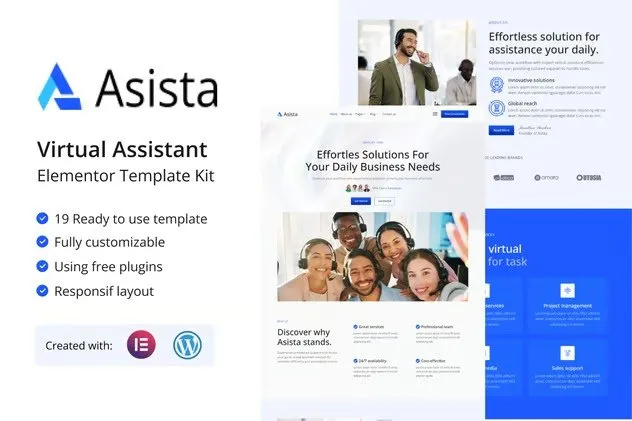
Virtual Assistant Elementor Template Kit for a Standout Online Presence
You didn’t become a VA to spend weeks wrestling with website builders. Asista gets you online fast with a site that actually looks like you hired someone.
This kit has everything: homepage, about, services, testimonials, pricing, contact, and FAQ pages. The layouts guide visitors toward booking a call, and the design makes you look established from day one. No coding, no design degree, no problem.
What’s Included
Unlike generic templates that make you fit into someone else’s box, Asista was built for how VAs actually work. The sections flow logically, the copy placeholders make sense for this industry, and the whole thing just works.
- 7 pre-built pages: Homepage, About, Services, Testimonials, Pricing, Contact, FAQ
- Responsive design that looks solid on phones, tablets, and desktops
- Elementor drag-and-drop — edit everything visually
- Clean structure that’s simple to customize or extend
- Works with free Elementor and most WordPress themes
Built to Book Clients
Pretty matters, but getting results matters more. Each section in Asista is positioned to move visitors closer to reaching out. The service blocks show what you offer with clear pricing hooks. Testimonials are front and center where they do the most trust-building work. The contact form? It’s optimized for actually getting responses.
- Service showcases with pricing integration built in
- Testimonial section positioned for immediate credibility
- Contact areas designed to reduce friction for prospects
- Client intake form layout ready to go
- Social proof placement that actually makes sense
Who It’s For
Running any flavor of virtual assistance — admin, social media, bookkeeping, customer service, niche specialties — this kit fits. New freelancers can launch a professional site without hiring anyone. Established VAs get a refresh that doesn’t require starting from scratch.
If you can point and click, you can build your site. The learning curve is basically flat.
Getting Started
You’ll be live in under an hour. Install the free Elementor plugin, import the kit, swap in your own text and images, hit publish. Each page works standalone or you can cherry-pick sections to build something custom.
Branding is straightforward — switch colors, update fonts, drop in your logo. The code is clean, so pages load fast and search engines notice.
Why This Over Building From Scratch or Using a Free Template?
Custom designs cost serious money and take serious time. Free templates? They look like free templates. Asista lands in the middle — affordable, polished, and ready to use right now.
Commercial license is included, so you can use it for client work too. And you get free lifetime updates, so it keeps working as WordPress and Elementor change.
Build Your VA Website Today
Skip the generic templates that scream “I threw this together in a weekend.” Asista gives you a professional foundation that attracts better clients and grows with your business.
Only logged in customers who have purchased this product may leave a review.
How to use Kit:
Install and activate the “Template Kit – Import” plugin from Plugins > Add New in WordPress.
Do not unzip.
Go to Template Kit – Import > Upload Template Kit Zip File button.
Before importing a template, ensure the Install Requirements button is clicked to activate required plugins.
For best results, do not import more than one template at a time.
RELATED PRODUCTS

DIVI – Original License | One Time Payment – Exclusive Deal

Elementor Pro 4.1.3 + Elementorism Landing Pages WordPress Plugin

907 5.3.6 – Responsive Multi-Purpose WordPress Theme

Element Pack Pro 9.1.0 – Addon For Elementor

Lifetime Mini Membership





 Mobile Apps
 php script
 How to
Reviews
There are no reviews yet