
AutoKit – Auto Dealership & Car Listing Elementor Template Kit
- Updated on April 28, 2026
- 100% Original Product & Well Documented
- Unlimited Domain Usage
*Important Note:
The image should not be Part of the template kit. You need to use your own reliable Source.


Original price was: ₹999.00.₹299.00Current price is: ₹299.00.
15+ ready pages for car dealers. Listings, inventory grids, service sections — everything you need to get a dealership site live without touching code. Drag, drop, done.
- Secured & Scanned by Virus total & McAfee.
- Access to Free updates for Lifetime
- All products are Under GPL License (Unlimited Domain Usage)
- We Not Provide any Support For this Product

Lifetime Membership
Access 6700+ Premium WordPress Themes & Plugins, Elementor Templates, Mobile Apps, PHP scripts with Lifetime Updates.
Join Premium MembershipRecently Viewed
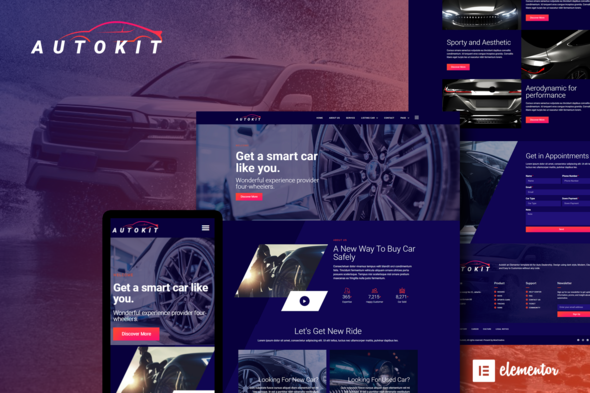
AutoKit Elementor Template Kit for Auto Dealership Websites
Building a car dealership website shouldn’t take months. AutoKit gives you a complete, professionally designed foundation that works right out of the box with Elementor — the world’s most popular page builder. Whether you’re creating a site for a luxury dealership, a used car lot, or a car rental service, this template kit has every section you need to look polished and close deals faster.
What You Get with AutoKit
This isn’t a handful of basic headers and footers. AutoKit delivers a full website structure with 15+ inner pages and pre-styled components that handle the heavy lifting so you can focus on what matters — selling cars. Every layout is built for the automotive industry: inventory showcases, detailed car listing pages, financing calculators, team profiles, and service department sections.
- Home page variants with hero sliders and featured inventory sections
- Dedicated car listing templates with filters, specs, and gallery layouts
- Inventory grid layouts that adapt to any screen size
- Service and maintenance booking pages
- Team member profiles for sales staff showcases
- Contact forms, about pages, and FAQ sections
- Financing calculator and loan estimator components
Who It’s Built For
AutoKit works for anyone who needs a professional auto dealership website without hiring a development team. Freelance designers use it to deliver client projects in days instead of weeks. Small dealership owners who want control over their web presence without monthly agency fees. WordPress developers who need a solid starting point for custom builds. Car rental companies and automotive service shops looking for industry-specific designs that impress immediately.
How Easy Is It to Customize?
You don’t need to know code. If you can drag and drop in Elementor, you can customize every part of this template kit. Change colors to match your brand, swap images with your inventory photos, update text with your own pricing and specials. The layouts are built on clean, organized styling that won’t fight your changes. Move sections around, add new blocks, delete what you don’t need — it’s completely flexible.
Why Choose AutoKit Over Starting From Scratch?
Custom designs cost thousands and take 6-8 weeks minimum. AutoKit gives you a professional starting point that cuts your production time by 70%. The automotive-specific layouts mean you won’t spend hours figuring out how to display VIN numbers, mileage, or trim levels — it’s already built in. Every element is responsive, loads fast, and follows modern design standards that make car buyers trust your business. You get lifetime updates, a commercial license that covers client work, and instant download the moment you purchase.
Stop wrestling with generic templates that don’t fit the automotive industry. Get AutoKit and have a complete, ready-to-launch dealership website ready today.
Ready to Build Your Auto Dealership Website?
AutoKit is ready for instant download. One-time payment includes the full template kit, commercial license for client projects, lifetime updates, and ongoing support. Launch your car dealership website faster with a template designed specifically for the automotive industry. Buy AutoKit now and start customizing in minutes.
Only logged in customers who have purchased this product may leave a review.
How to use Kit:
Install and activate the “Template Kit – Import” plugin from Plugins > Add New in WordPress.
Do not unzip.
Go to Template Kit – Import > Upload Template Kit Zip File button.
Before importing a template, ensure the Install Requirements button is clicked to activate required plugins.
For best results, do not import more than one template at a time.
RELATED PRODUCTS

DIVI – Original License | One Time Payment – Exclusive Deal

Elementor Pro 4.2.1 + Elementorism Landing Pages WordPress Plugin

907 5.3.6 – Responsive Multi-Purpose WordPress Theme

Element Pack Pro 9.1.0 – Addon For Elementor






 Mobile Apps
 php script
 How to
Reviews
There are no reviews yet