
Bookly Service Schedule Addon 3.6
- Updated on May 5, 2026
- 100% Original Product & Well Documented
- Unlimited Domain Usage


Original price was: ₹4,500.00.₹299.00Current price is: ₹299.00.
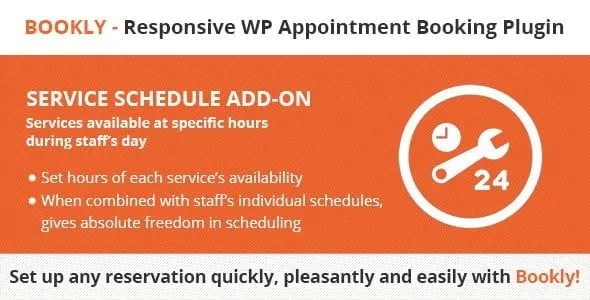
Manage appointment slots your way with the Bookly Service Schedule Addon. Set custom availability, control durations, and stop double-bookings — all from your WordPress dashboard. Get instant access today.
- Secured & Scanned by Virus total & McAfee.
- Lifetime Free Updates
- GPL License (Unlimited Domain Usage)
- Pre Activated, You Don’t Need Any license Key
- 100% Satisfaction Guarantee (Refund Policy)

Lifetime Membership
Access 6700+ Premium WordPress Themes & Plugins, Elementor Templates, Mobile Apps, PHP scripts with Lifetime Updates.
Join Premium MembershipRecently Viewed
Bookly Service Schedule Addon: Full Control Over Your Appointment Availability
Every service you offer deserves its own schedule. The Bookly Service Schedule Addon lets you set unique availability windows, durations, and booking rules for each service in your WordPress appointment system. Stop manually managing calendars. Stop losing bookings to scheduling conflicts. This addon puts you in complete control.
Built specifically for Bookly users who need more flexibility, this addon works seamlessly with your existing setup. No complex integrations. No third-party tools to juggle. Just precise scheduling that matches exactly how your business runs.
What It Does
This addon extends your Bookly installation with service-specific scheduling capabilities that the base plugin doesn’t offer. Create availability windows that make sense for each service you provide, not just one global schedule for everything.
- Set custom schedules per service — different hours, different days, different rules
- Define exact appointment durations for individual services
- Create one-time availability blocks for holidays, events, or special days
- Set up recurring schedules that repeat weekly, bi-weekly, or on custom cycles
- Configure buffer times between appointments automatically
- Manage individual staff member availability alongside service schedules
Who It’s For
This addon works best if you already use Bookly and need to offer services with different time requirements. A salon offering 30-minute trims and 3-hour color treatments can’t run them on the same schedule. A consulting firm needs different availability for initial calls versus strategy sessions. A fitness studio might offer 45-minute personal training but 60-minute group classes. The Bookly Service Schedule Addon handles all of these scenarios without you switching between multiple booking tools.
How To Use It
Install the addon directly from your WordPress dashboard, activate it, and it integrates with your existing Bookly settings immediately. Navigate to your Bookly service settings and you’ll find new scheduling options for each service. Set the availability window, define duration, add any buffer time you need, and save. Your clients will only see open slots that match your custom schedule. Most users are up and running in under 10 minutes.
Why Get This Addon
- Stop double-bookings and scheduling conflicts permanently
- No monthly fees — pay once and use it forever
- Commercial license included for client projects
- Lifetime free updates so your addon stays compatible
- Expert support whenever you need help
The alternative is juggling multiple plugins or paying for premium booking tiers that still don’t give you this level of service-specific control. One purchase, one license, and your Bookly installation gains scheduling capabilities that growing service businesses actually need. Download now and start setting up custom schedules in minutes.
Ready to Get Started?
Get the Bookly Service Schedule Addon today and bring professional scheduling logic to every service you offer. Instant download. Commercial license included. Lifetime updates and support. Your clients will thank you for the smoother booking experience.
Only logged in customers who have purchased this product may leave a review.
RELATED PRODUCTS

DIVI – Original License | One Time Payment – Exclusive Deal

Elementor Pro 4.2.1 + Elementorism Landing Pages WordPress Plugin

907 5.3.6 – Responsive Multi-Purpose WordPress Theme

Element Pack Pro 9.1.0 – Addon For Elementor






 Mobile Apps
 php script
 How to
Reviews
There are no reviews yet