
Bookly Special Days Addon 5.1
- Updated on May 5, 2026
- 100% Original Product & Well Documented
- Unlimited Domain Usage



Original price was: ₹4,500.00.₹299.00Current price is: ₹299.00.
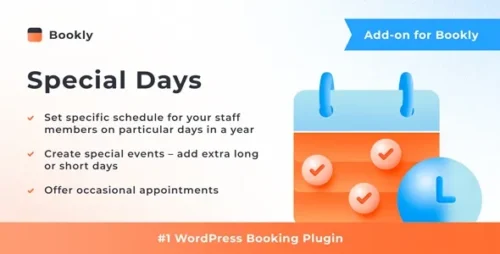
Handle holidays, birthdays, and special occasions without touching your calendar. Set custom pricing, availability, and services for any date — then watch your booking system handle it automatically. Instant download.
- Secured & Scanned by Virus total & McAfee.
- Lifetime Free Updates
- GPL License (Unlimited Domain Usage)
- Pre Activated, You Don’t Need Any license Key
- 100% Satisfaction Guarantee (Refund Policy)

Lifetime Membership
Access 6700+ Premium WordPress Themes & Plugins, Elementor Templates, Mobile Apps, PHP scripts with Lifetime Updates.
Join Premium MembershipRecently Viewed
Bookly Special Days Addon: Take Control of Every Date on Your Calendar
Every appointment business has them: the days that break your normal routine. Holiday closures. Extended weekends. Special events that demand different hours or pricing. Without a system, you’re spending hours manually blocking dates, sending apologetic emails, and praying nothing slips through the cracks.
The Bookly Special Days Addon fixes this. You create rules once — for individual dates or recurring patterns — and your booking system follows them forever. Customers see adjusted availability, modified pricing, or different service options automatically. No chasing down your calendar. No surprise fees showing up at checkout.
What You Can Configure
This addon slots into your existing Bookly setup on WordPress. No migrations, no data transfers. You pick a date, choose how it behaves differently, and done. Here’s what’s on the table:
- Custom availability windows (shorter hours, blocked slots, entirely closed)
- Service-specific pricing adjustments (percentage markups, flat fees, or full price overrides)
- Enable or disable individual services for marked dates
- Recurring patterns (every Sunday, first Monday, last Friday of the month)
- Customer-facing notes that display during booking
Who Needs This
Salons blocking time for inventory. Clinics closing for public holidays. Fitness studios adding premium pricing during January. Tutoring centers limiting sessions during exam weeks. If your schedule changes based on the calendar, this addon saves you real hours every month.
The interface mirrors Bookly’s existing dashboard. If you’ve already set up your services and staff, adding a special day rule takes under two minutes.
How It Works
After installation, a new “Special Days” section appears in your Bookly settings. You select a date or date range, then configure each one independently:
- Pick the timeframe — one day or an entire holiday week
- Adjust time slots (2-hour windows instead of 8, different intervals, or fully blocked)
- Set pricing modifications
- Choose which services run and which pause
- Write a note customers see at checkout
When someone books, they see exactly what’s available and what it’ll cost. No confusion, no cancellations, no frustrated emails.
What You’re Getting
A commercial license covers unlimited use across client projects or your own business. Lifetime updates keep it compatible as Bookly evolves. If something breaks during installation, support has your back.
One payment. No subscriptions. Your booking system runs smarter the moment you activate the addon.
Download Now
Stop managing special dates by hand. Stop explaining holiday surcharges after customers book. Stop blocking appointments individually when you could set rules once and move on.
Only logged in customers who have purchased this product may leave a review.
RELATED PRODUCTS

DIVI – Original License | One Time Payment – Exclusive Deal

Elementor Pro 4.2.1 + Elementorism Landing Pages WordPress Plugin

907 5.3.6 – Responsive Multi-Purpose WordPress Theme

Element Pack Pro 9.1.0 – Addon For Elementor






 Mobile Apps
 php script
 How to
Reviews
There are no reviews yet