
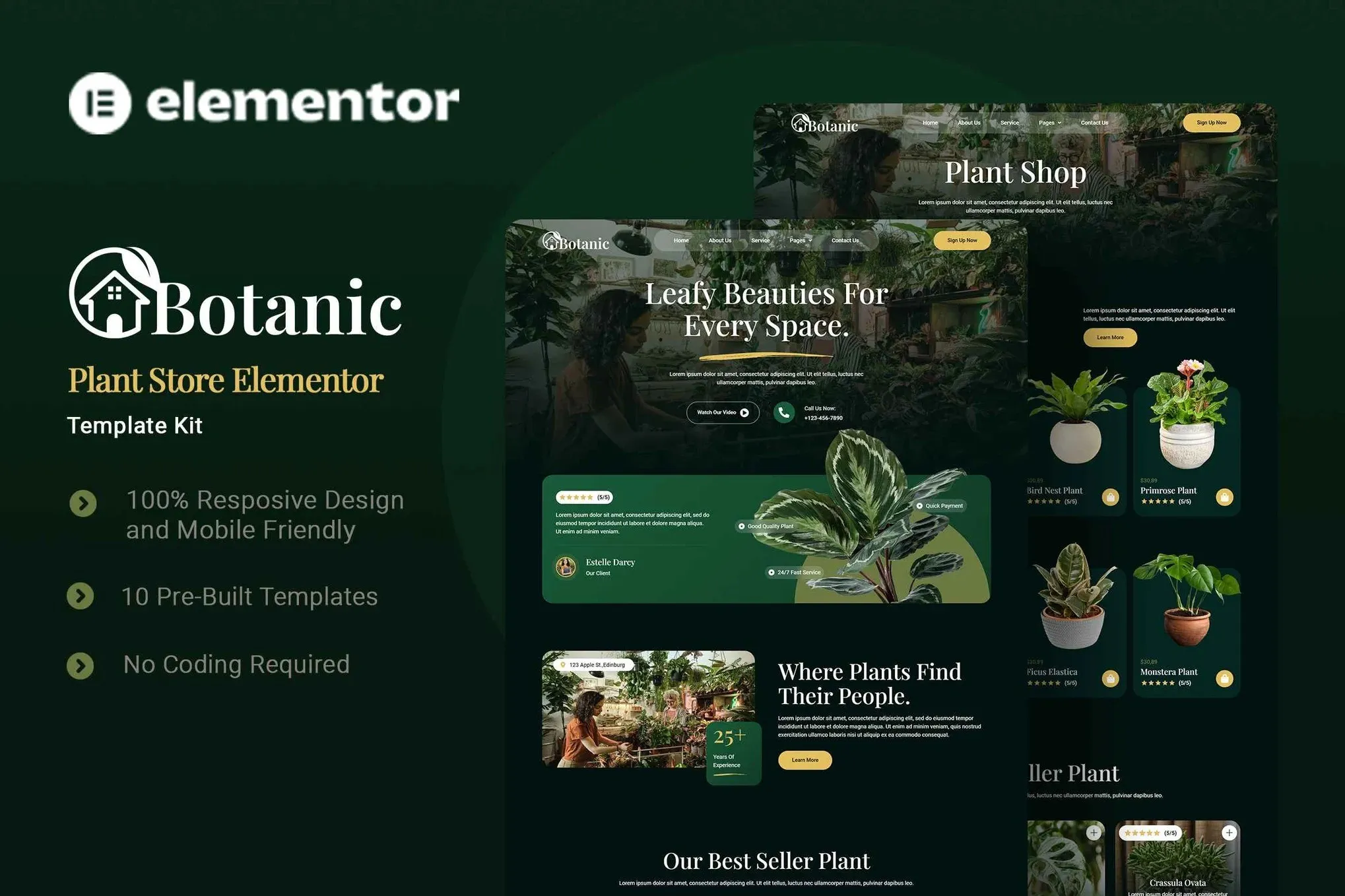
Botanic – Plant Store Elementor Template Kit
- Updated on May 3, 2026
- 100% Original Product & Well Documented
- Unlimited Domain Usage
*Important Note:
The image should not be Part of the template kit. You need to use your own reliable Source.


- Coupon "b2g1" has expired.
- Coupon "b2g1" has expired.
- Coupon "b2g1" has expired.
- Coupon "b2g1" has expired.
- Coupon "b2g1" has expired.
Original price was: ₹999.00.₹299.00Current price is: ₹299.00.
Turn your plant shop dream into a live website this weekend. Botanic gives you 10+ ready pages, a cohesive nature aesthetic, and full WooCommerce setup — swap in your photos and plants, hit publish.
- Secured & Scanned by Virus total & McAfee.
- Access to Free updates for Lifetime
- All products are Under GPL License (Unlimited Domain Usage)
- We Not Provide any Support For this Product

Lifetime Membership
Access 6700+ Premium WordPress Themes & Plugins, Elementor Templates, Mobile Apps, PHP scripts with Lifetime Updates.
Join Premium MembershipRecently Viewed
Botanic Plant Store Elementor Template Kit
So you want to sell plants online. You’ve got the greenhouse, the expertise, maybe even a few hundred followers on Instagram. What you don’t have is a website — and the thought of building one from scratch makes your head hurt.
Botanic solves that. It’s a complete Elementor Template Kit built specifically for plant businesses. Not a generic layout you’ll spend weeks customizing. A ready-to-launch design system with 10+ pages, styled components, and full e-commerce support. Download. Install. Launch today.
What You Get
Everything you need to run a professional online plant shop:
- 10+ pre-built pages — homepage, shop, about, services, blog, contact, and more
- WooCommerce templates for products, cart, and checkout — actually designed for selling physical goods
- Header and footer templates that work with any WordPress theme
- Blog layouts for plant care tips, news, or whatever content strategy you’re running
- Contact forms, team page, FAQ, and pricing — pages most template kits forget
- Mobile-responsive across every template
- Green-and-earth color palette, modern fonts, plenty of whitespace for plant photography
All built with Elementor’s drag-and-drop editor. No code. No developers. If you can use a word processor, you can customize this.
Who It’s Made For
Houseplant sellers. Nurseries. Garden centers. Landscapers. Florists. Botanical nonprofits. If you grow things, sell things related to plants, or help people with their gardens — this kit was designed for you.
It scales too. A small operation might use three pages. A growing shop might use the full kit — multi-page store, blog, service listings, the works.
Setup Process
Here’s the honest timeline: most buyers are live the same day.
- Install the free Elementor plugin on your WordPress site
- Upload the kit file and import the pages you want
- Open each page in Elementor and swap the placeholder text with your own
- Upload your plant photos, logo, brand colors
- Connect your WooCommerce products to the shop template
- Hit publish
The included documentation walks you through every step. It’s detailed enough for beginners, but doesn’t insult your intelligence if you’ve touched WordPress before.
Why Not Just Use a Free Theme?
Free themes get you 80% there — then you spend the other 20% fighting with customization, wrestling with layouts, and ending up with something that looks like, well, a free theme.
Botanic is different. The color palette works with plant photography. The layouts are built for product catalogs. The typography is readable and modern. Everything is already done. You just make it yours.
What’s Included
- Instant download — build your site tonight
- Commercial license — use it for client work or your own business
- Lifetime updates — new pages and features added for free
- Lifetime support — someone answers when you get stuck
One payment. No subscriptions. No surprises.
Only logged in customers who have purchased this product may leave a review.
How to use Kit:
Install and activate the “Template Kit – Import” plugin from Plugins > Add New in WordPress.
Do not unzip.
Go to Template Kit – Import > Upload Template Kit Zip File button.
Before importing a template, ensure the Install Requirements button is clicked to activate required plugins.
For best results, do not import more than one template at a time.
RELATED PRODUCTS

DIVI – Original License | One Time Payment – Exclusive Deal

Elementor Pro 4.1.3 + Elementorism Landing Pages WordPress Plugin

907 5.3.6 – Responsive Multi-Purpose WordPress Theme

Element Pack Pro 9.1.0 – Addon For Elementor

Lifetime Mini Membership





 Mobile Apps
 php script
 How to
Reviews
There are no reviews yet