
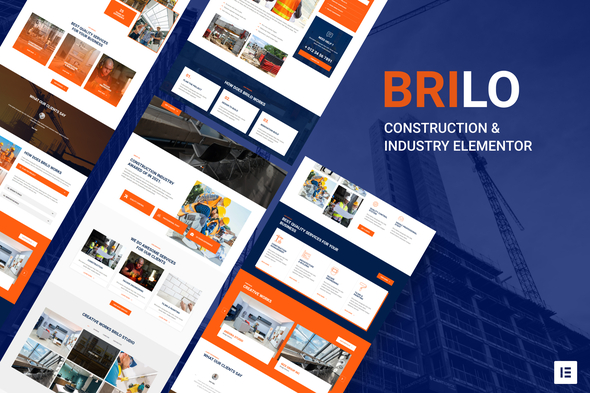
Brilo – Construction & Industry Elementor Template Kit
- Updated on May 1, 2026
- 100% Original Product & Well Documented
- Unlimited Domain Usage
*Important Note:
The image should not be Part of the template kit. You need to use your own reliable Source.


- Coupon "b2g1" has expired.
- Coupon "b2g1" has expired.
- Coupon "b2g1" has expired.
- Coupon "b2g1" has expired.
- Coupon "b2g1" has expired.
Original price was: ₹999.00.₹299.00Current price is: ₹299.00.
8 ready-to-use pages for construction websites. Pick your layouts, drop in your photos, publish. Built for contractors who need a professional site without hiring a developer.
- Secured & Scanned by Virus total & McAfee.
- Access to Free updates for Lifetime
- All products are Under GPL License (Unlimited Domain Usage)
- We Not Provide any Support For this Product

Lifetime Membership
Access 6700+ Premium WordPress Themes & Plugins, Elementor Templates, Mobile Apps, PHP scripts with Lifetime Updates.
Join Premium MembershipRecently Viewed
Launch a Construction Website in One Afternoon
You’ve got a WordPress site sitting empty. Maybe you’ve been putting this off because the thought of building a website from scratch feels overwhelming. Brilo changes that.
This Elementor Template Kit gives construction companies, contractors, and industrial firms a complete, polished website in hours — not weeks. Each page is built to do one thing: turn browsers into paying clients. Strong hero sections, project galleries that actually showcase your work, service pages that answer questions before clients ask them, and contact forms that make it easy to reach out.
What’s Inside the Kit
Eight complete pages, ready to publish the moment you import them:
- Home, About, Services, Projects Gallery, Team, FAQ, Contact, and 404 page
- Matching header and footer across every single page
- Layouts that look sharp on phones, tablets, and desktops — no broken mobile views
- Named sections and layers so you can find what you need without digging through a maze of divs
Who Uses Brilo?
Freelance designers keep this in their toolkit for construction clients — cuts delivery time from weeks to days. Small agencies use it to handle overflow without stretching their team thin. And business owners who have never touched code? They set up everything themselves, no developer calls, no waiting.
Elementor’s editor handles everything. Drag, drop, change colors, swap images, update text. If you can use a word processor, you can customize this kit.
Built for Construction, Not Generic
Most templates look the same whether you’re selling candles or concrete. Brilo doesn’t. The typography is heavier, the spacing is bolder, and the color palette fits industrial and construction brands. This is a website that looks like it belongs on a job site.
- Project galleries where your completed work takes center stage
- Service pages structured around how clients actually think
- Team and about sections that build credibility before the first conversation
- FAQ page with questions construction clients actually ask
Getting Started Takes 10 Minutes
Install the free Elementor plugin on your WordPress site, import the kit, and start editing. That’s it. No PHP, no code, no waiting on anyone.
Commercial license is included. Build this template into client sites, charge your normal rates, keep the profit. No extra licensing fees.
The Alternative Is Worse
Starting from scratch means dozens of tiny decisions on every page — font sizes, spacing, mobile breakpoints, section padding. You could spend two weeks on layout decisions alone, or you could use Brilo and spend that time customizing the content that actually matters.
One purchase. No subscriptions. Use it on unlimited projects.
Download Brilo
If your current website is a placeholder page or an empty WordPress install gathering dust, this is your sign. Pick it up, spend an hour with it, and have something live tonight that actually represents your business.
Only logged in customers who have purchased this product may leave a review.
How to use Kit:
Install and activate the “Template Kit – Import” plugin from Plugins > Add New in WordPress.
Do not unzip.
Go to Template Kit – Import > Upload Template Kit Zip File button.
Before importing a template, ensure the Install Requirements button is clicked to activate required plugins.
For best results, do not import more than one template at a time.
RELATED PRODUCTS

DIVI – Original License | One Time Payment – Exclusive Deal

Elementor Pro 4.2.1 + Elementorism Landing Pages WordPress Plugin

907 5.3.6 – Responsive Multi-Purpose WordPress Theme

Element Pack Pro 9.1.0 – Addon For Elementor






 Mobile Apps
 php script
 How to

Reviews
There are no reviews yet