
Budgett – Accounting Firm Elementor Template Kit
- Updated on May 3, 2026
- 100% Original Product & Well Documented
- Unlimited Domain Usage
*Important Note:
The image should not be Part of the template kit. You need to use your own reliable Source.


- Coupon "b2g1" has expired.
- Coupon "b2g1" has expired.
- Coupon "b2g1" has expired.
- Coupon "b2g1" has expired.
- Coupon "b2g1" has expired.
Original price was: ₹999.00.₹299.00Current price is: ₹299.00.
9 pre-built pages, modern design, and a commercial license that covers unlimited client projects. Budgett helps accounting firms get a professional website live in under two hours — no coding, no agencies, no months of back-and-forth.
- Secured & Scanned by Virus total & McAfee.
- Access to Free updates for Lifetime
- All products are Under GPL License (Unlimited Domain Usage)
- We Not Provide any Support For this Product

Lifetime Membership
Access 6700+ Premium WordPress Themes & Plugins, Elementor Templates, Mobile Apps, PHP scripts with Lifetime Updates.
Join Premium MembershipRecently Viewed
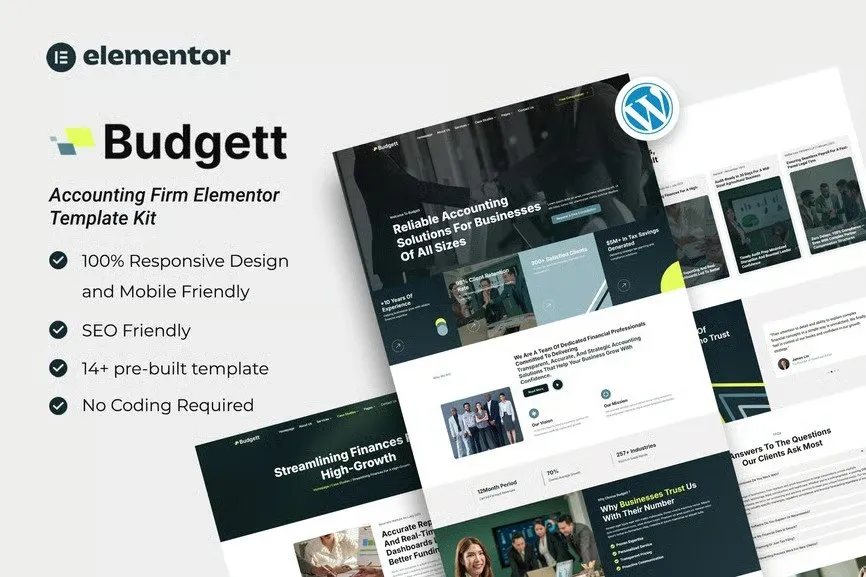
Professional Accounting Firm Elementor Template Kit for WordPress
Most accounting firms wait too long to launch a website. Not because they don’t need one — but because building one from scratch feels overwhelming. You want something that looks credible, loads fast, and actually converts visitors into clients. Without spending $5,000 on a web agency.
Budgett solves that. It’s an Elementor Template Kit built specifically for accountants, CPAs, tax consultants, and financial advisors. Clean typography, a conservative color scheme, and page structures that walk potential clients from “just browsing” to “I should reach out.” No code required.
What’s Inside the Kit
9 complete pages. Over 15 reusable sections. Inner page templates that tie everything together. Here’s the rundown:
- Home page with hero section, animated statistics bar, and service previews
- About Us, Services, and dedicated Service Detail pages
- Team grid — member profiles with photos and social links
- Testimonials slider with client quotes and star ratings
- FAQ page, Contact page with a working form, and a clean Gallery layout
Every section is fully responsive and retina-ready. Mobile traffic is huge in this industry — people search for accountants on their phones during lunch breaks. A site that loads slowly loses those leads.
Key Features
Budgett runs on the free Elementor page builder. Drag, drop, customize, done:
- Drag-and-drop editing — never touch code
- Responsive design that works on phones, tablets, and desktops
- Google Fonts and retina-optimized graphics
- Works with Header & Footer Elementor (free plugin)
- One-click import through Envato Elements
- Commercial license included — use it for unlimited client projects, forever
Who Is This For?
Budgett fits a few scenarios:
- Solo accountants or small CPAs building their first firm site
- Tax prep and consulting firms refreshing their online presence
- Bookkeeping and audit firms targeting B2B clients
- Freelancers or agencies building client sites on a tight budget
Scaling is simple. Change colors, drop in your logo, update your contact info — 15 minutes and it looks like yours, not a template.
Getting Started
Here’s the full process: Install WordPress, add the free Elementor plugin, add the free Header & Footer Elementor plugin, import the kit with one click through Envato Elements, then swap in your own text and images. Most people finish the whole thing in under two hours.
Why Budgett Instead of Hiring a Developer?
A web agency charges $3,000 to $10,000 minimum for a custom accounting site. Budgett gives you the same polished result for a fraction of that. One payment. Lifetime updates. Commercial license covers everything — including client work, permanently.
Ready to Launch?
Download Budgett, install it tonight, and have a live professional site before your next client inquiry. No ongoing fees. No surprises.
Only logged in customers who have purchased this product may leave a review.
How to use Kit:
Install and activate the “Template Kit – Import” plugin from Plugins > Add New in WordPress.
Do not unzip.
Go to Template Kit – Import > Upload Template Kit Zip File button.
Before importing a template, ensure the Install Requirements button is clicked to activate required plugins.
For best results, do not import more than one template at a time.
RELATED PRODUCTS

DIVI – Original License | One Time Payment – Exclusive Deal

Elementor Pro 4.1.3 + Elementorism Landing Pages WordPress Plugin

907 5.3.6 – Responsive Multi-Purpose WordPress Theme

Element Pack Pro 9.1.0 – Addon For Elementor

Lifetime Mini Membership





 Mobile Apps
 php script
 How to
Reviews
There are no reviews yet