
Carenow – Medical & Dentist Elementor Template Kit
- Updated on May 2, 2026
- 100% Original Product & Well Documented
- Unlimited Domain Usage
*Important Note:
The image should not be Part of the template kit. You need to use your own reliable Source.


- Coupon "b2g1" has expired.
- Coupon "b2g1" has expired.
- Coupon "b2g1" has expired.
- Coupon "b2g1" has expired.
- Coupon "b2g1" has expired.
Original price was: ₹999.00.₹299.00Current price is: ₹299.00.
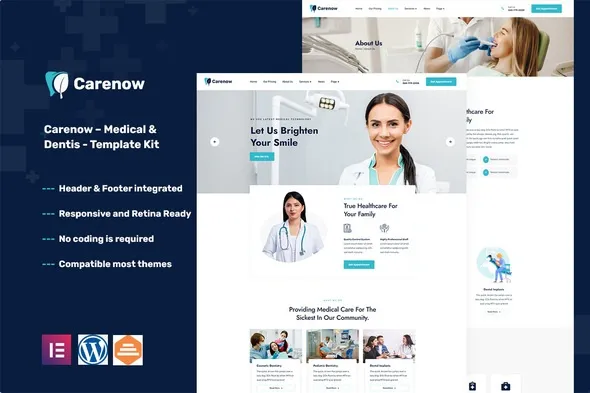
Carenow gives you 15+ pre-built pages, drag-and-drop editing, and patient-ready design. Your medical or dental website — live today, no code required.
- Secured & Scanned by Virus total & McAfee.
- Access to Free updates for Lifetime
- All products are Under GPL License (Unlimited Domain Usage)
- We Not Provide any Support For this Product

Lifetime Membership
Access 6700+ Premium WordPress Themes & Plugins, Elementor Templates, Mobile Apps, PHP scripts with Lifetime Updates.
Join Premium MembershipRecently Viewed
Medical Elementor Template Kit for Dentists and Healthcare Professionals
Building a medical website usually means calling in favors or emptying your budget for a developer. Carenow skips all that. It’s a ready-to-use Elementor template kit built for dental practices, medical clinics, and healthcare businesses — everything you need for a polished, patient-ready site in a single afternoon.
What You Get With Carenow
This isn’t a generic template with a medical coat of paint. Every section, every layout choice exists for one reason: helping potential patients trust your practice and book. The kit comes loaded with landing pages for services, doctor profiles, appointment scheduling, testimonials, and contact forms — all pre-styled and ready to drop into your WordPress site.
- 15+ pre-built pages covering every essential healthcare website section
- Appointment booking section with integrated call-to-action elements
- Doctor profile templates with photo placeholders and credential layouts
- Service listing pages for treatments, procedures, and specialties
- Testimonial and review sections designed to build patient trust
- Pricing display blocks for treatments and membership plans
- Contact forms and office location maps
Who Is This Template Kit For?
Carenow works best for dental practices launching a new website, medical clinics modernizing their online presence, and healthcare entrepreneurs building a digital storefront. WordPress user who wants full control without hiring a developer? This kit puts that power in your hands. Freelance web designers will appreciate the commercial license — unlimited client projects, zero recurring fees.
How to Use This Template Kit
You’ll need the free Elementor plugin on your WordPress site. Activate it, import the Carenow templates through Elementor’s library, then customize each section using drag-and-drop. Swap images, update colors, change text, hit publish. No template editing, no FTP access, no head-scratching. If you’ve used any page builder before, you’ll feel right at home.
Why Choose Carenow
Most healthcare templates either look dated within months or need heavy coding to customize. Carenow pairs a timeless medical aesthetic with Elementor’s flexibility, so your site stays professional and adaptable. The clean layouts, calming color palette, and clear typography reduce friction for patients searching for care online.
- Clean, professional design that appeals to patients seeking care
- Fully responsive — looks great on phones, tablets, and desktops
- SEO-friendly structure ready for your content strategy
- One-time payment with lifetime access to future updates
- Commercial license included for client and personal projects
Ready to Get Started?
Download Carenow now and have a complete medical website live today. Every template is customizable, every section is professional, and every feature is built for healthcare. From blank screen to patient-ready website — no developers, no delays, no waiting on someone else’s timeline.
Only logged in customers who have purchased this product may leave a review.
How to use Kit:
Install and activate the “Template Kit – Import” plugin from Plugins > Add New in WordPress.
Do not unzip.
Go to Template Kit – Import > Upload Template Kit Zip File button.
Before importing a template, ensure the Install Requirements button is clicked to activate required plugins.
For best results, do not import more than one template at a time.
RELATED PRODUCTS

DIVI – Original License | One Time Payment – Exclusive Deal

Elementor Pro 4.1.3 + Elementorism Landing Pages WordPress Plugin

907 5.3.6 – Responsive Multi-Purpose WordPress Theme

Element Pack Pro 9.1.0 – Addon For Elementor

Lifetime Mini Membership





 Mobile Apps
 php script
 How to

Reviews
There are no reviews yet