
Coworx – Coworking Space & Virtual Office Elementor Template Kit
- Updated on April 28, 2026
- 100% Original Product & Well Documented
- Unlimited Domain Usage
*Important Note:
The image should not be Part of the template kit. You need to use your own reliable Source.


- Coupon "b2g1" has expired.
- Coupon "b2g1" has expired.
- Coupon "b2g1" has expired.
- Coupon "b2g1" has expired.
- Coupon "b2g1" has expired.
Original price was: ₹999.00.₹299.00Current price is: ₹299.00.
15 pages ready to go. Member profiles, booking forms, virtual office tours — drop them into WordPress and swap in your branding. Commercial license included, instant download.
- Secured & Scanned by Virus total & McAfee.
- Access to Free updates for Lifetime
- All products are Under GPL License (Unlimited Domain Usage)
- We Not Provide any Support For this Product

Lifetime Membership
Access 6700+ Premium WordPress Themes & Plugins, Elementor Templates, Mobile Apps, PHP scripts with Lifetime Updates.
Join Premium MembershipRecently Viewed
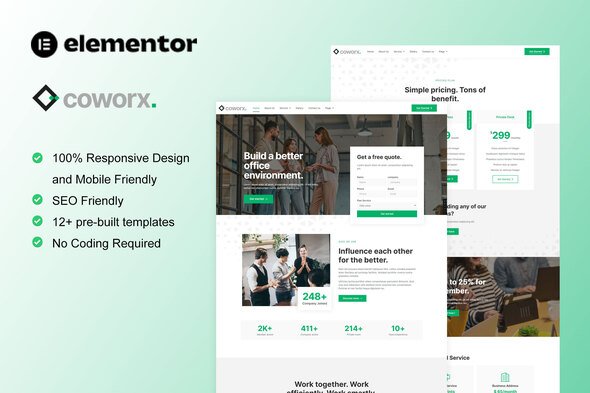
Coworx Elementor Template Kit for Coworking Spaces and Virtual Offices
Launching a coworking space means juggling a hundred things at once. Your website shouldn’t be one of them. Coworx gives you a complete, polished template built specifically for the coworking industry — no coding required, no designer needed.
This kit works inside Elementor, the world’s most popular WordPress page builder. You get full visual control over every section, header, and footer. Swap in your own photos, tweak the colors, and publish a site that actually looks like your brand — not a generic template that could belong to anyone.
What You Get with Coworx
Every element a modern coworking website needs comes pre-built:
- 15+ unique page templates — home, about, pricing, membership plans, virtual office solutions, community spaces, event halls, and contact
- Booking and tour request forms built throughout — members can inquire about hot desks, private offices, and meeting rooms directly from the page
- Virtual office page layouts with service packages, mail handling options, and business address display
- Team and member profiles with photos, roles, and social links
- Fully responsive design that looks sharp on phones, tablets, and desktops — because your members will book from their phones, and your site has to deliver
- Blog section layout for community news, industry insights, and member spotlights
Who It’s Built For
Coworx works whether you’re starting fresh or refreshing an existing site:
- Startup incubators and accelerators building their online presence
- Freelancers and solopreneurs offering virtual office services
- Real estate companies expanding into flexible workspace
- Corporate teams managing satellite offices or innovation hubs
- Existing coworking operators who want a more professional look without rebuilding from scratch
How It Works
Getting started takes less than 30 minutes. Install through Elementor, import the pages you want, then swap in your own content. Each section uses Elementor’s native widgets — no custom code locking you in. If you can drag and drop, you can edit this. Really. No WordPress experience needed.
All layouts are tested for speed and compatibility with popular WordPress themes. The clean code means your site loads fast, which matters for both bounce rates and Google rankings.
Why Buy This Template Kit
Custom website design costs thousands and takes weeks. Coworx gives you that same professional quality at a fraction of the price with zero wait time. These templates are built by people who understand coworking spaces — not generic business layouts squeezed into a new category.
You get instant download, lifetime updates, and a commercial license that covers client work. Build sites for others or use it for your own space — one payment, unlimited use.
Ready to Launch?
Stop spending months on development. Download Coworx today and have a fully functional coworking and virtual office website live within 24 hours. One payment. Lifetime access. Done.
Only logged in customers who have purchased this product may leave a review.
How to use Kit:
Install and activate the “Template Kit – Import” plugin from Plugins > Add New in WordPress.
Do not unzip.
Go to Template Kit – Import > Upload Template Kit Zip File button.
Before importing a template, ensure the Install Requirements button is clicked to activate required plugins.
For best results, do not import more than one template at a time.
RELATED PRODUCTS

DIVI – Original License | One Time Payment – Exclusive Deal

Elementor Pro 4.1.3 + Elementorism Landing Pages WordPress Plugin

907 5.3.6 – Responsive Multi-Purpose WordPress Theme

Element Pack Pro 9.1.0 – Addon For Elementor

Lifetime Mini Membership





 Mobile Apps
 php script
 How to

Reviews
There are no reviews yet