
CuteeShop – Kids & Baby Ecommerce Elementor Kit
- Updated on May 4, 2026
- 100% Original Product & Well Documented
- Unlimited Domain Usage
*Important Note:
The image should not be Part of the template kit. You need to use your own reliable Source.


- Coupon "b2g1" has expired.
- Coupon "b2g1" has expired.
- Coupon "b2g1" has expired.
- Coupon "b2g1" has expired.
- Coupon "b2g1" has expired.
Original price was: ₹999.00.₹299.00Current price is: ₹299.00.
Build a kids and baby ecommerce site without touching code. CuteeShop gives you ready-to-use pages for product catalogs, storefronts, and checkout flows — everything parents need to shop with confidence.
- Secured & Scanned by Virus total & McAfee.
- Access to Free updates for Lifetime
- All products are Under GPL License (Unlimited Domain Usage)
- We Not Provide any Support For this Product

Lifetime Membership
Access 6700+ Premium WordPress Themes & Plugins, Elementor Templates, Mobile Apps, PHP scripts with Lifetime Updates.
Join Premium MembershipRecently Viewed
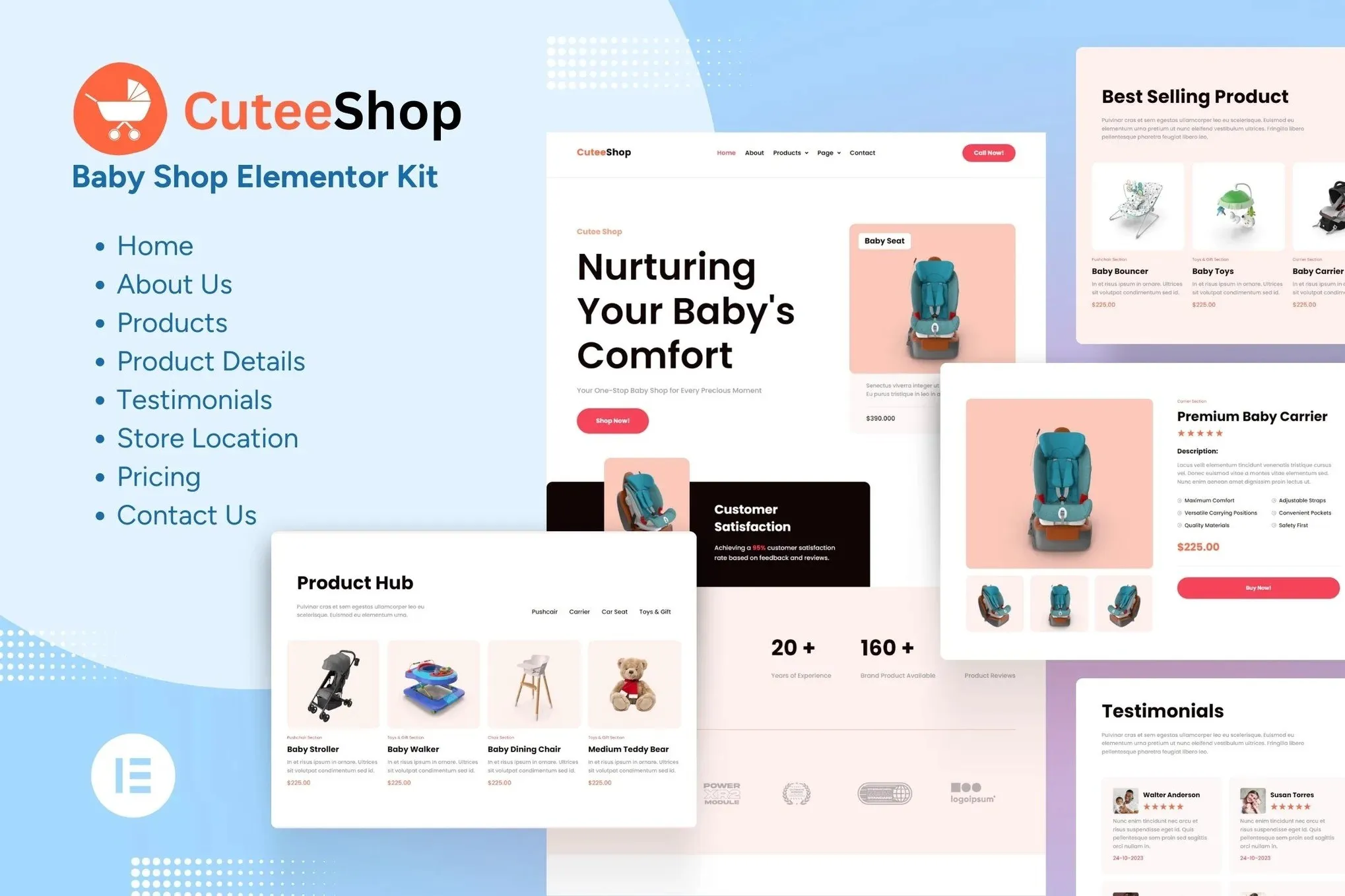
Kids & Baby Ecommerce Elementor Template Kit
Running an online store for kids and baby products? CuteeShop is a complete page template set that works inside WordPress with the free Elementor plugin. No code, no monthly fees, no waiting on developers.
What You Get With CuteeShop
11 pre-built pages ready to drop into WordPress. The kit includes a homepage with a hero banner and category showcases, product listing pages with filtering options, single product pages designed to push customers toward checkout, plus blog templates, an about page, contact form, and a streamlined checkout flow.
- Homepage with hero section, featured products, and category blocks
- Product listing pages with grid layouts and smart filtering
- Single product pages with image galleries and clear purchase CTAs
- Blog templates for parenting tips and store updates
- Contact, about, and checkout pages
Designed for Baby and Kids Stores
Soft colors, rounded corners, readable typography — this template looks like it belongs to a real boutique, not a generic store builder. Parents recognize quality immediately. The layouts give product photos room to breathe, and navigation stays simple so shoppers find what they need fast. Mobile-friendly, naturally. Most parents browse on their phones, often during those quiet moments after the kids are down.
- Warm palette that feels safe and trustworthy
- Generous spacing that lets products stand out
- Navigation built for quick, frictionless browsing
- Strategic call-to-action placement throughout
Who Should Use This Template Kit
First-time store owners love how fast they can go live. No technical skills needed — if you can use a word processor, you can customize these pages. Freelancers and designers use CuteeShop as a foundation for client work, cutting project timelines significantly. Existing shops expanding online appreciate having a professional starting point without the usual setup headaches.
- New baby and kids store owners launching their first ecommerce site
- Established brands moving into online sales
- Freelance designers working with children product clients
- WordPress users who want polished results without developers
How to Get Started Today
After purchase, download the kit and import it directly into your WordPress dashboard. The template works with the free Elementor plugin, so there are no ongoing subscription costs. Swap colors, swap images, edit text, adjust layouts — all through simple drag-and-drop. Have something live within an afternoon.
Why Buy This Template Kit
Skip the custom design bill. This kit costs a fraction of what you’d pay a designer, and the commercial license means you can use it for client projects too. Lifetime free updates keep everything working as WordPress and Elementor release new versions. One payment covers everything — no subscriptions, no hidden fees. Need help? Support is available.
Get CuteeShop now and have a professional kids ecommerce store running this weekend.
Only logged in customers who have purchased this product may leave a review.
How to use Kit:
Install and activate the “Template Kit – Import” plugin from Plugins > Add New in WordPress.
Do not unzip.
Go to Template Kit – Import > Upload Template Kit Zip File button.
Before importing a template, ensure the Install Requirements button is clicked to activate required plugins.
For best results, do not import more than one template at a time.
RELATED PRODUCTS

DIVI – Original License | One Time Payment – Exclusive Deal

Elementor Pro 4.2.1 + Elementorism Landing Pages WordPress Plugin

907 5.3.6 – Responsive Multi-Purpose WordPress Theme

Element Pack Pro 9.1.0 – Addon For Elementor






 Mobile Apps
 php script
 How to
Reviews
There are no reviews yet