
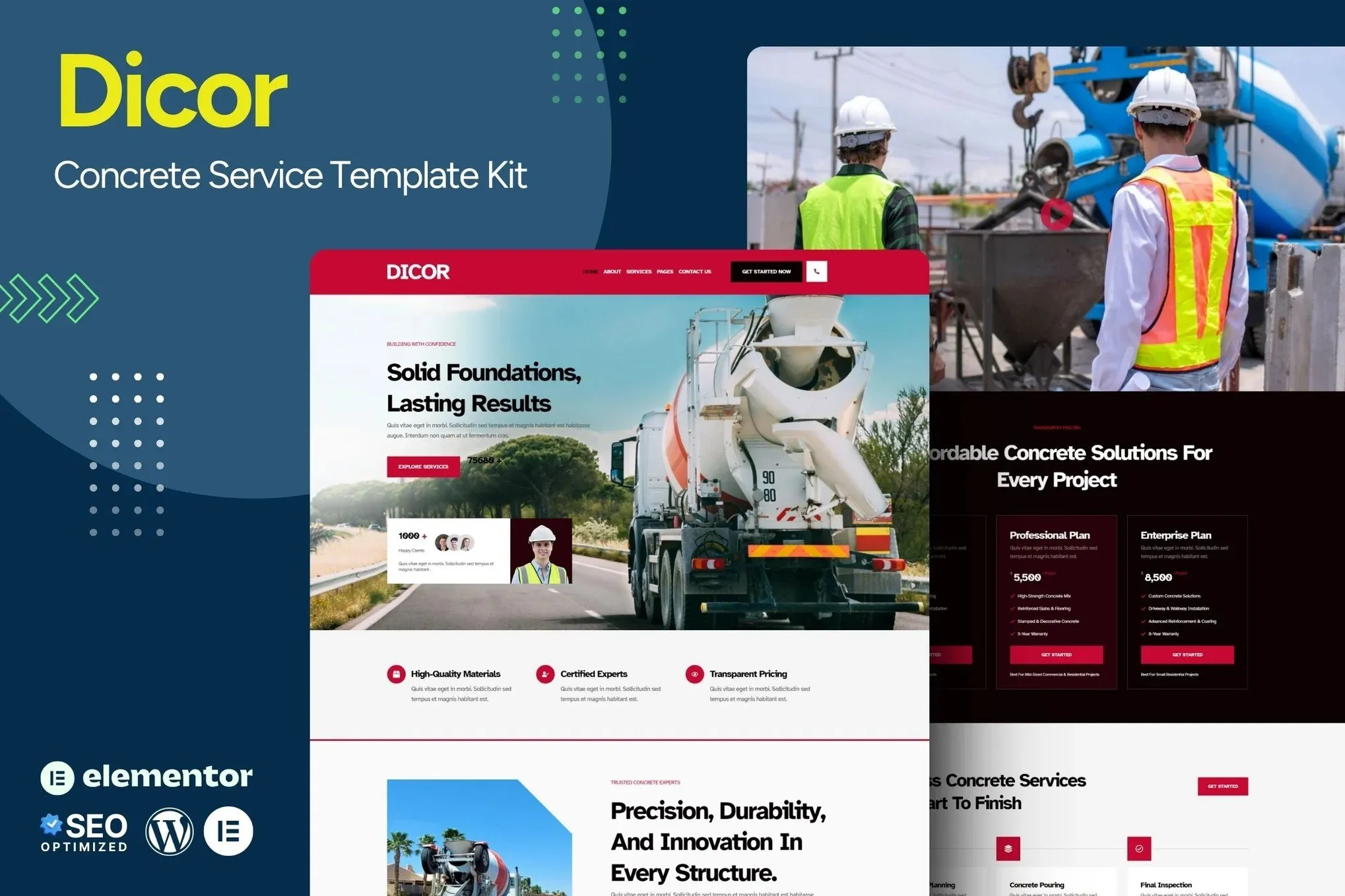
Dicor – Concrete Service Elementor Template Kit
- Updated on May 4, 2026
- 100% Original Product & Well Documented
- Unlimited Domain Usage
*Important Note:
The image should not be Part of the template kit. You need to use your own reliable Source.


- Coupon "b2g1" has expired.
- Coupon "b2g1" has expired.
- Coupon "b2g1" has expired.
- Coupon "b2g1" has expired.
- Coupon "b2g1" has expired.
Original price was: ₹999.00.₹299.00Current price is: ₹299.00.
Elementor template kit built for concrete contractors. 15+ pages, ready to customize. Launch your concrete service website in hours—not weeks. Download today and go live before the weekend.
- Secured & Scanned by Virus total & McAfee.
- Access to Free updates for Lifetime
- All products are Under GPL License (Unlimited Domain Usage)
- We Not Provide any Support For this Product

Lifetime Membership
Access 6700+ Premium WordPress Themes & Plugins, Elementor Templates, Mobile Apps, PHP scripts with Lifetime Updates.
Join Premium MembershipRecently Viewed
Dicor – Concrete Service Website Template for Elementor
Concrete work speaks for itself. But your website needs to convince clients to call you before they see a single project photo. Dicor gives you that—a clean, conversion-focused template built specifically for concrete contractors, foundation specialists, and masonry businesses.
No coding. No developer fees. No watching YouTube tutorials at 11 PM trying to figure out why your layout broke. Open Elementor, swap in your photos and phone number, hit publish. Done.
Most concrete companies spend weeks wrestling with website builders that weren’t designed for their industry—or thousands on custom builds. Dicor cuts through that. Every section, every button, every layout exists because concrete businesses actually need it.
What Dicor Includes
Not just a homepage. A complete website system with 15+ templates covering everything your business needs:
- Homepage with hero section, service highlights, and prominent call-to-action buttons
- Dedicated pages for foundations, driveways, patios, and decorative concrete
- Project gallery with before/after slider layouts
- Team and about pages that build trust with first-time visitors
- Testimonials section designed to win over hesitant prospects
- Contact and quote request forms that capture leads immediately
- Blog templates for local SEO and search visibility
The design uses an industrial aesthetic—bold typography, high-contrast sections, professional placeholders that make your work look expensive from day one.
Who This Template Is For
Dicor works for:
- Concrete contractors launching fresh websites or replacing outdated ones
- Foundation repair companies needing service-focused layouts
- Masonry businesses showcasing residential and commercial projects
- Decorative and stamped concrete specialists displaying portfolio work
- Concrete suppliers who also offer installation services
Scaling from a one-person operation to a crew of 50? The layouts handle both. Local search visibility for startups. Multi-location management for established companies.
How Easy Is It to Set Up?
Elementor’s drag-and-drop builder keeps things simple. Import the kit into any WordPress site running Elementor Free or Pro. Change colors to match your branding. Replace placeholders with your actual project photos. Update text with your services.
Included: detailed documentation on installation, customization basics, and tips for ranking higher in local search. Lifetime support connects you with real people who know WordPress AND the concrete trade.
Why Concrete Contractors Choose Dicor
Generic templates make you adapt to their limitations. Dicor starts with what concrete businesses actually need: service-focused navigation, project galleries that showcase craftsmanship, quote forms that generate leads. The commercial license lets you use it for client websites too—valuable if you manage multiple concrete businesses or build sites for other contractors.
One payment. Lifetime access. No subscriptions. No hidden fees eating into your margins. Buy once, install forever.
Ready to Get Started?
Your concrete work is solid. Your website should be too. Dicor gives you a professional concrete service website that actually fits your industry—download instantly, customize freely, keep forever.
Only logged in customers who have purchased this product may leave a review.
How to use Kit:
Install and activate the “Template Kit – Import” plugin from Plugins > Add New in WordPress.
Do not unzip.
Go to Template Kit – Import > Upload Template Kit Zip File button.
Before importing a template, ensure the Install Requirements button is clicked to activate required plugins.
For best results, do not import more than one template at a time.
RELATED PRODUCTS

DIVI – Original License | One Time Payment – Exclusive Deal

Elementor Pro 4.1.3 + Elementorism Landing Pages WordPress Plugin

907 5.3.6 – Responsive Multi-Purpose WordPress Theme

Element Pack Pro 9.1.0 – Addon For Elementor

Lifetime Mini Membership





 Mobile Apps
 php script
 How to
Reviews
There are no reviews yet