
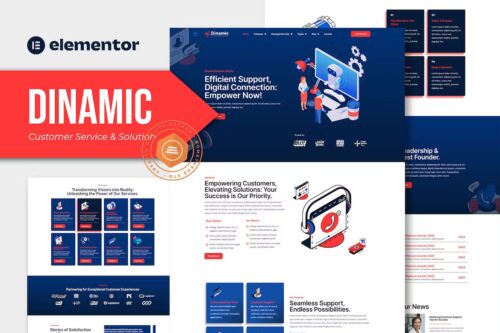
Dinamic – Customer Service & Solution Elementor Pro Template Kit
- Updated on May 4, 2026
- 100% Original Product & Well Documented
- Unlimited Domain Usage

*Important Note:
The image should not be Part of the template kit. You need to use your own reliable Source.


Original price was: ₹999.00.₹299.00Current price is: ₹299.00.
Launch a customer service website today. 15+ pages, drag-and-drop editing, zero coding. Get professional results without the developer price tag — download immediately after purchase.
- Secured & Scanned by Virus total & McAfee.
- Access to Free updates for Lifetime
- All products are Under GPL License (Unlimited Domain Usage)
- We Not Provide any Support For this Product

Lifetime Membership
Access 6700+ Premium WordPress Themes & Plugins, Elementor Templates, Mobile Apps, PHP scripts with Lifetime Updates.
Join Premium MembershipRecently Viewed
Dinamic – Customer Service & Solution Elementor Pro Template Kit
Most customer service websites look identical. Yours doesn’t have to be one of them.
The problem? Professional web design costs $2,000 to $10,000 minimum. Add two to three months of back-and-forth revisions, and you’re still not guaranteed results. That’s a massive investment for a small business or solo consultant.
Dinamic flips the script. You get a complete, polished website setup in under an hour. No code. No designer on retainer. Just install Elementor Pro, import the kit, and customize the details that matter — your colors, your logo, your services.
What’s Inside This Kit
15 pages. Not just a homepage and contact form — actual pages designed for how customer service businesses work:
- Homepage, About, and Services pages
- Support ticket submission layouts
- Knowledge base and FAQ templates
- Team member profiles with photo placeholders
- Testimonial sections and trust-building blocks
- Contact forms, booking pages, and pricing tables
- Mobile-optimized layouts that actually look good on phones
Every page connects visually. Change your brand color in one spot, and it updates across the entire site. Your visitors see consistency — which makes you look established.
Who Uses This Template
It works well for:
- Customer support agencies building their online presence
- IT help desk companies and managed service providers
- Virtual assistants and remote support freelancers
- B2B consulting firms needing client portals
- Startups launching customer-facing pages fast
You don’t need WordPress experience. If you’ve used any drag-and-drop editor, you can handle this. The documentation walks you through every step — it’s written for real humans, not developers.
Setup Takes Less Than 30 Minutes
Here’s the actual process:
1. Install Elementor Pro on your WordPress site. (Free version won’t work — Pro is required.)
2. Go to Templates → Import Kit in your Elementor dashboard.
3. Select Dinamic from the library. All 15 pages load at once.
4. Edit colors in the global settings. Upload your logo. Replace placeholder text.
5. Hit publish.
No FTP. No CSS files. No hiring a developer for simple updates.
What You’re Actually Paying For
- One-time purchase — No subscriptions, no annual fees. Buy once, use forever.
- Commercial license — Build client sites or your own business. Both are covered.
- Lifetime updates — New pages and features added when Elementor releases them.
- Instant access — Download link arrives in your email the second payment clears.
- Direct support — Questions get answered. No ticket system purgatory.
Compare that to the alternative: weeks of discovery calls, mockups, revisions, and still paying monthly maintenance fees. With Dinamic, you’re in control. Update your own hours. Add new services. Change your pricing — all without filing a request ticket.
Launch Your Site Today
Stop delaying your online presence because custom design feels out of reach. Dinamic gives you the polished look of a professionally built site, at a price that makes sense for growing businesses. The template kit ships with everything you need to go live immediately.
Only logged in customers who have purchased this product may leave a review.
How to use Kit:
Install and activate the “Template Kit – Import” plugin from Plugins > Add New in WordPress.
Do not unzip.
Go to Template Kit – Import > Upload Template Kit Zip File button.
Before importing a template, ensure the Install Requirements button is clicked to activate required plugins.
For best results, do not import more than one template at a time.
RELATED PRODUCTS

DIVI – Original License | One Time Payment – Exclusive Deal

Elementor Pro 4.2.1 + Elementorism Landing Pages WordPress Plugin

907 5.3.6 – Responsive Multi-Purpose WordPress Theme

Element Pack Pro 9.1.0 – Addon For Elementor






 Mobile Apps
 php script
 How to
Reviews
There are no reviews yet