
Emage 4.3.3 – Image Hover Effects for Elementor Pro
- Updated on May 5, 2026
- 100% Original Product & Well Documented
- Unlimited Domain Usage


Original price was: ₹4,500.00.₹299.00Current price is: ₹299.00.
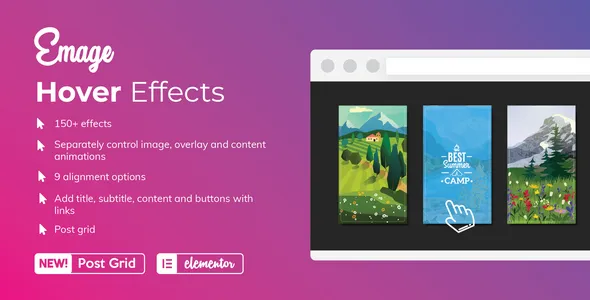
50+ hover effects for your Elementor images. Turn static pictures into interactive elements that stop scrolls and hold attention. Set up in minutes — no CSS, no developers.
- Secured & Scanned by Virus total & McAfee.
- Lifetime Free Updates
- GPL License (Unlimited Domain Usage)
- Pre Activated, You Don’t Need Any license Key
- 100% Satisfaction Guarantee (Refund Policy)

Lifetime Membership
Access 6700+ Premium WordPress Themes & Plugins, Elementor Templates, Mobile Apps, PHP scripts with Lifetime Updates.
Join Premium MembershipRecently Viewed
Emage – Transform Your Elementor Images with Stunning Hover Effects
Your images are doing the bare minimum right now. Emage for Elementor Pro adds beautiful hover effects that completely change how visitors interact with your visuals. Portfolio, online store, business site — these animations make everything more memorable. The plugin slots into your Elementor editor, giving you effects that previously required custom CSS or hiring a developer.
Imagine a portfolio where images zoom, slide, and reveal information on hover. Or a product gallery where photos tilt, glow, or show pricing when touched. Emage handles all of it without touching code. Pick your effect, apply it to any image widget, hit publish. Done.
What You Get with Emage
This isn’t a basic plugin with five transition options. Emage delivers 50+ unique hover effects, each tested across browsers and devices. Everything runs smoothly without slowing your site. The effects include:
- Zoom and scale animations (in and out, from any direction)
- Slide reveals that uncover text, icons, or buttons
- Overlay effects with colors and opacity you control
- 3D transforms that add real depth and perspective
- Content reveals: titles, descriptions, call-to-action buttons
- Social media icons that appear on hover for easy sharing
Animation speed, delay, direction, trigger behavior — tweak everything in real-time through Elementor’s visual editor. You see the result before it goes live.
Who Should Use This Plugin
Anyone running Elementor Pro who wants images that actually do something. Web designers use it to impress clients without spending hours on custom code. Store owners add it to product galleries and watch engagement climb. Photographers and artists build portfolios where their work stands out through smooth, professional animations. Bloggers keep readers interested with featured images that react to cursor movement. Even beginners get results that look professionally built.
How to Get Started
Installation takes under two minutes. Upload, activate, and a new tab appears in your Elementor widget panel. Drag an image onto your page, click the Emage section, browse the library. Pick your effect, adjust timing and triggers, publish. No settings pages, no dashboards to navigate. Everything happens where you already work.
Layer multiple effects across your site for a consistent feel. Save favorite setups as presets for quick reuse. Every hover effect works on desktop, tablet, and mobile — Emage automatically adjusts animations for touch devices.
Why Emage Stands Out
Most hover effect plugins limit you to basic transitions or lock features behind expensive subscriptions. Emage gives you the full package at a fair price. Lifetime updates come included — new effects and improvements won’t cost you extra. The commercial license covers client work, so use it on your own projects and client sites without restrictions. Support responds quickly, and the plugin stays current with Elementor updates.
Performance was a priority during development. Every animation uses hardware acceleration and optimized CSS. Your site stays fast while delivering the visual impact that keeps visitors on your pages.
Ready to Get Started?
Download Emage, install it in minutes, and upgrade your Elementor website with hover effects that look custom-built. Your visitors will notice the difference — and your engagement metrics will reflect it.
Only logged in customers who have purchased this product may leave a review.
RELATED PRODUCTS

DIVI – Original License | One Time Payment – Exclusive Deal

Elementor Pro 4.2.1 + Elementorism Landing Pages WordPress Plugin

907 5.3.6 – Responsive Multi-Purpose WordPress Theme

Element Pack Pro 9.1.0 – Addon For Elementor






 Mobile Apps
 php script
 How to
Reviews
There are no reviews yet