
Email action for Booknetic Workflows 1.2.1
- Updated on May 5, 2026
- 100% Original Product & Well Documented
- Unlimited Domain Usage


Original price was: ₹4,500.00.₹299.00Current price is: ₹299.00.
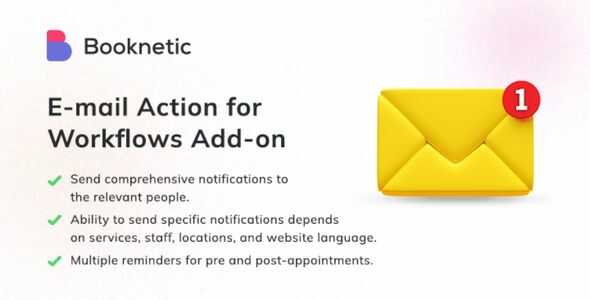
Send confirmations, reminders, and follow-ups automatically when bookings come in. Works with Booknetic workflows — no coding required.
- Secured & Scanned by Virus total & McAfee.
- Lifetime Free Updates
- GPL License (Unlimited Domain Usage)
- Pre Activated, You Don’t Need Any license Key
- 100% Satisfaction Guarantee (Refund Policy)

Lifetime Membership
Access 6700+ Premium WordPress Themes & Plugins, Elementor Templates, Mobile Apps, PHP scripts with Lifetime Updates.
Join Premium MembershipRecently Viewed
Email Action for Booknetic Workflows — Automate Your Client Communication
Every appointment booking needs a follow-up. Confirmation emails that put clients at ease. Reminders 24 hours before the scheduled time. These touchpoints build trust and cut no-shows — but manually sending them doesn’t scale.
The Email Action for Booknetic Workflows automates all of it. Once you activate this plugin, a new “Send Email” action appears inside the Booknetic Workflows builder. Chain it with any trigger: new booking, status change, payment received, or reschedule request. The email goes out exactly when it should — every single time.
What It Does
You control automated email sending within your appointment booking system. Set up:
- Instant booking confirmations sent the moment a client completes a reservation
- Reminders scheduled for days or hours before appointments
- Follow-up emails requesting reviews after service completion
- Cancellation or reschedule notifications with updated booking details
- Payment confirmation emails for paid appointments
Each email pulls real data from Booknetic — client name, appointment time, service details, location — so every message feels personal instead of generic.
Key Features
This add-on works inside the Booknetic Workflows interface you already know:
- Drag-and-drop setup — no coding
- Multiple email templates per workflow — chain confirmations with reminders in one sequence
- Dynamic placeholders for personalization: {client_name}, {appointment_date}, {service_name}
- Works with any SMTP service already configured in WordPress
- Conditional logic — send different emails based on service type, appointment status, or client group
Who It’s For
WordPress site owners running Booknetic who want better client communication without hiring a developer. Salon owners cutting no-shows with automated reminders. Consultants confirming booking details automatically. Clinics notifying patients of upcoming visits. If you can use Booknetic’s workflow builder, you can use this.
How To Use It
After installation, head to Booknetic → Workflows. Create a new workflow or edit an existing one. “Send Email” lives in the actions list. Drag it onto the canvas, connect it to your trigger, then set the recipient, subject line, and body content. Use placeholders like {client_name} or {service_name} to personalize. Save, activate, and your automated sequence runs.
Why Buy This
You could send confirmation emails manually. Copy-paste appointment details into your email client for every booking. But when your calendar fills up, that breaks down. Missed emails mean confused clients. Forgotten appointments mean lost revenue.
This add-on costs less than one missed appointment. It runs in the background, handles the communication, and frees you up for the work that actually matters.
One payment. Lifetime access. Download it instantly.
Get Started
Automate every client touchpoint from booking to follow-up. Download, install in minutes, and start sending smarter emails through Booknetic.
Only logged in customers who have purchased this product may leave a review.
RELATED PRODUCTS

DIVI – Original License | One Time Payment – Exclusive Deal

Elementor Pro 4.2.1 + Elementorism Landing Pages WordPress Plugin

907 5.3.6 – Responsive Multi-Purpose WordPress Theme

Element Pack Pro 9.1.0 – Addon For Elementor






 Mobile Apps
 php script
 How to
Reviews
There are no reviews yet