
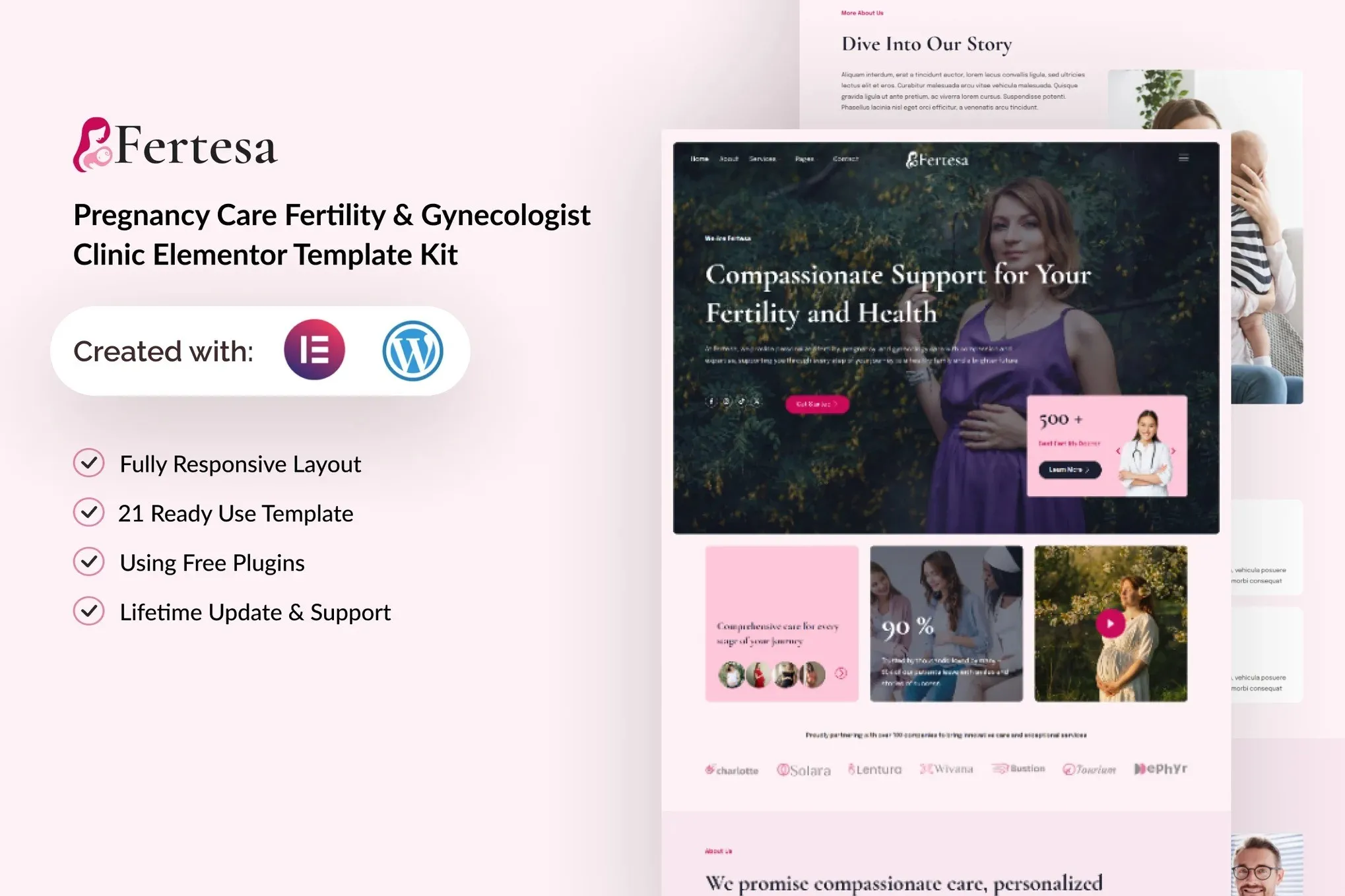
Fertesa – Pregnancy Care Fertility & Gynecologist Elementor Template Kit
- Updated on May 3, 2026
- 100% Original Product & Well Documented
- Unlimited Domain Usage
*Important Note:
The image should not be Part of the template kit. You need to use your own reliable Source.


Original price was: ₹999.00.₹299.00Current price is: ₹299.00.
First impressions matter in healthcare. Fertesa gives fertility and gynecology clinics a polished website—no Elementor Pro needed. Download and launch today.
- Secured & Scanned by Virus total & McAfee.
- Access to Free updates for Lifetime
- All products are Under GPL License (Unlimited Domain Usage)
- We Not Provide any Support For this Product

Lifetime Membership
Access 6700+ Premium WordPress Themes & Plugins, Elementor Templates, Mobile Apps, PHP scripts with Lifetime Updates.
Join Premium MembershipRecently Viewed
Build a Professional Medical Website Without Code
Patients form opinions fast. Within seconds of landing on your page, they’ve already decided whether your clinic feels trustworthy. Fertesa helps you make that decision easy—with a website that looks like you hired a professional design team (spoiler: you didn’t).
What Makes Fertesa Different
Most medical templates treat fertility clinics the same as dental offices or dermatologists. Fertesa was built from the ground up for reproductive healthcare. Every section, color choice, and layout considers what your patients actually need: reassurance, clarity, and confidence in your expertise.
You won’t find generic stock imagery or clinical blue color palettes here. The kit comes ready to customize with your branding, your doctors’ faces, and your specific services.
Everything You Need Included
This isn’t a half-finished template with missing pages. Fertesa delivers:
- Homepage — hero section, service overviews, and a prominent appointment booking button
- Service pages — pre-built layouts for fertility treatments, prenatal care, and gynecology services
- Doctor profiles — showcase your medical team’s credentials, education, and personalities
- Appointment booking — patient-friendly forms that reduce friction and increase bookings
- Testimonials — share success stories and social proof that resonates with fertility patients
- Blog templates — educational content that builds trust and improves search rankings
- Contact page — maps, hours, and inquiry forms that make it effortless to reach you
All elements load fast and look sharp on any device—whether patients are browsing on their phones during lunch or comparing clinics on a desktop at home.
Who Should Use This Kit
Fertesa works whether you’re a solo practitioner opening your first practice or managing multiple fertility clinic locations. If your current website looks outdated, loads slowly, or doesn’t reflect the quality of care you provide—this kit fixes that without a developer on retainer.
You need basic WordPress knowledge. If you can drag elements around in Elementor (the free version), you can build your entire site with Fertesa.
Quick Setup, No Surprises
Here’s the process: install the free Elementor plugin, import the kit, swap in your content, and publish. That’s it. No Elementor Pro. No monthly fees. No waiting for someone else to make updates when your services change.
You own the site completely. Make changes anytime, add pages as your practice grows, and never pay for hosting beyond your existing WordPress setup.
Skip the Expensive Alternative
A custom-designed medical website typically runs $3,000-$10,000+ and takes months to complete. Fertesa gets you the same polished result at a fraction of that cost. One purchase, instant download, lifetime updates, and a commercial license that covers your practice for as long as you use it.
Get Started Now
Your online presence shouldn’t be an afterthought. Buy Fertesa today, customize it this weekend, and have a professional fertility or gynecology website live by Monday morning.
Only logged in customers who have purchased this product may leave a review.
How to use Kit:
Install and activate the “Template Kit – Import” plugin from Plugins > Add New in WordPress.
Do not unzip.
Go to Template Kit – Import > Upload Template Kit Zip File button.
Before importing a template, ensure the Install Requirements button is clicked to activate required plugins.
For best results, do not import more than one template at a time.
RELATED PRODUCTS

DIVI – Original License | One Time Payment – Exclusive Deal

Elementor Pro 4.1.3 + Elementorism Landing Pages WordPress Plugin

907 5.3.6 – Responsive Multi-Purpose WordPress Theme

Element Pack Pro 9.1.0 – Addon For Elementor

Lifetime Mini Membership





 Mobile Apps
 php script
 How to
Reviews
There are no reviews yet