
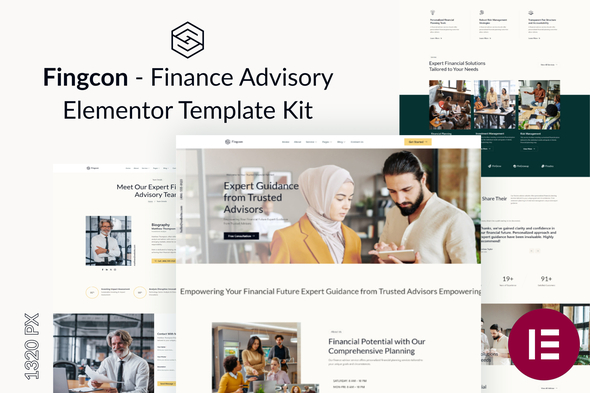
Fingcon – Finance Advisory Elementor Template Kit
- Updated on May 2, 2026
- 100% Original Product & Well Documented
- Unlimited Domain Usage
*Important Note:
The image should not be Part of the template kit. You need to use your own reliable Source.


Original price was: ₹999.00.₹299.00Current price is: ₹299.00.
Launch a credible finance advisory website in hours — no developer required. Fingcon gives you 8 professionally designed pages, ready to customize and publish instantly with Elementor.
- Secured & Scanned by Virus total & McAfee.
- Access to Free updates for Lifetime
- All products are Under GPL License (Unlimited Domain Usage)
- We Not Provide any Support For this Product

Lifetime Membership
Access 6700+ Premium WordPress Themes & Plugins, Elementor Templates, Mobile Apps, PHP scripts with Lifetime Updates.
Join Premium MembershipRecently Viewed
Finance Advisory Elementor Template Kit for Professional Websites
You didn’t become a financial advisor to spend your days wrestling with website builders. Yet here you are, staring at blank templates, wondering why your online presence doesn’t match the quality of your investment advice. Fingcon solves this. It’s a ready-to-use Elementor Template Kit built specifically for finance professionals who want a polished, trustworthy website without hiring a developer or spending weeks on design.
What Fingcon Offers
Fingcon is a complete Elementor Template Kit featuring 8 pre-designed pages tailored for financial services. Every section, layout, and style choice signals competence and credibility — the two things clients look for when choosing an advisor. The kit includes homepage, about, services, team, testimonials, FAQ, contact, and pricing pages. Each page works as a full layout you can import directly into Elementor and customize with your brand colors and content.
- 8 complete page layouts optimized for financial services
- Mobile-responsive design that looks professional on any device
- Clean, corporate aesthetic that builds client trust
- Compatible with free Elementor and Elementor Pro
- No coding required — drag, drop, and publish
Who Should Buy This Template Kit
Fingcon works best for independent financial advisors, wealth managers, tax consultants, insurance agents, and accounting firms. If you’re a solo practitioner or small practice looking to compete with larger firms online, this template gives you the visual polish they have — without the price tag. It’s also ideal for finance coaches and investment educators who need a professional landing page for their services.
How to Use Fingcon
Getting started takes under 30 minutes. Install the free Elementor plugin on your WordPress site, upload the Fingcon template kit, and import the pages you need. Replace the placeholder text with your own content — services offered, credentials, contact details, and client testimonials. Publish. That’s it. You can further customize colors, fonts, and images using Elementor’s visual editor. No theme requirements — Fingcon works with most standard WordPress themes.
Why Choose Fingcon Over Free Templates
Free templates are generic. They often feature outdated layouts, stock photos that scream “I didn’t hire a designer,” and code that’s bloated or incompatible with updates. Fingcon was built by designers who understand finance industry standards. The typography, spacing, and color psychology are intentional — they communicate stability, expertise, and professionalism. You get instant download, a commercial license included, and lifetime updates. No subscription. No hidden fees. Pay once, use forever.
- One-time payment — no recurring costs
- Commercial license for client and personal projects
- Lifetime access to future updates
- Dedicated support when you need help
Ready to Get Started?
Your website should work as hard as you do. Buy Fingcon today and have a professional finance advisory website live this week. Download instantly and start customizing — your future clients are searching for an advisor who looks the part.
Only logged in customers who have purchased this product may leave a review.
How to use Kit:
Install and activate the “Template Kit – Import” plugin from Plugins > Add New in WordPress.
Do not unzip.
Go to Template Kit – Import > Upload Template Kit Zip File button.
Before importing a template, ensure the Install Requirements button is clicked to activate required plugins.
For best results, do not import more than one template at a time.
RELATED PRODUCTS

DIVI – Original License | One Time Payment – Exclusive Deal

Elementor Pro 4.1.3 + Elementorism Landing Pages WordPress Plugin

907 5.3.6 – Responsive Multi-Purpose WordPress Theme

Element Pack Pro 9.1.0 – Addon For Elementor

Lifetime Mini Membership





 Mobile Apps
 php script
 How to
Reviews
There are no reviews yet