
Foundex – Mobile App Showcase & Fintech Startup Elementor Template Kit
- Updated on April 28, 2026
- 100% Original Product & Well Documented
- Unlimited Domain Usage
*Important Note:
The image should not be Part of the template kit. You need to use your own reliable Source.


- Coupon "b2g1" has expired.
- Coupon "b2g1" has expired.
- Coupon "b2g1" has expired.
- Coupon "b2g1" has expired.
- Coupon "b2g1" has expired.
Original price was: ₹999.00.₹299.00Current price is: ₹299.00.
Got a mobile app or fintech startup? You shouldn’t need 3 weeks and a developer just to get online. Foundex gives you a polished, ready-to-edit template kit that looks like you hired a pro — except you just open Elementor and start clicking. Hours, not weeks.
- Secured & Scanned by Virus total & McAfee.
- Access to Free updates for Lifetime
- All products are Under GPL License (Unlimited Domain Usage)
- We Not Provide any Support For this Product

Lifetime Membership
Access 6700+ Premium WordPress Themes & Plugins, Elementor Templates, Mobile Apps, PHP scripts with Lifetime Updates.
Join Premium MembershipRecently Viewed
Foundex – Elementor Template Kit for Mobile Apps and Fintech Startups
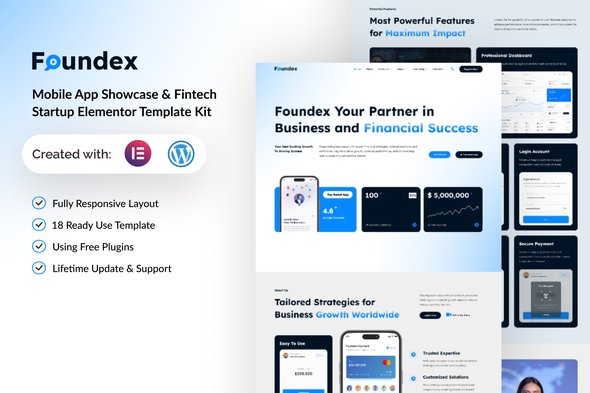
Building a website for your mobile app or fintech startup doesn’t have to drain your budget or eat up your launch timeline. Foundex is a template kit that gets you online in hours, not weeks. Whether you’re launching a payments platform, a neo-bank, or a mobile-first SaaS product, this kit has every section you need — from hero blocks to pricing tables.
What’s Included
Foundex comes with pre-built homepage layouts, feature showcases, testimonials, team sections, and contact forms. Everything matches. Everything works together. No hunting through random templates hoping something fits. Your site looks cohesive from day one.
Built for Apps and Fintech
This wasn’t designed as a generic business template with some blue gradients added. Foundex was built specifically for mobile apps and financial technology companies. The layouts, the imagery sections, the way data gets presented — it all speaks the language your audience expects: modern, secure, trustworthy.
- App showcase blocks with device mockups, download numbers, and feature callouts
- Dashboard-style sections for displaying financial metrics and user stats
- Security messaging layouts — because fintech visitors need reassurance
- Pricing sections built for SaaS and subscription models
- Dark and light versions so you can match any brand
- Responsive layouts that don’t break on phones
- Clean, lightweight code that won’t tank your page speed
Who It’s For
Foundex works if you’re a mobile app developer launching your first site, a fintech startup that needs to look established fast, an entrepreneur validating an idea with a landing page, a WordPress user comfortable in Elementor, or an agency building client sites on a tight budget. If you need a professional tech website without the developer invoice, this is for you.
Customizing in Elementor
No coding required. Open the template in Elementor, replace the placeholder copy with your actual brand messaging, drop in your app screenshots, and adjust the colors. Drag-and-drop means every change is visual — you see exactly what visitors will see. Want a different headline? Click, type, done. Need to rearrange sections? Grab and move. Add or remove elements without touching a single line of code.
Why Foundex Instead of Other Templates
Generic template kits force you to fight the design. You spend hours customizing something that wasn’t built for your industry. Foundex skips that. It’s built for mobile apps and fintech, which means the section layouts, the copy suggestions, and the design language all point toward tech companies from the start. You get a real foundation instead of a generic canvas you’re wrestling into shape.
One Payment, Lifetime Access
Instant download. Commercial license included. Lifetime updates. No subscription. No recurring fees. No surprises. This is a one-time investment in a tool that grows with your business.
Only logged in customers who have purchased this product may leave a review.
How to use Kit:
Install and activate the “Template Kit – Import” plugin from Plugins > Add New in WordPress.
Do not unzip.
Go to Template Kit – Import > Upload Template Kit Zip File button.
Before importing a template, ensure the Install Requirements button is clicked to activate required plugins.
For best results, do not import more than one template at a time.
RELATED PRODUCTS

DIVI – Original License | One Time Payment – Exclusive Deal

Elementor Pro 4.1.3 + Elementorism Landing Pages WordPress Plugin

907 5.3.6 – Responsive Multi-Purpose WordPress Theme

Element Pack Pro 9.1.0 – Addon For Elementor

Lifetime Mini Membership





 Mobile Apps
 php script
 How to

Reviews
There are no reviews yet