
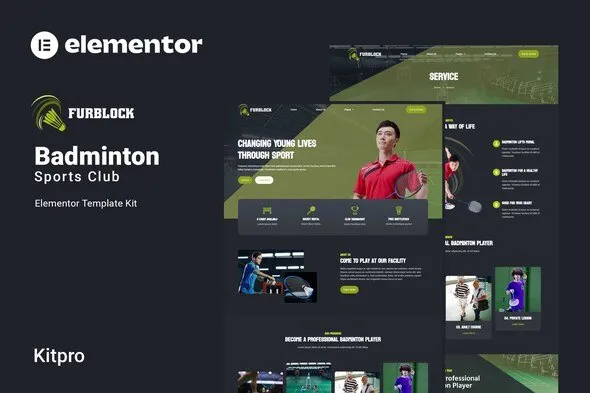
Furblock – Badminton Club Elementor Template Kit
- Updated on May 2, 2026
- 100% Original Product & Well Documented
- Unlimited Domain Usage
*Important Note:
The image should not be Part of the template kit. You need to use your own reliable Source.


Original price was: ₹999.00.₹299.00Current price is: ₹299.00.
Launch your badminton club’s online presence in hours, not weeks. Furblock gives you a sleek, member-ready website — ready to download and customize in minutes.
- Secured & Scanned by Virus total & McAfee.
- Access to Free updates for Lifetime
- All products are Under GPL License (Unlimited Domain Usage)
- We Not Provide any Support For this Product

Lifetime Membership
Access 6700+ Premium WordPress Themes & Plugins, Elementor Templates, Mobile Apps, PHP scripts with Lifetime Updates.
Join Premium MembershipRecently Viewed
Build Your Badminton Club Website with Furblock
Your court is ready. Your coaching team is top-notch. But your online presence? Still stuck in the signup sheet era. Furblock changes that. This Elementor Template Kit gives badminton clubs a complete, professional website without hiring a developer or wrestling with code.
What Furblock Is
Furblock is a ready-to-use Elementor Template Kit built specifically for badminton clubs, coaching businesses, and sports facilities. It comes packed with pre-designed pages, section blocks, and layouts that cover everything your club needs — from showcasing your courts to capturing new member inquiries.
No coding required. No design skills needed. You bring the content; Furblock brings the structure.
What’s Inside the Kit
This badminton club website template includes carefully crafted pages that cover every aspect of running a modern sports club:
- Homepage — Bold hero section, facility highlights, and a clear call-to-action for new members
- About section — Share your club’s story, mission, and what sets you apart
- Services and programs — Showcase group sessions, private coaching, youth academies, and tournament training
- Coach profiles — Put faces and credentials behind your team
- Pricing plans — Display membership tiers, court fees, and seasonal packages
- Contact and registration forms — Make it effortless for visitors to sign up or get in touch
Every page is optimized for mobile devices, loads fast, and follows web design best practices.
Who It’s For
This badminton club Elementor template kit works for:
- Local badminton clubs wanting a professional online presence
- Badminton coaches building credibility and attracting students
- Sports facilities managing multiple programs and court bookings
- Racquet sport centers and indoor sports venues
Whether you run weekend sessions for kids or full-time training programs for competitive players, Furblock scales to match your ambition.
How to Get Started
Setting up takes three steps:
- Install the free Elementor plugin on your WordPress site
- Import the Furblock template kit with one click
- Replace the placeholder content with your club’s information
That’s it. You don’t need to understand HTML, CSS, or any programming language. Elementor’s drag-and-drop editor lets you move elements, change text, swap images, and adjust colors — all visually.
The kit includes documentation to guide you through the setup process. Most club owners have their site live within a single afternoon.
Why Choose Furblock
Generic website templates make sports clubs look like accounting firms. Furblock is different — it’s designed around how badminton clubs actually work, with layouts that highlight courts, schedules, coaches, and membership options.
One-time payment. Lifetime access. Commercial license included means you own the site you build — no recurring fees, no restrictions on client work if you’re a designer.
Stop letting your club’s website be an afterthought. Get Furblock and give your members (and future members) a digital experience that matches the quality of your courts.
Ready to Get Started?
Download Furblock now and launch your badminton club website today. Instant access, beginner-friendly, and built to grow with your club.
Only logged in customers who have purchased this product may leave a review.
How to use Kit:
Install and activate the “Template Kit – Import” plugin from Plugins > Add New in WordPress.
Do not unzip.
Go to Template Kit – Import > Upload Template Kit Zip File button.
Before importing a template, ensure the Install Requirements button is clicked to activate required plugins.
For best results, do not import more than one template at a time.
RELATED PRODUCTS

DIVI – Original License | One Time Payment – Exclusive Deal

Elementor Pro 4.1.3 + Elementorism Landing Pages WordPress Plugin

907 5.3.6 – Responsive Multi-Purpose WordPress Theme

Element Pack Pro 9.1.0 – Addon For Elementor

Lifetime Mini Membership





 Mobile Apps
 php script
 How to
Reviews
There are no reviews yet