
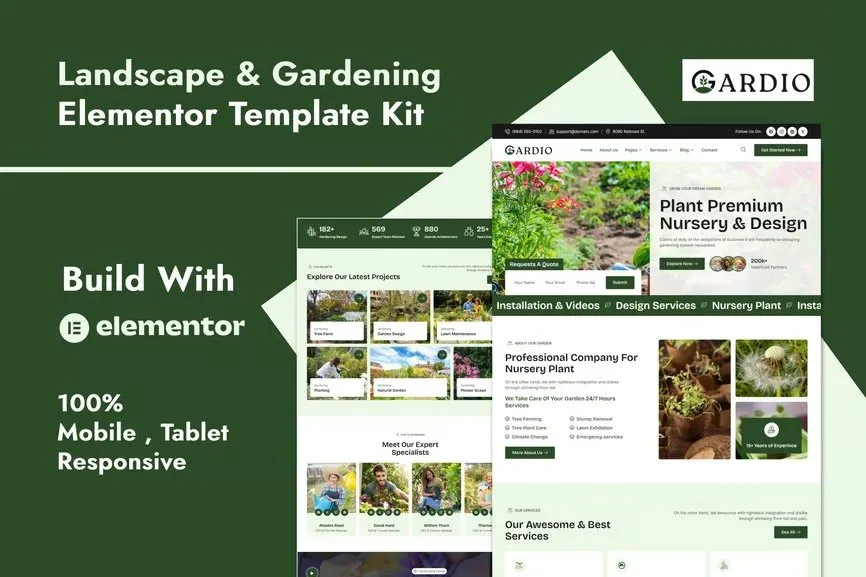
Gardio – Nursery & Gardening Elementor Template Kit
- Updated on May 2, 2026
- 100% Original Product & Well Documented
- Unlimited Domain Usage
*Important Note:
The image should not be Part of the template kit. You need to use your own reliable Source.


- Coupon "b2g1" has expired.
- Coupon "b2g1" has expired.
- Coupon "b2g1" has expired.
- Coupon "b2g1" has expired.
- Coupon "b2g1" has expired.
Original price was: ₹999.00.₹299.00Current price is: ₹299.00.
Build a stunning nursery or gardening website in minutes — no coding required. Gardio gives you 10+ pre-designed pages, Elementor drag-and-drop editing, and instant download with lifetime updates.
- Secured & Scanned by Virus total & McAfee.
- Access to Free updates for Lifetime
- All products are Under GPL License (Unlimited Domain Usage)
- We Not Provide any Support For this Product

Lifetime Membership
Access 6700+ Premium WordPress Themes & Plugins, Elementor Templates, Mobile Apps, PHP scripts with Lifetime Updates.
Join Premium MembershipRecently Viewed
Gardio – Nursery & Gardening Elementor Template Kit
You need a website that shows off your plants, services, and expertise. But hiring a developer costs thousands. Learning WordPress from scratch takes months. There’s a better way. Gardio is a ready-to-use Elementor template kit designed specifically for nurseries, garden centers, landscaping services, and plant shops. Open it in Elementor, customize it in minutes, publish it today.
What You Get With Gardio
This kit includes everything you need to launch a complete, professional website. No subscriptions, no monthly fees — just a one-time payment and it’s yours forever. Each template is built with the free Elementor page builder, which means you can edit every section, image, and button without touching a single line of code.
- Homepage with hero section, featured plants, services overview, and customer testimonials
- Services page with pricing tables and service descriptions
- Plant catalog template with grid layouts and individual plant detail pages
- About Us page with team section and company story
- Contact page with map integration and contact form styles
- Blog page template for gardening tips and news updates
- Gallery page for showcasing completed projects and garden designs
- FAQ and testimonials pages ready for customization
- Header and footer templates for consistent branding
Who Is This Template Kit For?
Gardio works perfectly for nursery owners launching their first website. It serves landscaping companies that need to update their online presence quickly. Garden center ownerslove the plant catalog layouts. Freelance web designers use Gardio as a base for client projects — the commercial license covers this. If you want a professional-looking site without the professional price tag, this kit delivers.
How Easy Is It to Use?
Download the kit, install it in Elementor, and start customizing. Every section uses Elementor’s drag-and-drop interface. Change colors to match your brand. Swap images with your own photos. Update text with your services. The templates are responsive by default, so your site looks great on phones and tablets automatically. If you get stuck, lifetime support means help is always available.
Why Buy Gardio Over Starting From Scratch?
Building a website from scratch means choosing fonts, colors, layouts, and spacing for every single page. That decision paralysis slows most people down for months. Gardio removes that friction. The hard design decisions are already made — clean layouts, proper spacing, professional typography. You just customize what’s already beautiful. Plus, you get instant download, commercial license included, and lifetime free updates. Future Elementor updates won’t break your site.
Ready to Get Started?
Get Gardio now and launch your nursery or gardening website this weekend. One-time payment. Instant access. Lifetime updates and support included. Your online presence is one purchase away.
Only logged in customers who have purchased this product may leave a review.
How to use Kit:
Install and activate the “Template Kit – Import” plugin from Plugins > Add New in WordPress.
Do not unzip.
Go to Template Kit – Import > Upload Template Kit Zip File button.
Before importing a template, ensure the Install Requirements button is clicked to activate required plugins.
For best results, do not import more than one template at a time.
RELATED PRODUCTS

DIVI – Original License | One Time Payment – Exclusive Deal

Elementor Pro 4.1.3 + Elementorism Landing Pages WordPress Plugin

907 5.3.6 – Responsive Multi-Purpose WordPress Theme

Element Pack Pro 9.1.0 – Addon For Elementor

Lifetime Mini Membership





 Mobile Apps
 php script
 How to
Reviews
There are no reviews yet