
Golfee – Golf Course & Club Elementor Template Kit
- Updated on May 1, 2026
- 100% Original Product & Well Documented
- Unlimited Domain Usage
*Important Note:
The image should not be Part of the template kit. You need to use your own reliable Source.


- Coupon "b2g1" has expired.
- Coupon "b2g1" has expired.
- Coupon "b2g1" has expired.
- Coupon "b2g1" has expired.
- Coupon "b2g1" has expired.
Original price was: ₹999.00.₹299.00Current price is: ₹299.00.
A professional Elementor template kit built specifically for golf courses, clubs, and instruction businesses. Launch your golf website in hours, not weeks — no coding required. Get instant access with full commercial license included.
- Secured & Scanned by Virus total & McAfee.
- Access to Free updates for Lifetime
- All products are Under GPL License (Unlimited Domain Usage)
- We Not Provide any Support For this Product

Lifetime Membership
Access 6700+ Premium WordPress Themes & Plugins, Elementor Templates, Mobile Apps, PHP scripts with Lifetime Updates.
Join Premium MembershipRecently Viewed
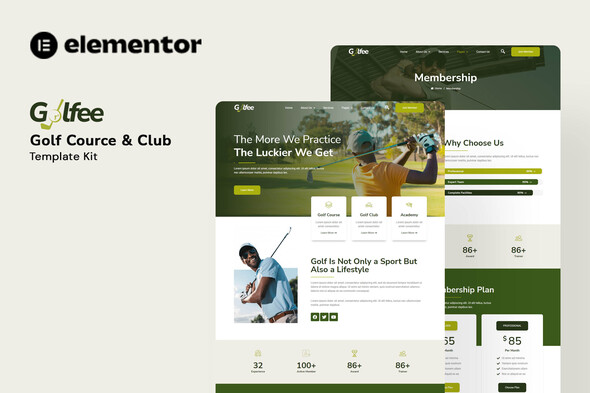
Golfee — Premium Golf Course Website Template for Elementor
Building a website for your golf course, country club, or instruction business shouldn’t take months of back-and-forth with developers. Golfee gives you a complete, professionally designed template kit that works with Elementor — the most popular WordPress page builder — so you can launch a stunning golf website in a single afternoon.
This isn’t a generic WordPress theme with limited customization. Golfee was built specifically for golf businesses, with every section, layout, and design element crafted for courses, clubs, and pro shops. Tee time booking sections, membership pricing layouts, scorecard-style graphics, instructor profiles — it’s all here, ready to drop into your site.
What You Get With Golfee
The kit includes multiple pre-built pages and sections optimized for golf businesses:
- Homepage with hero slider, course highlights, and membership CTA
- About page layout for club history and facilities showcase
- Services section for tee times, cart rentals, lessons, and events
- Membership pricing cards with comparison tables
- Gallery templates for course photography and event highlights
- Contact page with location map integration and inquiry forms
- Blog layout for golf tips, tournament news, and course updates
Who Is Golfee Built For?
This template kit works perfectly for:
- Municipal and private golf course managers
- Country club and golf club administrators
- Golf instructors and academy owners
- Golf shop and pro shop owners
- Web designers and agencies building golf industry sites
Whether you’re a course owner who wants to update your dated website or a designer building a client project, Golfee gives you a head start. The layouts are production-ready — customize colors, logos, and content, then publish.
How to Get Started
No coding skills needed. If you can drag and drop in Elementor, you can build with Golfee. The kit imports directly into any WordPress installation with Elementor Free or Pro installed. Replace placeholder text with your course details, upload your photos, adjust the color scheme to match your branding — and you’re live.
Why Golfee Beats Generic Templates
Generic WordPress themes look like… generic websites. Golfee speaks the language of golf courses. The design handles scorecard-style pricing tables, tournament event calendars, instructor credential displays, and facilities galleries that make sense for your audience. Your members and guests expect a polished experience — this template delivers it.
One-time payment. Lifetime access. Commercial license included for client projects.
Ready to Launch Your Golf Website?
Stop waiting on developers. Stop paying monthly subscription fees for website builders that limit your customization. Get Golfee now and have a professional golf course website running today — no coding required, no ongoing costs, full commercial rights included. Download instantly and start building your site the moment you hit purchase.
Only logged in customers who have purchased this product may leave a review.
How to use Kit:
Install and activate the “Template Kit – Import” plugin from Plugins > Add New in WordPress.
Do not unzip.
Go to Template Kit – Import > Upload Template Kit Zip File button.
Before importing a template, ensure the Install Requirements button is clicked to activate required plugins.
For best results, do not import more than one template at a time.
RELATED PRODUCTS

DIVI – Original License | One Time Payment – Exclusive Deal

Elementor Pro 4.1.3 + Elementorism Landing Pages WordPress Plugin

907 5.3.6 – Responsive Multi-Purpose WordPress Theme

Element Pack Pro 9.1.0 – Addon For Elementor

Lifetime Mini Membership





 Mobile Apps
 php script
 How to
Reviews
There are no reviews yet