
GoLock – Locksmith & Key Maker Service Elementor Pro Template Kit
- Updated on May 4, 2026
- 100% Original Product & Well Documented
- Unlimited Domain Usage
*Important Note:
The image should not be Part of the template kit. You need to use your own reliable Source.


Original price was: ₹999.00.₹299.00Current price is: ₹299.00.
Stop losing jobs to competitors with better websites. GoLock gives you 12+ ready-made locksmith pages — swap in your logo, add your services, and launch the same day.
- Secured & Scanned by Virus total & McAfee.
- Access to Free updates for Lifetime
- All products are Under GPL License (Unlimited Domain Usage)
- We Not Provide any Support For this Product

Lifetime Membership
Access 6700+ Premium WordPress Themes & Plugins, Elementor Templates, Mobile Apps, PHP scripts with Lifetime Updates.
Join Premium MembershipRecently Viewed
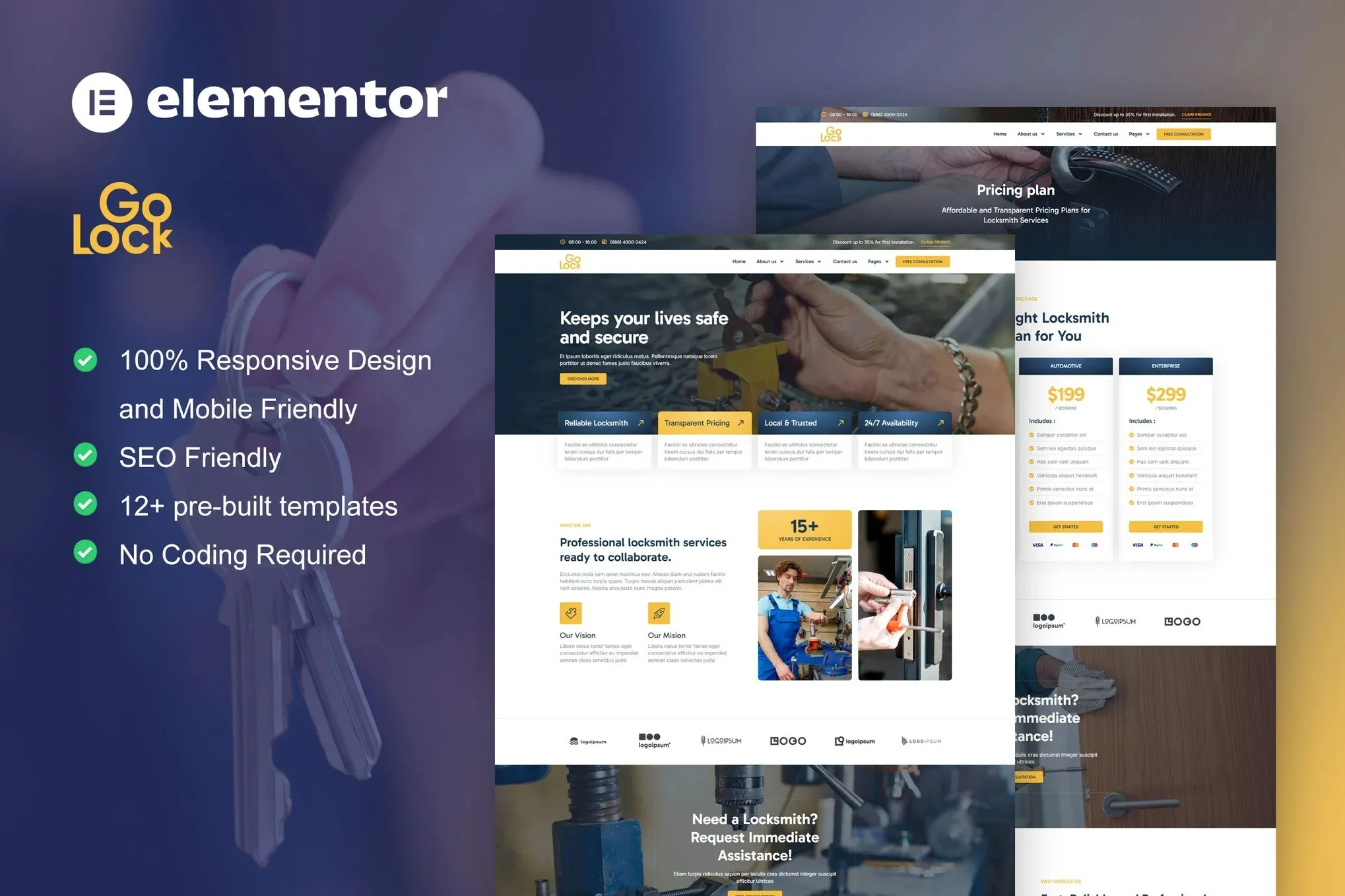
GoLock – Professional Locksmith Website Template Kit for Elementor
You didn’t get into locksmithing to spend your evenings staring at website builders. GoLock is a complete Elementor Template Kit built specifically for locksmiths, key makers, and home security professionals. Twelve ready-made templates. One afternoon. A website that actually books jobs.
No coding. No monthly subscriptions. Just download, import, and swap in your own photos and text. Your site goes live before dinner.
What You Get With GoLock
Everything you need to launch a complete locksmith website:
- 12+ templates: homepage, services, about, contact, pricing, FAQ, gallery, and more
- Layouts designed for 24/7 emergency services, standard jobs, and commercial work
- Mobile-responsive designs — because half your customers will view your site on a phone while locked out
- Pre-built contact forms, call-to-action sections, and booking prompts
- Commercial license — build sites for clients and charge full price for your work
- Lifetime updates, plus real support when you need it
Who Is This Template Kit For?
Solo locksmiths tired of directing customers to a Facebook page with one blurry photo. Small shops that need to compete with the big franchise companies. Freelancers and agencies who build websites for locksmith clients — the commercial license covers client work, so you can use this to generate income.
If you’ve been putting off a website because Squarespace quoted you $3,000 and a three-month timeline, this is the fix. You need WordPress, the free Elementor plugin, and about two hours of setup time.
How GoLock Works
Here’s the honest process: Install WordPress. Add Elementor (the free version works fine). Upload the GoLock kit. Import the templates you want — homepage and services is a solid starting point. Replace the placeholder logo with yours. Update the phone number and address. Hit publish.
That’s it. The templates include sections for emergency services (because that’s often your biggest money-maker), service pricing, service areas, testimonials, and contact forms. Everything’s arranged to answer the three questions every customer has: Can you come now? Will you do it right? What will it cost?
Why Locksmiths Choose GoLock
Most template kits are generic. They give you a pretty structure and expect you to figure out the rest. GoLock was designed by people who understand locksmith businesses — the urgency of emergency calls, the trust factor customers need, and the pricing structures that actually make sense.
The design looks like a real, established business. Not a template. A website that makes you look like you’ve been doing this for years.
One payment. No monthly fees. Keep the templates forever, get updates whenever Elementor releases them, and use the commercial license to build client sites as long as you want.
Ready to Get Started?
Your next customer is searching for a locksmith right now. Make sure they find you instead of your competitor down the street. GoLock installs in minutes, requires no technical skills, and comes with everything you need to launch a professional locksmith website today.
Only logged in customers who have purchased this product may leave a review.
How to use Kit:
Install and activate the “Template Kit – Import” plugin from Plugins > Add New in WordPress.
Do not unzip.
Go to Template Kit – Import > Upload Template Kit Zip File button.
Before importing a template, ensure the Install Requirements button is clicked to activate required plugins.
For best results, do not import more than one template at a time.
RELATED PRODUCTS

DIVI – Original License | One Time Payment – Exclusive Deal

Elementor Pro 4.1.3 + Elementorism Landing Pages WordPress Plugin

907 5.3.6 – Responsive Multi-Purpose WordPress Theme

Element Pack Pro 9.1.0 – Addon For Elementor

Lifetime Mini Membership





 Mobile Apps
 php script
 How to
Reviews
There are no reviews yet