
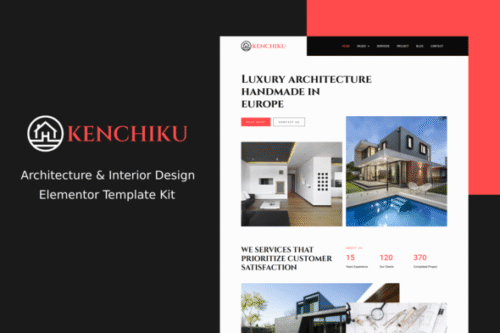
Kenchiku – Architecture & Interior Design Elementor Template Kit
- Updated on April 28, 2026
- 100% Original Product & Well Documented
- Unlimited Domain Usage

*Important Note:
The image should not be Part of the template kit. You need to use your own reliable Source.


Original price was: ₹999.00.₹299.00Current price is: ₹299.00.
Kenchiku is a complete Elementor template kit for architects and interior designers who want a professional portfolio site — without touching code. Includes homepage, project galleries, service pages, and contact sections. Built for WordPress, ready in hours.
- Secured & Scanned by Virus total & McAfee.
- Access to Free updates for Lifetime
- All products are Under GPL License (Unlimited Domain Usage)
- We Not Provide any Support For this Product

Lifetime Membership
Access 6700+ Premium WordPress Themes & Plugins, Elementor Templates, Mobile Apps, PHP scripts with Lifetime Updates.
Join Premium MembershipRecently Viewed
Architecture Website Template Built for Design Professionals
Most architecture portfolios look the same because they use the same generic templates. Kenchiku changes that. It’s a complete website kit built specifically for architects, interior designers, and small design firms who want something that actually looks like their work — not a cookie-cutter template.
No coding. No developers. No spending weeks piecing together a website. Kenchiku runs inside Elementor, the WordPress page builder you probably already use. Tweak colors, swap images, edit text — everything works the way you expect.
What You Get with Kenchiku
Six complete pages ready to customize:
- Homepage — Full-width hero that puts your best project front and center, plus sections for services and client testimonials
- Portfolio pages — Filterable galleries with space for before/after comparisons and detailed project case studies
- Service pages — Clean layouts for listing specialties, your design process, and pricing tiers
- About and team pages — Tell your firm’s story, highlight credentials, introduce your architects
- Contact section — Lead forms, office address, and appointment booking widgets
Who Kenchiku Is Built For
This kit works if you’re:
- A licensed architect building a solo or small firm site
- An interior designer showcasing residential and commercial work
- A design agency that needs to spin up client sites quickly
- A landscape architect or space planner expanding online
- An architecture student building a portfolio for job applications
Whether you’re starting from scratch or revamping an outdated site, the layouts are built for visual impact. Large project images lead, navigation stays out of the way.
How to Use This Template Kit
Three steps. Seriously.
First, install the free Elementor plugin on your WordPress site. Second, upload the Kenchiku template files — the import process sets up your pages automatically. Third, swap the placeholder content with your own projects, bio, and branding.
Every section uses Elementor’s drag-and-drop builder. Move things around, adjust spacing, change fonts — whatever your brand needs. No code. No developer.
Why Buy Kenchiku
Free templates sound good until you hit the restrictions. Here’s what’s included:
- Commercial license — Use it for client projects, your own business, or both
- Lifetime updates — New sections and improvements at no extra charge
- One-time payment — No subscriptions, no monthly fees
- Lifetime support — Real help when you need it
- No technical skills required — If you can use Word, you can use this
Free templates often hide restrictions in the fine print or have limited documentation. Kenchiku was designed by people who’ve worked with architecture firms — we know what clients expect to see.
Ready to Get Started?
Your next client is looking for an architect right now. Give them a site that matches the quality of your work. Download Kenchiku and have a professional architecture website live today. One payment. Lifetime access. Instant download.
Only logged in customers who have purchased this product may leave a review.
How to use Kit:
Install and activate the “Template Kit – Import” plugin from Plugins > Add New in WordPress.
Do not unzip.
Go to Template Kit – Import > Upload Template Kit Zip File button.
Before importing a template, ensure the Install Requirements button is clicked to activate required plugins.
For best results, do not import more than one template at a time.
RELATED PRODUCTS

DIVI – Original License | One Time Payment – Exclusive Deal

Elementor Pro 4.1.3 + Elementorism Landing Pages WordPress Plugin

907 5.3.6 – Responsive Multi-Purpose WordPress Theme

Element Pack Pro 9.1.0 – Addon For Elementor

Lifetime Mini Membership





 Mobile Apps
 php script
 How to
Reviews
There are no reviews yet