
Kindergo – Kindergarten & School Elementor Template Kit
- Updated on May 3, 2026
- 100% Original Product & Well Documented
- Unlimited Domain Usage
*Important Note:
The image should not be Part of the template kit. You need to use your own reliable Source.


- Coupon "b2g1" has expired.
- Coupon "b2g1" has expired.
- Coupon "b2g1" has expired.
- Coupon "b2g1" has expired.
- Coupon "b2g1" has expired.
Original price was: ₹999.00.₹299.00Current price is: ₹299.00.
Build a warm, professional school website in minutes — no coding required. Kindergo gives you 15+ ready-to-use pages designed specifically for kindergartens, preschools, and primary schools. Get instant access now.
- Secured & Scanned by Virus total & McAfee.
- Access to Free updates for Lifetime
- All products are Under GPL License (Unlimited Domain Usage)
- We Not Provide any Support For this Product

Lifetime Membership
Access 6700+ Premium WordPress Themes & Plugins, Elementor Templates, Mobile Apps, PHP scripts with Lifetime Updates.
Join Premium MembershipRecently Viewed
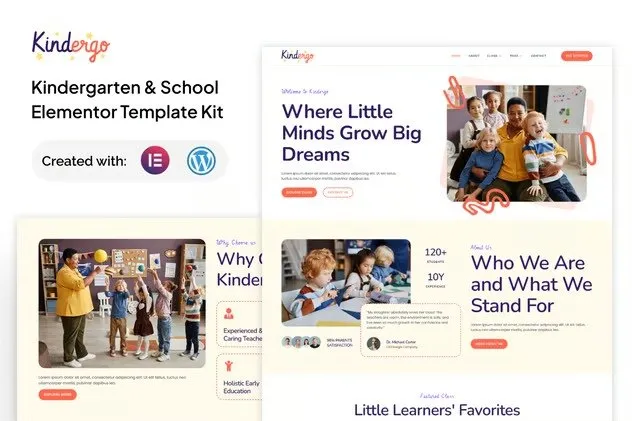
Kindergo Elementor Template Kit — Build Your School Website Without Hiring a Developer
You’re a busy school director or admin who needs a website yesterday. Parents are asking for enrollment info, you need to showcase your programs, and that dusty brochure-style site isn’t cutting it anymore. Kindergo solves this. It’s a complete Elementor Template Kit built specifically for early childhood education — kindergartens, preschools, nurseries, and primary schools. No design degree. No coding. Just drag, drop, and publish.
What You Get With This Template Kit
Kindergo comes loaded with 15+ pre-designed pages that cover every section your school website needs. Each template is crafted with warm colors, friendly fonts, and layouts that parents love to navigate. Everything’s built with the free Elementor page builder, so you customize without touching code.
- Homepage with hero banner, program highlights, teacher spotlights, and enrollment call-to-action
- Dedicated About Us, Our Programs, and Facilities pages
- Gallery and Photo Album layouts to showcase campus life
- Contact and Admissions pages with embedded forms
- Event Calendar and News/Blog section templates
- FAQ and Staff/Teacher profiles pages
Who Is This Template Kit For?
Kindergo works perfectly if you’re:
- A kindergarten or preschool owner wanting a professional online presence without agency costs
- A primary school administrator updating an outdated website quickly
- A daycare or nursery owner who needs a parent-friendly site that builds trust
- A teacher or volunteer building a school website with zero technical experience
If you can use Word and send an email, you can build this website. That’s the beginner-friendly promise built into every page.
How Fast Can You Launch?
Most users have a working website within the same day. Install the template kit in Elementor, swap in your school name and photos, adjust colors if needed, and publish. The responsive design means parents can browse on phones, tablets, or desktops — and they’ll see a site that looks expensive without the price tag.
Why Buy Kindergo Over Free Templates?
Free templates cut corners. They give you a basic shell with generic placeholder content and call it done. Kindergo goes further:
- Commercial license included — use it for client projects or your own school without restrictions
- One-time payment, lifetime access — no subscriptions eating your budget year after year
- Lifetime free updates — when Elementor or WordPress evolves, your template evolves with it
- Dedicated support — help when you’re stuck, not a link to a forum
- Ready-to-use content blocks — testimonials, program cards, enrollment forms, and more that just work
You’re not just buying a template. You’re buying back hours you don’t have, a website that parents trust, and the confidence that your school looks its best online.
Ready to Launch Your School Website?
Stop paying agencies thousands for a website you could build yourself in an afternoon. Download Kindergo now and have your kindergarten or school website live before the weekend. One payment. Instant access. Yours forever.
Only logged in customers who have purchased this product may leave a review.
How to use Kit:
Install and activate the “Template Kit – Import” plugin from Plugins > Add New in WordPress.
Do not unzip.
Go to Template Kit – Import > Upload Template Kit Zip File button.
Before importing a template, ensure the Install Requirements button is clicked to activate required plugins.
For best results, do not import more than one template at a time.
RELATED PRODUCTS

DIVI – Original License | One Time Payment – Exclusive Deal

Elementor Pro 4.1.3 + Elementorism Landing Pages WordPress Plugin

907 5.3.6 – Responsive Multi-Purpose WordPress Theme

Element Pack Pro 9.1.0 – Addon For Elementor

Lifetime Mini Membership





 Mobile Apps
 php script
 How to

Reviews
There are no reviews yet