
MedicaLife – Health Care & Medical Elementor Template Kit
- Updated on May 2, 2026
- 100% Original Product & Well Documented
- Unlimited Domain Usage
*Important Note:
The image should not be Part of the template kit. You need to use your own reliable Source.


Original price was: ₹999.00.₹299.00Current price is: ₹299.00.
Launch a real medical website in an afternoon. MedicaLife gives you 15+ pages — homepage, services, doctor profiles, appointment booking, testimonials, and contact forms — ready to customize in Elementor. Instant download, commercial license included, lifetime updates. One payment.
- Secured & Scanned by Virus total & McAfee.
- Access to Free updates for Lifetime
- All products are Under GPL License (Unlimited Domain Usage)
- We Not Provide any Support For this Product

Lifetime Membership
Access 6700+ Premium WordPress Themes & Plugins, Elementor Templates, Mobile Apps, PHP scripts with Lifetime Updates.
Join Premium MembershipRecently Viewed
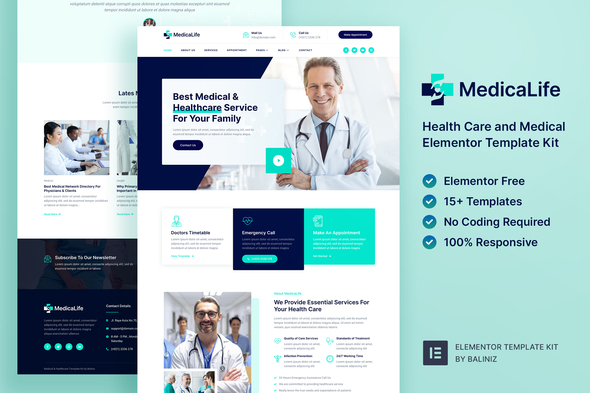
MedicaLife – Ready-to-Use Health Care Elementor Template Kit for Professional Medical Websites
Let’s be honest: most medical websites look like they were built in 2007. MedicaLife fixes that. It’s a complete Elementor Template Kit built specifically for healthcare — clinics, dental offices, hospitals, solo practitioners. Fifteen pages, ready to go. Swap in your logo, your photos, your info. Launch.
What You Get
Full site coverage: hero sections that actually convert, service pages with clean grid layouts, doctor profile templates (photo, credentials, specialties), appointment booking flows, testimonial sliders, and contact forms that patients can actually use on their phones.
The kit runs on Elementor’s free plugin. Works with most WordPress themes. Drag, drop, change colors, swap fonts, update images. No code. No designer on speed dial needed — though developers will appreciate the clean structure underneath.
What’s Inside
Every template serves a specific purpose on a real medical site:
- Homepage with hero section, services overview, and appointment CTA
- About page with team profiles and practice history sections
- Services pages with clean grid layouts and descriptions
- Doctor profile templates with photo, credentials, and specialties
- Appointment booking section and contact forms
- Testimonial sliders and patient trust builders
- Blog page templates for health tips and news
Mobile-responsive across the board. Patients will see a polished site whether they’re on an iPhone at the bus stop or a desktop at the office.
Who This Is For
Kickstarting a new practice? MedicaLife gets you online fast with zero design budget. Running a clinic that needs a refresh? Import the kit, update your content, done. Healthcare startup? A professional website builds credibility before your first client walks through the door. Freelance designer building for a medical client? This cuts your project time in half.
Setup in Minutes
Download. Install Elementor. Import the kit with one click. Replace the placeholder text with your practice name, address, services, team photos. Publish. That’s it. No technical knowledge required. The hard parts are already done.
Why This Price Makes Sense
Two things stop doctors from getting online: money and overwhelm. MedicaLife removes both barriers.
Commercial license included — build your own site or use it for client projects. No extra fees. Lifetime updates mean the kit improves as WordPress and Elementor evolve. One-time payment. No subscription draining your operating budget every January.
At this price, you’re getting professional healthcare design without the professional invoice. Your patients are searching for you right now. Let’s get your site live.
Ready to Launch?
Instant download. Lifetime access. Start building your medical website today.
Only logged in customers who have purchased this product may leave a review.
How to use Kit:
Install and activate the “Template Kit – Import” plugin from Plugins > Add New in WordPress.
Do not unzip.
Go to Template Kit – Import > Upload Template Kit Zip File button.
Before importing a template, ensure the Install Requirements button is clicked to activate required plugins.
For best results, do not import more than one template at a time.
RELATED PRODUCTS

DIVI – Original License | One Time Payment – Exclusive Deal

Elementor Pro 4.1.3 + Elementorism Landing Pages WordPress Plugin

907 5.3.6 – Responsive Multi-Purpose WordPress Theme

Element Pack Pro 9.1.0 – Addon For Elementor

Lifetime Mini Membership





 Mobile Apps
 php script
 How to
Reviews
There are no reviews yet