
Oilee – Oil Company & Industrial Company Elementor Template Kit
- Updated on April 28, 2026
- 100% Original Product & Well Documented
- Unlimited Domain Usage
*Important Note:
The image should not be Part of the template kit. You need to use your own reliable Source.


- Coupon "b2g1" has expired.
- Coupon "b2g1" has expired.
- Coupon "b2g1" has expired.
- Coupon "b2g1" has expired.
Original price was: ₹999.00.₹299.00Current price is: ₹299.00.
Oilee gives oil companies, refineries, and industrial businesses a professional website in hours — not months. 15+ pre-built pages, Elementor editor, commercial license included. Launch today.
- Secured & Scanned by Virus total & McAfee.
- Access to Free updates for Lifetime
- All products are Under GPL License (Unlimited Domain Usage)
- We Not Provide any Support For this Product

Lifetime Membership
Access 6700+ Premium WordPress Themes & Plugins, Elementor Templates, Mobile Apps, PHP scripts with Lifetime Updates.
Join Premium MembershipRecently Viewed
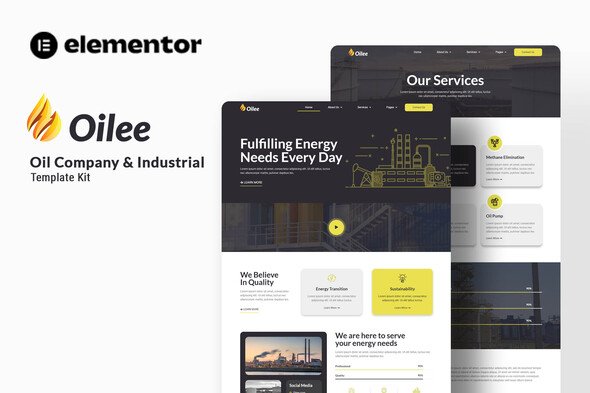
Oilee Elementor Template Kit for Oil and Industrial Companies
Most web developers quote 8-12 weeks and tens of thousands for a site like this. Oilee gets you there in an afternoon. It’s a complete, professionally designed website template built for oil companies, gas refineries, and industrial operations — ready to customize in Elementor without touching code.
What Oilee Offers
No more waiting on developers. Oilee gives you 15+ pages built specifically for the energy sector. Heavy industry services, equipment catalogs, safety certifications, project portfolios — every section is designed to show clients you’re legitimate.
The kit runs on Elementor’s free version. Your team can edit text, swap images, and rearrange sections anytime. Day-to-day updates happen without calling anyone.
Who It’s Built For
Oil companies. Gas firms. Petroleum distributors. Mining operations. Industrial manufacturers. If you move energy or industrial goods, this template matches how your business actually works.
- Oil and petroleum companies needing a fast website launch
- Industrial equipment suppliers displaying product ranges
- Energy service contractors showing project history
- Gas stations and fuel distributors establishing online presence
- Refineries creating investor-facing pages
Key Features Included
Oilee covers every page type your business needs — no piecing together random templates.
- Homepage with hero section, service blocks, and contact CTA
- Services and solutions pages for multiple offerings
- Project portfolio with filtering and detail views
- About page and company history sections
- Contact forms, Google Maps integration, and lead capture
- Team member profiles for key personnel
- FAQ and certification pages for compliance
- Mobile-responsive layouts across all devices
How To Use This Template
Install the free Elementor plugin on WordPress, import the kit, start editing. Each section is clearly labeled. Drop in your company name, upload your photos, adjust colors to match your brand, hit publish.
Unlike most templates, Oilee doesn’t ship with Lorem Ipsum. Placeholder content is written for industrial businesses — headlines about petroleum services, safety standards, project timelines. The structure already fits your industry.
Why Buy Oilee
Custom web design averages $5,000-$15,000 minimum. Oilee delivers a professionally designed site at a fraction of that cost. Your purchase includes a commercial license — use it for your business or client projects. No recurring fees.
Free lifetime updates keep everything current when WordPress or Elementor changes. Stuck on something? Lifetime support connects you with help.
You don’t need technical skills. If you can use Word, you can build this website.
Ready to Launch?
Your competitors already have websites. Oilee closes that gap fast. Buy once, download immediately, and have your oil company website live today.
Only logged in customers who have purchased this product may leave a review.
How to use Kit:
Install and activate the “Template Kit – Import” plugin from Plugins > Add New in WordPress.
Do not unzip.
Go to Template Kit – Import > Upload Template Kit Zip File button.
Before importing a template, ensure the Install Requirements button is clicked to activate required plugins.
For best results, do not import more than one template at a time.
RELATED PRODUCTS

DIVI – Original License | One Time Payment – Exclusive Deal

Elementor Pro 4.1.3 + Elementorism Landing Pages WordPress Plugin

907 5.3.6 – Responsive Multi-Purpose WordPress Theme

Element Pack Pro 9.1.0 – Addon For Elementor

Lifetime Mini Membership





 Mobile Apps
 php script
 How to
Reviews
There are no reviews yet