
Osfins – Digital Startup Agency Elementor Template Kit
- Updated on April 30, 2026
- 100% Original Product & Well Documented
- Unlimited Domain Usage
*Important Note:
The image should not be Part of the template kit. You need to use your own reliable Source.


- Coupon "b2g1" has expired.
- Coupon "b2g1" has expired.
- Coupon "b2g1" has expired.
- Coupon "b2g1" has expired.
- Coupon "b2g1" has expired.
Original price was: ₹999.00.₹299.00Current price is: ₹299.00.
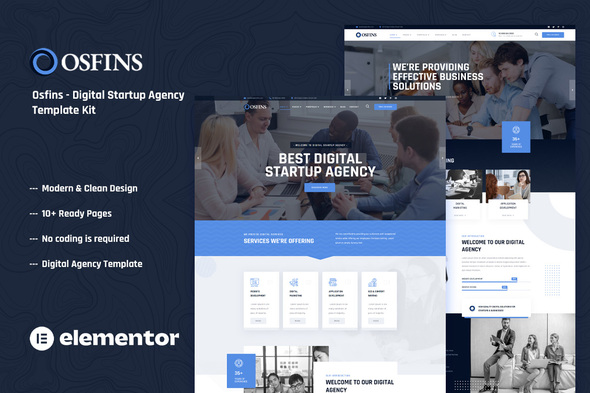
Osfins is a complete Elementor Template Kit for digital startup agencies. Get 15+ pre-built pages, instant download, and a commercial license included — build your professional website today without touching a single line of code.
- Secured & Scanned by Virus total & McAfee.
- Access to Free updates for Lifetime
- All products are Under GPL License (Unlimited Domain Usage)
- We Not Provide any Support For this Product

Lifetime Membership
Access 6700+ Premium WordPress Themes & Plugins, Elementor Templates, Mobile Apps, PHP scripts with Lifetime Updates.
Join Premium MembershipRecently Viewed
Osfins Digital Startup Agency Template Kit for Elementor
Osfins is a premium Elementor Template Kit designed specifically for digital startups and agencies that need a professional website without the custom development price tag. This complete kit delivers 15+ pre-designed pages ready for immediate use with the free Elementor page builder — no premium plugins required, no complex setup, just clean websites that convert.
What You Get With Osfins
This template kit covers every page your digital agency or startup needs to launch and scale online. Each section is thoughtfully designed with modern aesthetics and built to perform from day one.
- Homepage variants including hero sections with animated elements
- About and team showcase pages to establish credibility
- Services and portfolio layouts for displaying your work
- Blog templates for content marketing and SEO growth
- Contact and pricing pages optimized for lead generation
- Coming soon and 404 error pages included
Who Is This Template Kit For
Osfins works best for web developers and digital agencies building client sites on tight timelines. Startup founders launching MVPs and need a credible web presence immediately. Freelancers who want to streamline their workflow and deliver polished sites faster. Small business owners ready to invest in a premium website without the premium development cost.
How To Use Osfins
After purchase, you download the kit files and import them directly into your WordPress installation. The templates install seamlessly with Elementor — if you can drag and drop, you can customize every detail. Swap out images, adjust colors to match your brand, edit text, and publish. No coding knowledge required. No designer on staff needed.
Why Buy This Osfins Template Kit
Two things set this kit apart from free alternatives: the commercial license included with your purchase means you can use it for client projects without additional fees, and the lifetime free updates keep your sites current as Elementor evolves. You also get responsive design that looks polished on every device, clean organized files for easy customization, and ongoing support when you need guidance.
The modern aesthetic appeals specifically to digital-native audiences — tech startups, SaaS companies, creative agencies, and innovation-focused businesses. The layouts guide visitors toward action with strategically placed call-to-action buttons and conversion-optimized structures.
- 15+ fully editable pages and sections
- 100% responsive design for all screen sizes
- Commercial license included — use for client work
- Lifetime free updates and dedicated support
- Works with free Elementor — no premium plugin costs
Ready to Get Started?
Stop spending weeks on website development when Osfins gives you a professional foundation in hours. Buy Osfins now and have your digital startup or agency website live this week. Instant download means you start building immediately, and the included commercial license covers your first client project at no extra cost. Download Osfins today and put your focus where it belongs — growing your business.
Only logged in customers who have purchased this product may leave a review.
How to use Kit:
Install and activate the “Template Kit – Import” plugin from Plugins > Add New in WordPress.
Do not unzip.
Go to Template Kit – Import > Upload Template Kit Zip File button.
Before importing a template, ensure the Install Requirements button is clicked to activate required plugins.
For best results, do not import more than one template at a time.
RELATED PRODUCTS

DIVI – Original License | One Time Payment – Exclusive Deal

Elementor Pro 4.1.3 + Elementorism Landing Pages WordPress Plugin

907 5.3.6 – Responsive Multi-Purpose WordPress Theme

Element Pack Pro 9.1.0 – Addon For Elementor

Lifetime Mini Membership





 Mobile Apps
 php script
 How to

Reviews
There are no reviews yet