
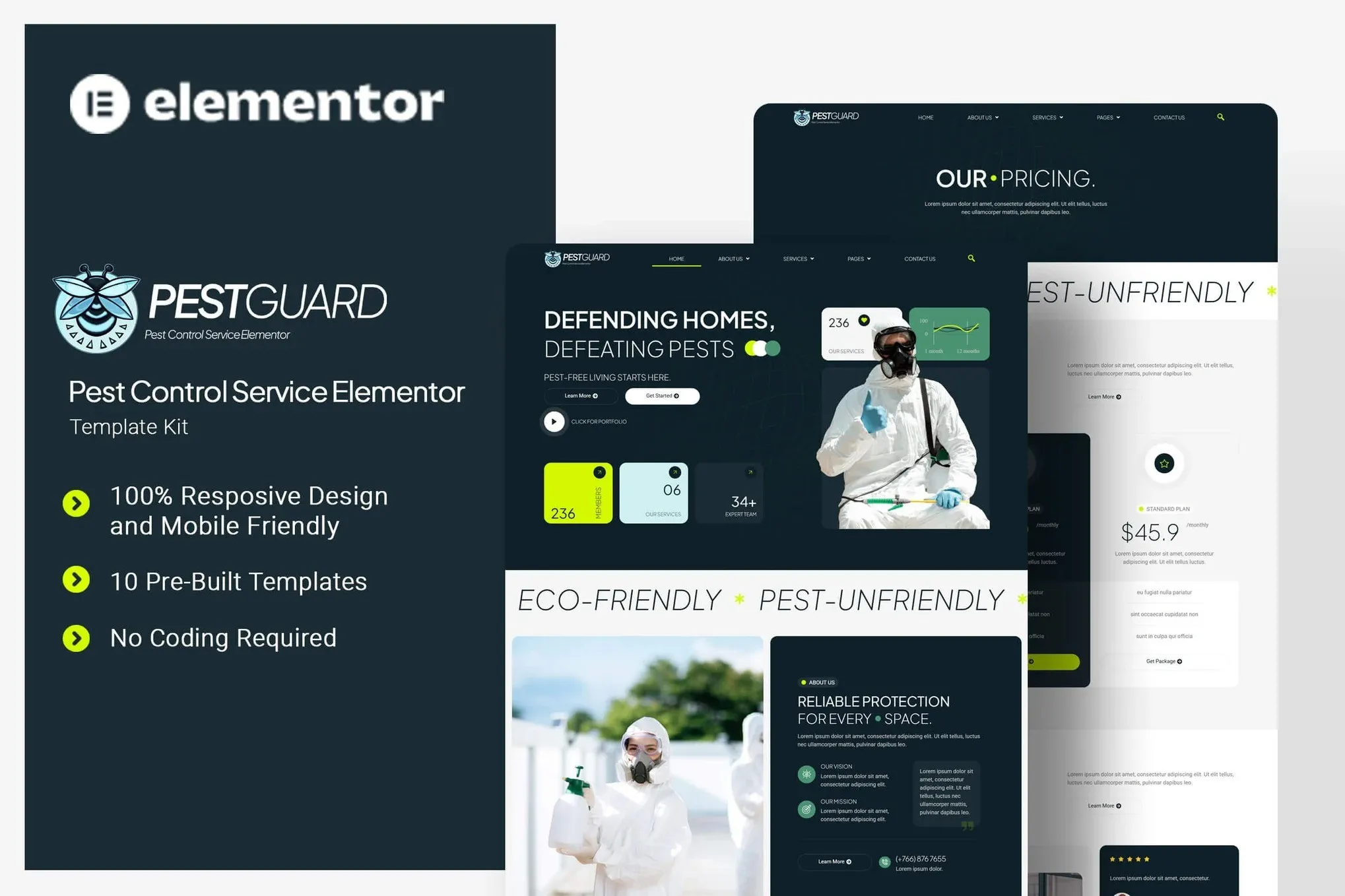
Pestguard – Pest Control Service Elementor Template Kit
- Updated on May 4, 2026
- 100% Original Product & Well Documented
- Unlimited Domain Usage
*Important Note:
The image should not be Part of the template kit. You need to use your own reliable Source.


- Coupon "b2g1" has expired.
- Coupon "b2g1" has expired.
- Coupon "b2g1" has expired.
- Coupon "b2g1" has expired.
Original price was: ₹999.00.₹299.00Current price is: ₹299.00.
Launch a pest control website today — no coding, no developers. Pestguard gives you 8 Elementor templates built for exterminators and wildlife removal companies. Mobile-ready, conversion-focused, and yours to keep with a commercial license. Start building in minutes.
- Secured & Scanned by Virus total & McAfee.
- Access to Free updates for Lifetime
- All products are Under GPL License (Unlimited Domain Usage)
- We Not Provide any Support For this Product

Lifetime Membership
Access 6700+ Premium WordPress Themes & Plugins, Elementor Templates, Mobile Apps, PHP scripts with Lifetime Updates.
Join Premium MembershipRecently Viewed
Pestguard – Pest Control Service Elementor Template Kit
Most pest control websites look like they were built in 2010. Worse, many owners keep putting off their online presence because the thought of building a site feels overwhelming. Pestguard fixes that. It’s a ready-made Elementor template kit built specifically for exterminators, wildlife removal pros, and commercial pest management companies. You get a professional website in an afternoon instead of weeks.
What’s Inside the Kit
Eight complete pages, each designed for a specific purpose. The homepage puts your services front and center with clean cards and clear call-to-action buttons. The About page showcases your team and credentials. Your Services page lets customers browse treatments — termite control, rodent removal, whatever you offer — with pricing callouts where you need them. There’s also a booking-ready Contact page, a Blog template for SEO posts, and a 404 page that keeps lost visitors from bouncing.
- 8 page templates: Home, About, Services, Service Detail, Team, Contact, Blog, 404
- Fully responsive — looks good on phones, tablets, and desktops
- Elementor Pro ready: theme builder, popup builder, and custom CSS included
- Pest control iconography and brandable design throughout
- Lightweight code that loads fast (Google notices this)
Who Is This For?
Pest control business owners who need a website that actually books jobs. Whether you’re running a solo operation from your truck or managing a regional company with multiple crews, this kit works for you. Freelance web designers — you’ll import, customize, and deliver in hours instead of days.
How Fast Can You Set It Up?
If you’ve touched Elementor before — even the free version — you can handle this. Import the JSON files, swap in your logo and colors, punch in your phone number and service areas, and publish. No WordPress experience required. The template uses free Elementor widgets, so nothing extra to buy. Run Elementor Pro? You’ll unlock popups, sticky headers, and dynamic content.
Why Not Just Build from Scratch?
Starting from a blank Elementor canvas means sourcing images, laying out service grids, designing forms, testing responsiveness — easily 20+ hours of work. Pestguard gives you a professionally designed starting point. The CTAs are already positioned for conversions. The trust elements are built in. Buy once, reuse across every client project.
- Instant download — build the same day you buy
- Commercial license — no restrictions on client use
- No coding needed — seriously, zero
- One-time payment — no subscriptions ever
- Lifetime updates included
Here’s the math: one month of a basic lead generation service costs more than this kit. Your website generates leads every single month, year after year. Whether you’re new to WordPress or you’ve been building sites for years, Pestguard gets you a professional result fast.
Ready to Go?
Your competitors found their websites somehow. Don’t let another month pass with a missing or outdated online presence. Download Pestguard and have a functional pest control website live today.
Only logged in customers who have purchased this product may leave a review.
How to use Kit:
Install and activate the “Template Kit – Import” plugin from Plugins > Add New in WordPress.
Do not unzip.
Go to Template Kit – Import > Upload Template Kit Zip File button.
Before importing a template, ensure the Install Requirements button is clicked to activate required plugins.
For best results, do not import more than one template at a time.
RELATED PRODUCTS

DIVI – Original License | One Time Payment – Exclusive Deal

Elementor Pro 4.1.3 + Elementorism Landing Pages WordPress Plugin

907 5.3.6 – Responsive Multi-Purpose WordPress Theme

Element Pack Pro 9.1.0 – Addon For Elementor

Lifetime Mini Membership





 Mobile Apps
 php script
 How to
Reviews
There are no reviews yet