
Pixaiq – Saas AI Photo App Elementor Template Kit
- Updated on May 3, 2026
- 100% Original Product & Well Documented
- Unlimited Domain Usage
*Important Note:
The image should not be Part of the template kit. You need to use your own reliable Source.


Original price was: ₹999.00.₹299.00Current price is: ₹299.00.
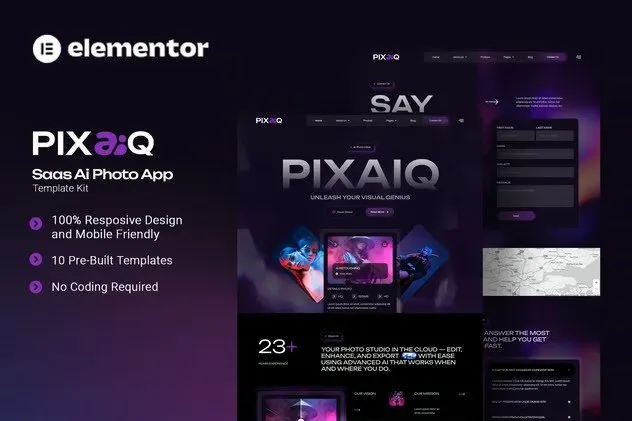
15+ sections, one afternoon, live site. Pixaiq gives you a complete Elementor template kit for AI photo editing SaaS websites — with commercial license and zero subscriptions. Launch this week.
- Secured & Scanned by Virus total & McAfee.
- Access to Free updates for Lifetime
- All products are Under GPL License (Unlimited Domain Usage)
- We Not Provide any Support For this Product

Lifetime Membership
Access 6700+ Premium WordPress Themes & Plugins, Elementor Templates, Mobile Apps, PHP scripts with Lifetime Updates.
Join Premium MembershipRecently Viewed
Pixaiq — Build Professional AI Photo Editing Websites with Elementor
No more fighting with page builders that fight back. Pixaiq gives you a complete, professionally-designed website for AI-powered photo editing platforms — ready to customize and launch in hours, not weeks. This Elementor Template Kit covers everything: showcasing your SaaS product, explaining your AI features, and turning visitors into paying customers.
Every section is built for conversion. Hero banners that hook attention. Pricing tables that handle objections before they come up. Pixaiq turns your WordPress site into something that actually sells. No coding. No design degree. Just import, swap the placeholder content, and go live.
What You Get with Pixaiq
This isn’t a random pile of blocks. Pixaiq delivers a cohesive website system with 15+ pre-built sections covering every page a photo editing SaaS needs:
- Homepage with feature showcase and social proof
- AI tools gallery with before/after comparisons
- Pricing plans with monthly and annual options
- About page, contact form, and FAQ sections
- Landing page templates optimized for conversions
All sections use Elementor’s native widgets — the free version works fine. No Pro account needed. The design system includes a consistent color palette, typography hierarchy, and spacing that makes your site look expensive without a developer.
Who Should Buy This Template Kit
Pixaiq works if you’re building or redesigning:
- A startup launching an AI photo editing SaaS
- A freelance designer offering AI services
- An agency building client websites in this niche
- An existing photo editing platform refreshing their web presence
Whether you charge $500 or $50,000 for your services, Pixaiq positions you as a legitimate business from the first click. The design does the work while you focus on what you actually do.
How to Get Started
Three steps. First, install Elementor (free version works). Second, import the Pixaiq template kit from your WordPress dashboard. Third, swap the placeholder text and images with your brand. Most people are live the same afternoon.
The kit includes documentation for setup, customization tips, and recommended plugins. If you get stuck, support responds within 24 hours — not 72.
Why Pixaiq Beats Free Alternatives
Free themes force compromises. Either they’re too generic (looks like every other site) or too basic (missing key sections). You spend days building things from scratch, fixing responsive issues, and hoping your color choices don’t clash.
Pixaiq removes the guesswork. Every layout decision has been tested for photo editing SaaS sites. Typography scales cleanly on mobile. CTA buttons stand out without being obnoxious. You get a polished result without the agency invoice — and you keep all the files forever.
Ready to Launch Your AI Photo Editing Website?
Your competitors already have websites. They’re collecting leads and locking in customers while you’re staring at a blank page.
Download Pixaiq today. Have a professional site live this week. One-time payment. Commercial license included. Lifetime updates. No subscriptions, ever.
Only logged in customers who have purchased this product may leave a review.
How to use Kit:
Install and activate the “Template Kit – Import” plugin from Plugins > Add New in WordPress.
Do not unzip.
Go to Template Kit – Import > Upload Template Kit Zip File button.
Before importing a template, ensure the Install Requirements button is clicked to activate required plugins.
For best results, do not import more than one template at a time.
RELATED PRODUCTS

DIVI – Original License | One Time Payment – Exclusive Deal

Elementor Pro 4.1.3 + Elementorism Landing Pages WordPress Plugin

907 5.3.6 – Responsive Multi-Purpose WordPress Theme

Element Pack Pro 9.1.0 – Addon For Elementor

Lifetime Mini Membership





 Mobile Apps
 php script
 How to
Reviews
There are no reviews yet