
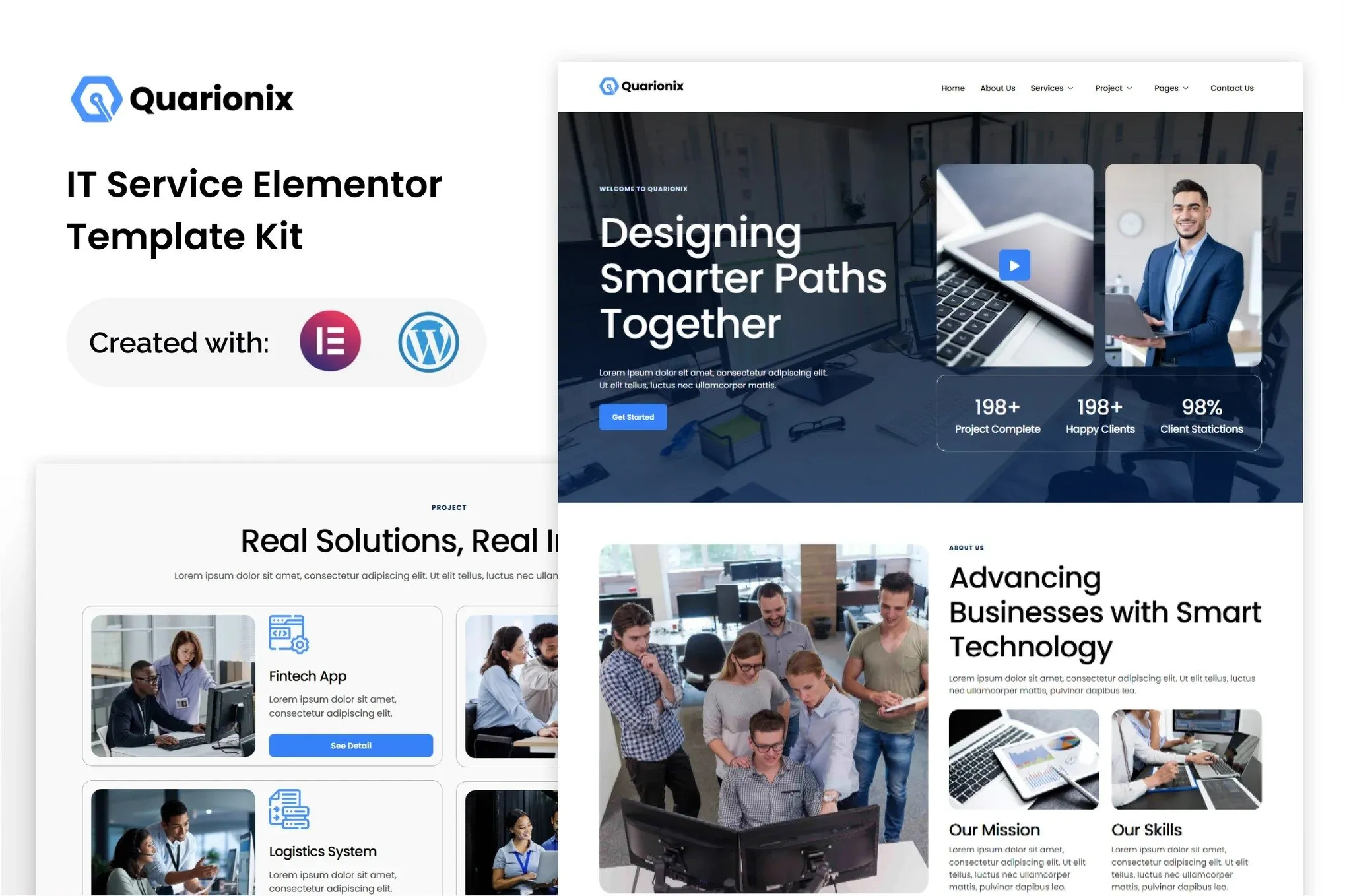
Quarionix – IT Service Elementor Template Kit
- Updated on May 3, 2026
- 100% Original Product & Well Documented
- Unlimited Domain Usage
*Important Note:
The image should not be Part of the template kit. You need to use your own reliable Source.


- Coupon "b2g1" has expired.
- Coupon "b2g1" has expired.
- Coupon "b2g1" has expired.
- Coupon "b2g1" has expired.
- Coupon "b2g1" has expired.
Original price was: ₹999.00.₹299.00Current price is: ₹299.00.
Launch a polished IT services website in hours, not weeks. Quarionix gives you 15+ professionally designed pages, zero premium plugin requirements, and a commercial license — all for a one-time price.
- Secured & Scanned by Virus total & McAfee.
- Access to Free updates for Lifetime
- All products are Under GPL License (Unlimited Domain Usage)
- We Not Provide any Support For this Product

Lifetime Membership
Access 6700+ Premium WordPress Themes & Plugins, Elementor Templates, Mobile Apps, PHP scripts with Lifetime Updates.
Join Premium MembershipRecently Viewed
Quarionix – IT Services Elementor Template Kit
Stop spending weeks piecing together your IT company’s website. Quarionix delivers a complete, professional online presence in a single download — no premium plugins, no ongoing fees, no design headaches. Built specifically for IT service providers, this Elementor template kit transforms how you show up online.
What You Get with Quarionix
This isn’t a handful of scattered templates. Quarionix includes 15+ ready-to-use pages covering every section an IT services business needs: Home, About Us, Services, Service Details, Case Studies, Team, Testimonials, FAQ, Pricing, Blog, and Contact. Each page comes with multiple layout variations so you can swap styles without starting over.
- 15+ complete page templates with matching inner pages
- 6 header and footer variations for brand flexibility
- 3 unique homepage layouts for different business focuses
- Dark and light mode versions throughout
Key Features Built for IT Businesses
Every template speaks the language of technology companies. You’ll find sections designed for managed services, cybersecurity firms, tech support, and IT consulting. The layouts showcase service offerings prominently, include space for certifications and partnerships, and make it easy to display case studies and client success stories.
- Fully responsive — looks sharp on mobile, tablet, and desktop
- No Elementor Pro or premium plugins required
- Clean, modern typography with professional spacing
- SEO-optimized structure ready for search engines
Who Is This Template Kit For?
Quarionix works if you fall into any of these categories: IT consultants launching a personal brand, managed service providers refreshing their web presence, tech startups building credibility, freelance developers creating client sites, or web designers looking to speed up IT-related projects. If you have WordPress and the free Elementor plugin, you’re ready to go.
How to Use Quarionix
Getting started takes minutes, not hours. Install the free Elementor plugin on your WordPress site, upload the Quarionix template kit file, and browse the library of pre-built pages. Import the pages you need, replace the placeholder content with your own, and hit publish. No coding knowledge required. No expensive premium add-ons to purchase. Just a professional website, ready when you are.
Why Buy This Template Kit
Custom web design costs thousands and takes months. Alternative template kits often require expensive premium plugins to function properly. Quarionix breaks that pattern. Pay once, own it forever, and use it on unlimited projects under the included commercial license. Get lifetime updates as the kit improves, plus dedicated support when you need help.
- Instant download — start building immediately
- Commercial license covers client and personal projects
- Lifetime free updates included
- One-time payment, no subscriptions ever
Ready to Get Started?
If you need a professional IT services website without the custom design price tag, Quarionix delivers. Grab the template kit now and have a complete, polished website live within hours. Your clients expect professionalism — give them a site that shows exactly that.
Only logged in customers who have purchased this product may leave a review.
How to use Kit:
Install and activate the “Template Kit – Import” plugin from Plugins > Add New in WordPress.
Do not unzip.
Go to Template Kit – Import > Upload Template Kit Zip File button.
Before importing a template, ensure the Install Requirements button is clicked to activate required plugins.
For best results, do not import more than one template at a time.
RELATED PRODUCTS

DIVI – Original License | One Time Payment – Exclusive Deal

Elementor Pro 4.1.3 + Elementorism Landing Pages WordPress Plugin

907 5.3.6 – Responsive Multi-Purpose WordPress Theme

Element Pack Pro 9.1.0 – Addon For Elementor

Lifetime Mini Membership





 Mobile Apps
 php script
 How to
Reviews
There are no reviews yet