
Reboost – Digital Marketing Agency Elementor Template Kit
- Updated on May 4, 2026
- 100% Original Product & Well Documented
- Unlimited Domain Usage
*Important Note:
The image should not be Part of the template kit. You need to use your own reliable Source.


Original price was: ₹999.00.₹299.00Current price is: ₹299.00.
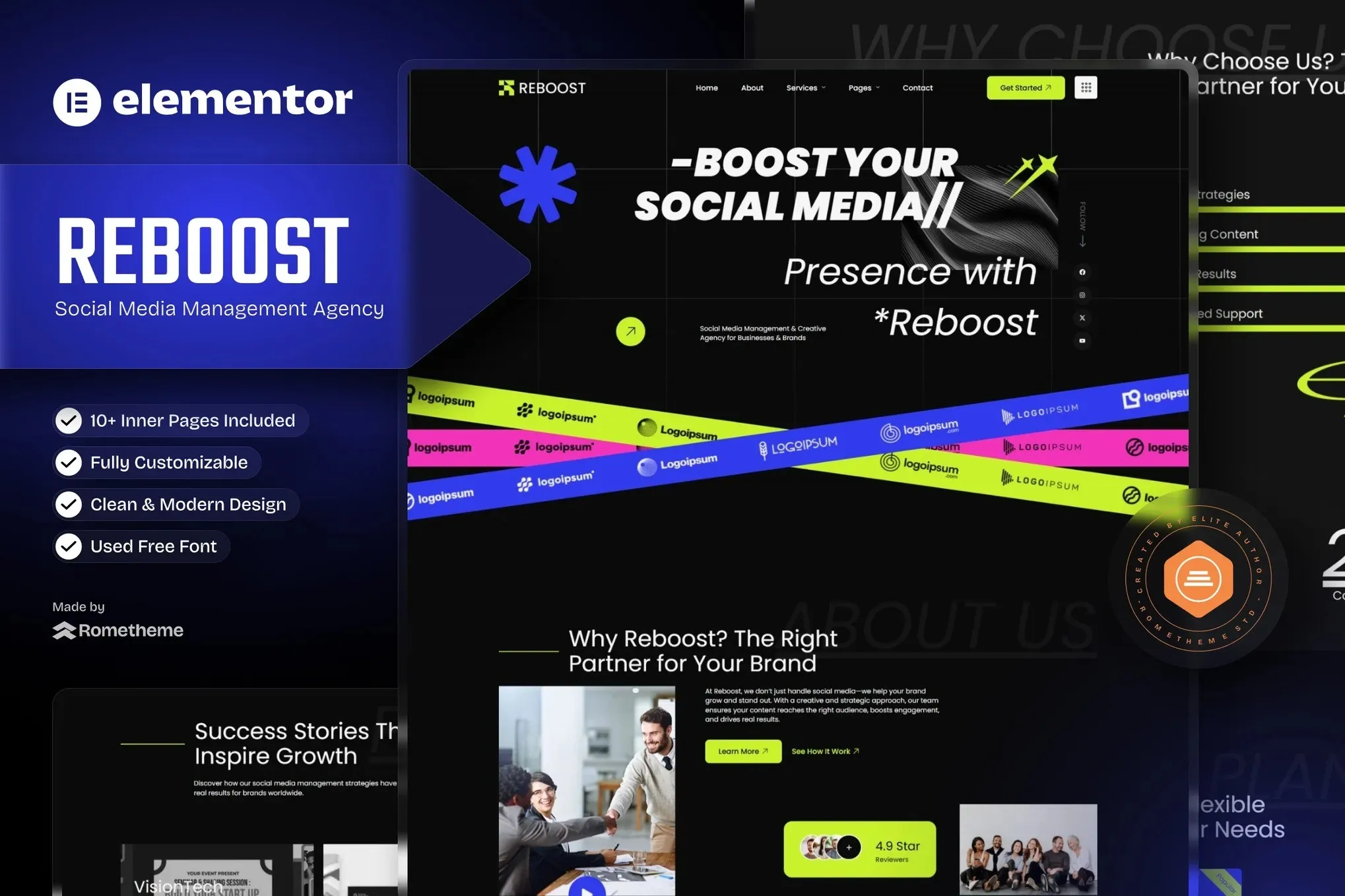
Stop waiting on developers. Reboost gives you 10+ pages to launch a digital marketing agency website today — drag, drop, done. No code required.
- Secured & Scanned by Virus total & McAfee.
- Access to Free updates for Lifetime
- All products are Under GPL License (Unlimited Domain Usage)
- We Not Provide any Support For this Product

Lifetime Membership
Access 6700+ Premium WordPress Themes & Plugins, Elementor Templates, Mobile Apps, PHP scripts with Lifetime Updates.
Join Premium MembershipRecently Viewed
Reboost: Professional Website Template for Digital Marketing Agencies
Three months. That’s how long most agencies wait for a developer to “finish” their website. Meanwhile, leads are going to your competitor with the polished site. Reboost changes that equation entirely. It’s a ready-to-use website solution built specifically for social media managers and digital marketing agencies — one that looks like weeks of work, published in an afternoon.
What You Get With This Template Kit
Everything you need to look credible from the first click. No scrambling for plugins or watching tutorials on page builders. Just a complete system that works together out of the box.
- 10+ pages ready to go: Home, Services, Portfolio, About, Contact, Pricing, and the extras you didn’t know you needed
- Mobile-first layouts that don’t look like an afterthought on phones or tablets
- Elementor drag-and-drop editing — if you can use PowerPoint, you can edit this
- Pre-built service cards, team member sections, testimonial sliders, and case study templates
- Modern typography and spacing that reads professional, not template-y
Who This Template Kit Is For
Running a social media management agency or digital marketing consultancy? Your website needs to do one thing: make prospects trust you immediately. Reboost is built for that exact moment — when a potential client lands on your page and decides whether you’re legitimate or just another freelancer with a Gmail address.
Even if you’re just starting out, this gives you credibility overnight. Instead of pointing prospects to a sparse LinkedIn profile or a Squarespace trial, you send them to a custom domain with clear services, a portfolio that actually impresses, and a contact form that captures leads while you’re closed.
How to Launch Your Agency Website Fast
Twenty minutes. That’s the total time from download to live site. Install Elementor (it’s free), upload the kit, hit import. Choose specific pages or pull the whole thing at once. Drop in your logo, swap the headlines for your own, hit publish.
No child themes. No developer on call. No $200/hour bill just to update your phone number.
Why Reboost Beats Building From Scratch
Starting from a blank page sounds like freedom. Reality: weeks of second-guessing, designs that go nowhere, and a final site that looks suspiciously like every other free theme in the directory.
Reboost gives you a unified design system. Every page speaks the same visual language. Your site looks intentional — like you brought in a designer who actually understood your industry. Clients notice. It’s measurable in how quickly they reach out versus bouncing.
Ready to Get Started?
Download Reboost now and have a professional digital marketing agency website live before your next coffee break. Commercial license included — use it for client projects too. One payment, lifetime access, no subscriptions eating into your margins.
Only logged in customers who have purchased this product may leave a review.
How to use Kit:
Install and activate the “Template Kit – Import” plugin from Plugins > Add New in WordPress.
Do not unzip.
Go to Template Kit – Import > Upload Template Kit Zip File button.
Before importing a template, ensure the Install Requirements button is clicked to activate required plugins.
For best results, do not import more than one template at a time.
RELATED PRODUCTS

DIVI – Original License | One Time Payment – Exclusive Deal

Elementor Pro 4.1.3 + Elementorism Landing Pages WordPress Plugin

907 5.3.6 – Responsive Multi-Purpose WordPress Theme

Element Pack Pro 9.1.0 – Addon For Elementor

Lifetime Mini Membership





 Mobile Apps
 php script
 How to
Reviews
There are no reviews yet