
Skinzup – Tattoo Studio & Removal Elementor Template Kit
- Updated on May 3, 2026
- 100% Original Product & Well Documented
- Unlimited Domain Usage
*Important Note:
The image should not be Part of the template kit. You need to use your own reliable Source.


- Coupon "b2g1" has expired.
- Coupon "b2g1" has expired.
- Coupon "b2g1" has expired.
- Coupon "b2g1" has expired.
- Coupon "b2g1" has expired.
Original price was: ₹999.00.₹299.00Current price is: ₹299.00.
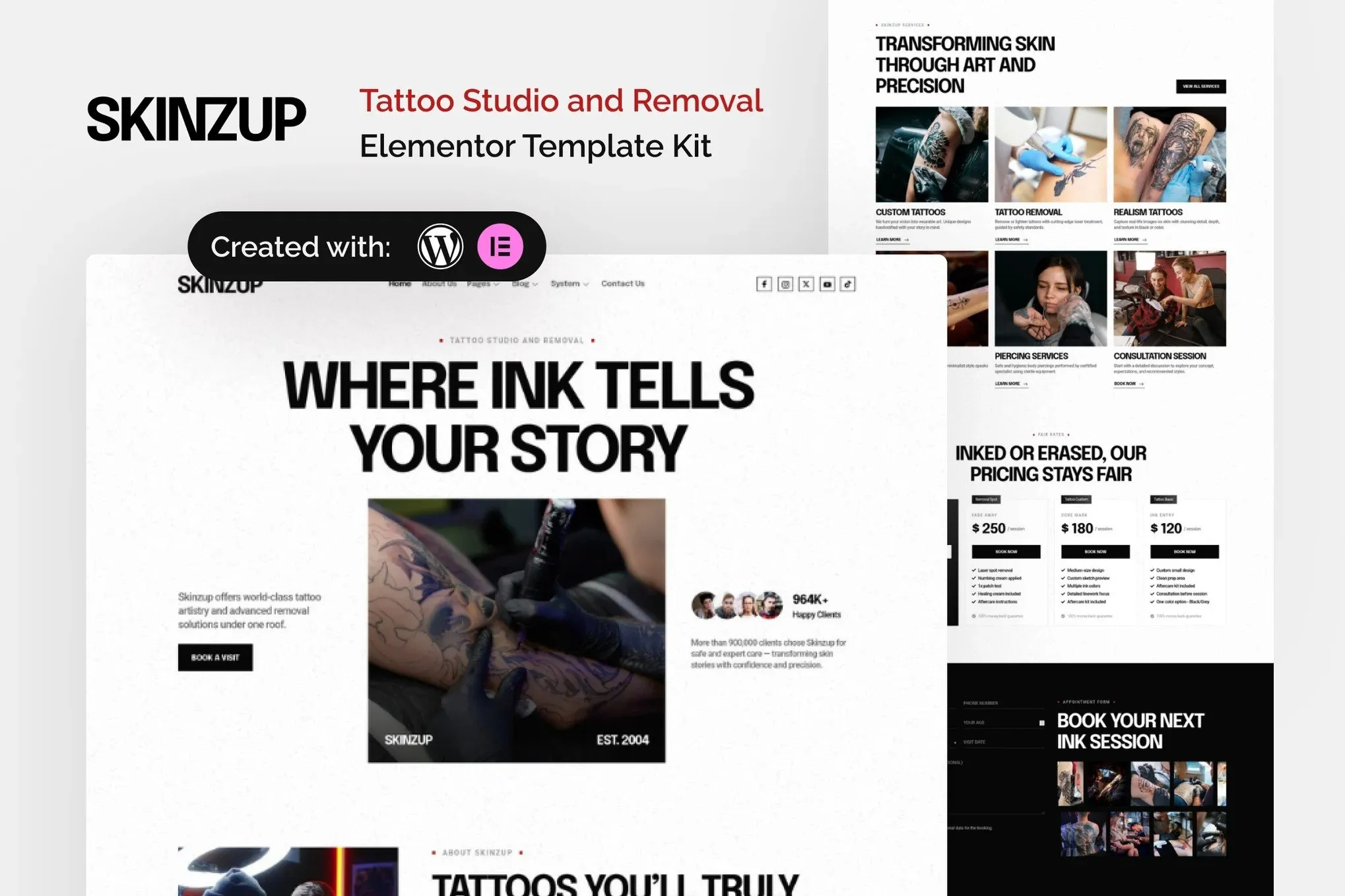
Tattoo studio website template built for artists who hate dealing with tech. 12 pages of clean layouts, artist profiles, booking forms, and gallery grids — all ready in Elementor. One payment, instant download, yours forever.
- Secured & Scanned by Virus total & McAfee.
- Access to Free updates for Lifetime
- All products are Under GPL License (Unlimited Domain Usage)
- We Not Provide any Support For this Product

Lifetime Membership
Access 6700+ Premium WordPress Themes & Plugins, Elementor Templates, Mobile Apps, PHP scripts with Lifetime Updates.
Join Premium MembershipRecently Viewed
Skinzup Tattoo Studio Website Template for Elementor
Your portfolio is solid. Your Instagram’s working. But your website? It’s costing you bookings. When someone clicks that link in your bio and lands on a generic WordPress theme that looks like every other business site, they don’t stick around to schedule anything.
Skinzup fixes that. It’s an Elementor Template Kit built specifically for tattoo studios and removal services — the kind of site that makes potential clients feel like they’ve already walked through your door before their first appointment.
What’s Inside the Kit
Not a skeleton template. Full pages, ready to customize:
- Homepage with hero, featured work section, service breakdown, and testimonial slider
- Portfolio pages with filters — sort by style (traditional, neo-trad, Japanese, fine-line) or body placement
- Individual artist profiles: photo, bio, specialties, and direct social links
- Service pages for tattoos, piercings, and laser removal — pricing tables included
- Booking and contact forms built for appointment requests, not just inquiries
- FAQ and aftercare pages that actually answer the questions you get asked every day
Everything edits in Elementor. Drag, drop, done. Swap images, adjust colors to match your brand, punch in your hours. Published the same day you download it — that’s what users report, anyway.
Who It’s For
Solo artists. Multi-artist shops. Studios adding laser removal. Traveling artists who need something that works on the road.
If you’re a local shop, your address and phone number sit in a clean header section — no hunting for contact info. Running a convention circuit? Easy to showcase flash sheets and upcoming dates.
This kit works for:
- Traditional and neo-traditional shops
- Fine-line and minimalist artists
- Studios with laser removal services
- Body modification specialists
- Artists building a personal portfolio brand
One Payment, No Surprises
$X and you own it. Instant download. Commercial license included — use it for client projects if you build websites for other studios.
Free updates for life. When Elementor ships new widgets or we improve the design, those updates land in your account. No email reminders, no upsells.
The Math vs. Hiring a Designer
Custom design: $3,000–$8,000. Six to twelve weeks of back-and-forth. Then you’re locked into that designer for any future changes.
Skinzup: a fraction of that cost. Download now. Own the design outright. Host it wherever you want, change anything, add pages whenever your services grow.
Your art changes. Your website should keep up — without waiting three weeks for someone to reply to an email.
Get Started
Download Skinzup and have a professional studio website live today. Includes the full template kit, commercial license, lifetime updates, and support if you hit a wall during setup. No coding knowledge needed — if you’ve used a drag-and-drop tool before, you can build this.
Only logged in customers who have purchased this product may leave a review.
How to use Kit:
Install and activate the “Template Kit – Import” plugin from Plugins > Add New in WordPress.
Do not unzip.
Go to Template Kit – Import > Upload Template Kit Zip File button.
Before importing a template, ensure the Install Requirements button is clicked to activate required plugins.
For best results, do not import more than one template at a time.
RELATED PRODUCTS

DIVI – Original License | One Time Payment – Exclusive Deal

Elementor Pro 4.1.3 + Elementorism Landing Pages WordPress Plugin

907 5.3.6 – Responsive Multi-Purpose WordPress Theme

Element Pack Pro 9.1.0 – Addon For Elementor

Lifetime Mini Membership





 Mobile Apps
 php script
 How to
Reviews
There are no reviews yet