
Sparko – Electrician & Electrical Services Elementor Template Kit
- Updated on May 3, 2026
- 100% Original Product & Well Documented
- Unlimited Domain Usage
*Important Note:
The image should not be Part of the template kit. You need to use your own reliable Source.


- Coupon "b2g1" has expired.
- Coupon "b2g1" has expired.
- Coupon "b2g1" has expired.
- Coupon "b2g1" has expired.
- Coupon "b2g1" has expired.
Original price was: ₹999.00.₹299.00Current price is: ₹299.00.
8 pages. One weekend. Zero coding. Sparko is the Elementor template kit that gets your electrician website live without hiring a developer. Instant download + commercial license included.
- Secured & Scanned by Virus total & McAfee.
- Access to Free updates for Lifetime
- All products are Under GPL License (Unlimited Domain Usage)
- We Not Provide any Support For this Product

Lifetime Membership
Access 6700+ Premium WordPress Themes & Plugins, Elementor Templates, Mobile Apps, PHP scripts with Lifetime Updates.
Join Premium MembershipRecently Viewed
Sparko – Electrician & Electrical Services Elementor Template Kit
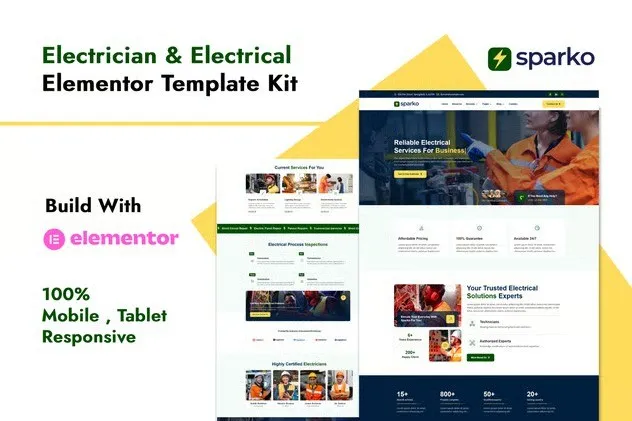
When someone searches “electrician near me,” they want a site that looks legit, loads quickly, and makes booking dead simple. Sparko does all three — a complete Elementor template kit built specifically for sparkies and electrical businesses. No coding knowledge. No expensive developers. Open Elementor, swap in your info, publish.
What’s Included
Eight professionally designed pages covering every part of an electrical services website. The homepage leads with a bold hero section and clear service cards. Separate pages for residential work, commercial contracts, emergency callouts, and maintenance keep clients informed before they even call. There’s a gallery for showing off completed jobs, a testimonials section to build credibility, and a contact form that catches leads the moment someone’s ready to book.
Built to Convert Visitors to Customers
Every layout pushes visitors toward one thing: taking action. Service cards display pricing indicators and specifics. The booking section sits front-and-center on the homepage. Customer reviews appear early to build trust. Phone number and address stay visible on every page. This template understands how electrical customers make decisions and structures your site to match that flow.
- Homepage, Services, About, Gallery, Team, Testimonials, Contact, and FAQ — all complete
- Responsive layouts that look sharp on phones, tablets, and desktops
- Change colors, fonts, and images without touching code
- Header and footer templates for consistent branding across pages
- Contact form widgets pre-styled and ready to capture leads
Who Is This For
Freelance electricians building a personal brand. Small contractors expanding their reach. Agencies that need quick turnarounds for client sites. If you can click “edit” in WordPress, you can customize Sparko. Drag sections around, swap images, update text — the Elementor builder makes it painless.
Setup Takes a Couple Hours, Not Days
After purchase, download all template files instantly. Import them into your WordPress site using the Elementor kit importer. Each page opens in the editor where you replace the placeholder text with your business details, swap stock photos for your actual project shots, and adjust colors to match your brand. First time with Elementor? Most users finish setup in 2-3 hours. Documentation included for beginners.
Commercial License — Build Sites for Pay
Some templates restrict how you use them. Sparko doesn’t. The commercial license means you can build sites for paying clients, create multiple business websites, or use it in your agency workflow — all without additional fees. One purchase. Lifetime access. Updates included as WordPress and Elementor evolve.
Skip the Monthly Fees
Stop handing over $30-50/month to website builders. Stop waiting weeks for a developer to finish. Download Sparko, open Elementor, and have a professional electrical services website published this weekend.
Only logged in customers who have purchased this product may leave a review.
How to use Kit:
Install and activate the “Template Kit – Import” plugin from Plugins > Add New in WordPress.
Do not unzip.
Go to Template Kit – Import > Upload Template Kit Zip File button.
Before importing a template, ensure the Install Requirements button is clicked to activate required plugins.
For best results, do not import more than one template at a time.
RELATED PRODUCTS

DIVI – Original License | One Time Payment – Exclusive Deal

Elementor Pro 4.1.3 + Elementorism Landing Pages WordPress Plugin

907 5.3.6 – Responsive Multi-Purpose WordPress Theme

Element Pack Pro 9.1.0 – Addon For Elementor

Lifetime Mini Membership





 Mobile Apps
 php script
 How to
Reviews
There are no reviews yet