
Taleem – Online Education Elementor Template Kit
- Updated on May 2, 2026
- 100% Original Product & Well Documented
- Unlimited Domain Usage
*Important Note:
The image should not be Part of the template kit. You need to use your own reliable Source.


- Coupon "b2g1" has expired.
- Coupon "b2g1" has expired.
- Coupon "b2g1" has expired.
- Coupon "b2g1" has expired.
- Coupon "b2g1" has expired.
Original price was: ₹999.00.₹299.00Current price is: ₹299.00.
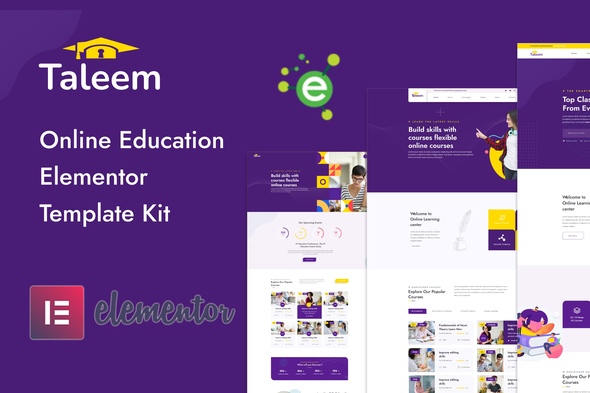
Your elearning site, ready this week. Taleem gives you 15+ pages — course listings, instructor profiles, student dashboards — all built for Elementor. Just import, customize, and launch. Commercial license included.
- Secured & Scanned by Virus total & McAfee.
- Access to Free updates for Lifetime
- All products are Under GPL License (Unlimited Domain Usage)
- We Not Provide any Support For this Product

Lifetime Membership
Access 6700+ Premium WordPress Themes & Plugins, Elementor Templates, Mobile Apps, PHP scripts with Lifetime Updates.
Join Premium MembershipRecently Viewed
Taleem – Online Education Elementor Template Kit for Professional Elearning Websites
Most education websites take forever to build. Taleem skips the wait. It’s a complete Elementor template kit made for elearning businesses, instructors, and course creators who need a professional site without touching code. Download, customize, and launch — all in the same week.
What Taleem Offers
Fifteen ready-made pages. That’s what you get. Homepage layouts. Course catalog designs. Instructor profile pages. Student enrollment flows. Pricing tables. Blog templates for educational content.
The design is clean and modern — works for language schools, certification programs, tutoring services, skill-based courses, or academic institutions. Every element is styled and positioned. You just swap in your own text and images.
Key Features of Taleem Template Kit
What you get with Taleem:
- 15+ pre-designed pages and section templates
- Course listing and single course detail page layouts
- Instructor and teacher profile templates
- Student dashboard and enrollment page designs
- Pricing and subscription page layouts
- Contact, about, and FAQ page templates
- Mobile-responsive design that works on all devices
- Compatible with free Elementor and Elementor Pro
Who Is Taleem For?
This kit fits anyone building an education website:
- Online course creators selling video or live classes
- Schools and training centers offering certifications
- Freelance tutors promoting private lessons
- Agencies building education client websites
- WordPress users who want a fast, professional elearning site
No coding required. If you can drag and drop in Elementor, you can customize Taleem. Global styles, ready-made section blocks, consistent typography — your site looks polished without a design background.
How to Use Taleem
Simple. Install through Elementor’s template importer, pick the pages you need, start editing. Change colors to match your brand. Update course names and descriptions. Add your logo. Hit publish. The whole thing takes hours, not days. No extra page builders needed — just Elementor, which millions of WordPress users already have.
Why Buy the Taleem Template Kit
Do the math. A custom education website from a developer runs $2,000–$5,000 minimum. Free templates usually lack course-specific layouts, so you end up piecing together mismatched designs. Taleem gives you a purpose-built solution at a fraction of that cost — commercial license included, so you can use it for client projects or your own business without restrictions.
One-time payment. Lifetime access. Future Elementor updates won’t break your site because Taleem uses standard Elementor features, not custom code. You own everything — no ongoing developer fees.
Ready to Build Your Education Website?
Stop spending weeks on design when you could be enrolling students. Taleem gives you a professional, conversion-focused elearning website template ready to launch today. Get the Taleem Elementor Template Kit and have your education site live within 24 hours.
Only logged in customers who have purchased this product may leave a review.
How to use Kit:
Install and activate the “Template Kit – Import” plugin from Plugins > Add New in WordPress.
Do not unzip.
Go to Template Kit – Import > Upload Template Kit Zip File button.
Before importing a template, ensure the Install Requirements button is clicked to activate required plugins.
For best results, do not import more than one template at a time.
RELATED PRODUCTS

DIVI – Original License | One Time Payment – Exclusive Deal

Elementor Pro 4.1.3 + Elementorism Landing Pages WordPress Plugin

907 5.3.6 – Responsive Multi-Purpose WordPress Theme

Element Pack Pro 9.1.0 – Addon For Elementor

Lifetime Mini Membership





 Mobile Apps
 php script
 How to
Reviews
There are no reviews yet