
Vinart – Wine Brand & Vinyard Elementor Template Kit
- Updated on May 1, 2026
- 100% Original Product & Well Documented
- Unlimited Domain Usage
*Important Note:
The image should not be Part of the template kit. You need to use your own reliable Source.


- Coupon "b2g1" has expired.
- Coupon "b2g1" has expired.
- Coupon "b2g1" has expired.
- Coupon "b2g1" has expired.
- Coupon "b2g1" has expired.
Original price was: ₹999.00.₹299.00Current price is: ₹299.00.
Launch your winery website this week — no developer needed. Vinart gives you six pre-built pages, a commercial license, and a design that actually fits the wine industry. Built for Elementor. Instant download.
- Secured & Scanned by Virus total & McAfee.
- Access to Free updates for Lifetime
- All products are Under GPL License (Unlimited Domain Usage)
- We Not Provide any Support For this Product

Lifetime Membership
Access 6700+ Premium WordPress Themes & Plugins, Elementor Templates, Mobile Apps, PHP scripts with Lifetime Updates.
Join Premium MembershipRecently Viewed
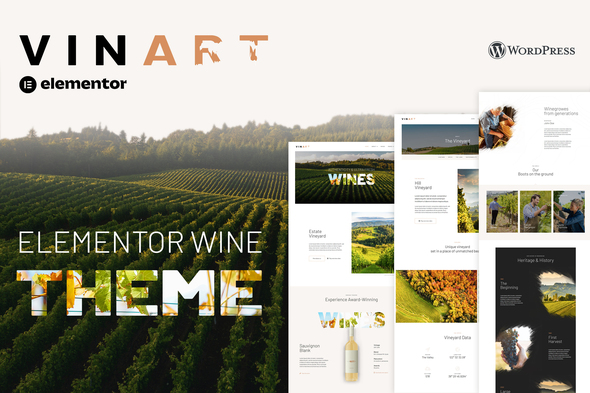
Vinart Wine Elementor Template Kit for Your Winery Website
Most small wineries don’t have time to learn WordPress, hire developers, or wait months for a custom site. You need a homepage, a wine showcase, your story, tasting room info, and a way for people to book visits. Building all that from scratch? Nobody has the budget for that.
Vinart solves this. It’s a complete Wine Elementor Template Kit with six pages designed specifically for vineyards and wineries. No coding required — just drag, drop, and replace the placeholder text with your own content. Swap photos, adjust colors to match your labels, and publish.
Works whether you’re running a boutique winery in Willamette Valley or a family vineyard selling direct-to-consumer from your tasting room.
What You Get With Vinart
Six ready-to-import pages:
- Homepage — Hero image, featured bottles, your story snippet, customer testimonials, and a booking button
- Our Wines — Grid layout for varietals, tasting notes, pricing, and bottle photography slots
- About the Vineyard — Space for your history, appellation details, and winemaking approach
- Visit Us — Hours, address, a map embed, and reservation CTA
- Contact Page — Contact form, social icons, and directions
- Blog Layouts — For wine pairings, harvest updates, and event announcements
The design uses serif fonts and muted earth tones — stuff that looks right at home in the wine world. No bright gradients or tech startup aesthetics.
Who Is This Template Kit For?
Vinart fits:
- New wineries launching their first website without breaking the bank
- Wine shops expanding to include an online presence
- Freelancers building client sites on a budget
- Anyone already on WordPress who wants an upgrade without rebuilding from scratch
If you’ve been putting this off because the technical side feels out of reach — it’s not. Vinart handles the structure so you can focus on your wine.
How to Use Vinart
Setup takes about 20 minutes. Install Elementor (the free plugin), upload the kit, and import the pages you need. Replace the placeholder content with your own text and photos. The layout adjusts automatically for phones and tablets.
One payment. No subscriptions. You get lifetime updates and access to support if something breaks.
Why Buy Vinart Over Free Templates?
Free templates are built for everyone, which means they fit nobody well. Generic layouts. Generic fonts. You’d spend hours reworking them to look halfway decent for a wine business.
Vinart is built for wineries from page one. The structure, the styling, the included features all match how wine businesses actually work. Free options often hide the real costs — limited customization, no commercial license for client projects, or zero updates when WordPress rolls out changes.
Commercial license included. Use it for your own winery or charge clients for sites you build with it.
Ready to Get Started?
Your wines are good enough to stand on their own. Your website should be too. Download Vinart, follow the included setup guide, and have something live before the weekend.
Only logged in customers who have purchased this product may leave a review.
How to use Kit:
Install and activate the “Template Kit – Import” plugin from Plugins > Add New in WordPress.
Do not unzip.
Go to Template Kit – Import > Upload Template Kit Zip File button.
Before importing a template, ensure the Install Requirements button is clicked to activate required plugins.
For best results, do not import more than one template at a time.
RELATED PRODUCTS

DIVI – Original License | One Time Payment – Exclusive Deal

Elementor Pro 4.2.1 + Elementorism Landing Pages WordPress Plugin

907 5.3.6 – Responsive Multi-Purpose WordPress Theme

Element Pack Pro 9.1.0 – Addon For Elementor






 Mobile Apps
 php script
 How to

Reviews
There are no reviews yet