
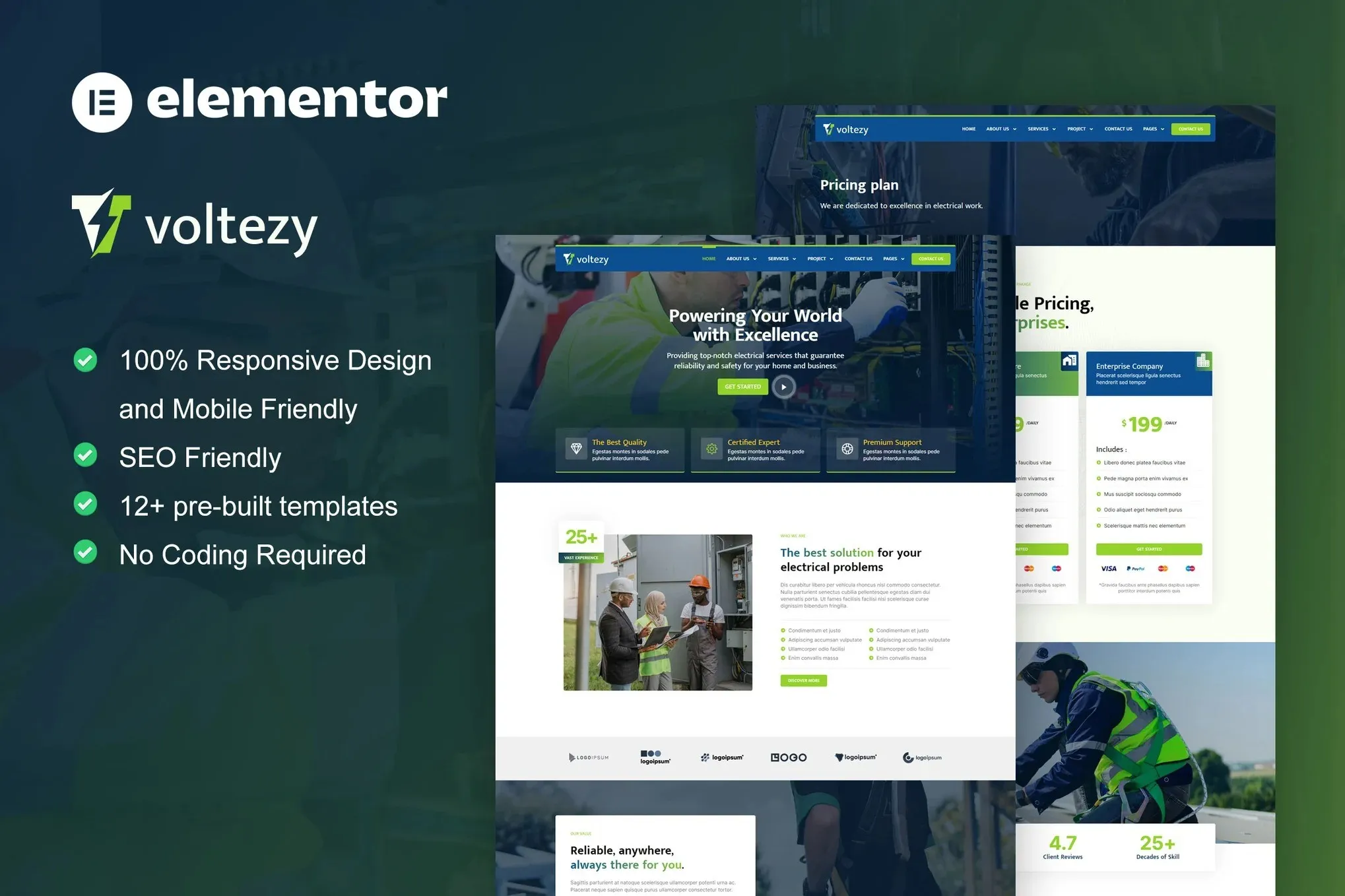
Voltezy – Electrical Installation & Maintenance Service Elementor Template Kit
- Updated on May 3, 2026
- 100% Original Product & Well Documented
- Unlimited Domain Usage
*Important Note:
The image should not be Part of the template kit. You need to use your own reliable Source.


Original price was: ₹999.00.₹299.00Current price is: ₹299.00.
Get your electrical business online today. This Elementor template kit includes a complete website — homepage, services, gallery, and contact pages — ready to customize and publish in under an hour. Instant download included.
- Secured & Scanned by Virus total & McAfee.
- Access to Free updates for Lifetime
- All products are Under GPL License (Unlimited Domain Usage)
- We Not Provide any Support For this Product

Lifetime Membership
Access 6700+ Premium WordPress Themes & Plugins, Elementor Templates, Mobile Apps, PHP scripts with Lifetime Updates.
Join Premium MembershipRecently Viewed
Professional Electrical Services Website Template for Elementor
Most electricians spend weeks chasing developers, waiting for revisions, and paying way too much for basic websites. Voltezy fixes that. It’s a complete, ready-to-use website built specifically for electrical installation and maintenance companies — no coding required, no design skills needed.
The kit ships with every page your business needs. A homepage that actually shows what you do. Service pages where clients can find you. A project gallery to display your completed work. Contact forms that capture leads instead of letting them bounce. Everything works the moment you install it — just swap in your logo, your photos, your phone number, and you’re live.
Whether you’re a solo electrician launching your first website or an agency that builds sites for trade businesses, this kit saves you days of work. The layouts are already conversion-optimized, which means you’re not starting from scratch trying to figure out what goes where.
What’s Inside This Template Kit
Six complete pages, ready to import into Elementor:
- Homepage with hero section, service highlights, and clear call-to-action
- Services page for listing installation and maintenance offerings
- About page to introduce your team and build trust
- Project gallery to show off completed work
- Contact page with inquiry and booking forms
- Testimonials section for social proof
Who Should Use This Template
Voltezy works well for:
- Electrical contractors launching their first business website
- Maintenance companies refreshing their online presence
- Freelance electricians building a professional portfolio
- Web designers working with trade service clients
- Property managers showcasing maintenance capabilities
Getting Started
Open Elementor, import the template kit, pick the pages you want, and start editing. Drag elements around, change colors to match your brand, add your own images. No code. No waiting on developers. If you can use a word processor, you can build this website.
The Practical Details
One payment gets you lifetime access — no subscriptions, no recurring charges. The commercial license covers your own business or client projects, whichever you need. Updates come free forever. And if you hit a snag, support is standing by.
- Instant download — build your site the same day you buy
- Commercial license — unlimited personal or client projects
- Beginner-friendly — no technical skills required
- One-time payment — no hidden fees ever
- Lifetime updates — your template stays current
- Lifetime support — real help when you need it
Skip the Developer Bills
You don’t need to spend $2,000+ on a basic website. Download Voltezy, spend an afternoon customizing it, and launch a professional site that actually books you jobs. That’s the whole point — get online fast, look legitimate, and focus on the actual electrical work.
Only logged in customers who have purchased this product may leave a review.
How to use Kit:
Install and activate the “Template Kit – Import” plugin from Plugins > Add New in WordPress.
Do not unzip.
Go to Template Kit – Import > Upload Template Kit Zip File button.
Before importing a template, ensure the Install Requirements button is clicked to activate required plugins.
For best results, do not import more than one template at a time.
RELATED PRODUCTS

DIVI – Original License | One Time Payment – Exclusive Deal

Elementor Pro 4.1.3 + Elementorism Landing Pages WordPress Plugin

907 5.3.6 – Responsive Multi-Purpose WordPress Theme

Element Pack Pro 9.1.0 – Addon For Elementor

Lifetime Mini Membership





 Mobile Apps
 php script
 How to
Reviews
There are no reviews yet