
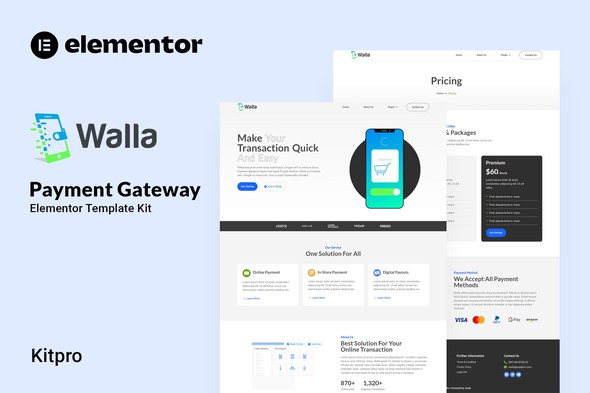
Walla – Payment Gateway Elementor Template Kit
- Updated on May 2, 2026
- 100% Original Product & Well Documented
- Unlimited Domain Usage
*Important Note:
The image should not be Part of the template kit. You need to use your own reliable Source.


- Coupon "b2g1" has expired.
- Coupon "b2g1" has expired.
- Coupon "b2g1" has expired.
- Coupon "b2g1" has expired.
- Coupon "b2g1" has expired.
Original price was: ₹999.00.₹299.00Current price is: ₹299.00.
15+ Elementor templates built for payment gateways. Walla ships clean layouts, trust signals, pricing tables, and mobile-ready pages — everything you need to launch in hours, not weeks. Instant download, commercial license included.
- Secured & Scanned by Virus total & McAfee.
- Access to Free updates for Lifetime
- All products are Under GPL License (Unlimited Domain Usage)
- We Not Provide any Support For this Product

Lifetime Membership
Access 6700+ Premium WordPress Themes & Plugins, Elementor Templates, Mobile Apps, PHP scripts with Lifetime Updates.
Join Premium MembershipRecently Viewed
Build a Payment Gateway Website That Converts
In fintech, looks matter. A clunky layout sends potential clients running to your competitors. Walla gives you 15+ pre-built pages designed specifically for payment services, digital wallets, and financial platforms. Every header, every button, every color was chosen with one purpose: getting visitors to sign up or request a demo.
What’s Inside the Kit
You get complete website building blocks without touching a single line of code. The homepage opens with a hero section that actually looks professional — none of that generic stock photo mess. Service pages explain what you do without the buzzword overload. Pricing tables handle objections before they form. Contact and registration forms are built to convert, not just collect emails.
- 15+ page templates: homepage, services, pricing, about, contact, FAQ, and more
- Pre-built pricing tables for subscription and transaction-based billing models
- Mobile-responsive layouts that look sharp on phones, tablets, and desktops
- Trust signals section with space for logos, certifications, and security badges
- Integration-ready design that works with popular WordPress plugins
Who It’s Built For
Web developers and agencies will love the structure — clean, organized, labeled. Everything’s easy to find in Elementor’s drag-and-drop editor. Swap in your client’s branding, hit publish, and hand over a finished site by end of day.
Running your own payment gateway or fintech startup? Walla works for non-coders too. No design degree. No coding required. Pick the sections you want, update the copy, and launch.
How to Get Started
After purchase, grab your download link immediately. Install through WordPress, import the pages you need, swap in your logo and brand colors. Moving fast? You can have a live site in about 30 minutes. Most people finish their entire site in under two hours.
- Step 1: Download from your receipt link
- Step 2: Install via WordPress Plugins > Add New > Upload
- Step 3: Open Elementor and import the page templates
- Step 4: Replace placeholder text with your actual content
- Step 5: Publish and go live
Why Skip the Custom Build?
Building from scratch means hours of layout decisions, testing, and back-and-forth revisions. Walla removes that guesswork. The templates already include sections payment companies need: security features, supported countries and currencies, API documentation links, integration partners, pricing breakdowns. You skip the entire research phase.
Commercial license is included. Use it for client projects or your own business — no ongoing fees. One payment. Lifetime access. Updates come free as the kit improves.
No subscription. No monthly bills. Just a professional, working website for your payment gateway that you own completely.
Ready to Launch?
Get Walla now and have a professional payment gateway website live today. Instant download. Commercial license included. Lifetime support if you get stuck.
Only logged in customers who have purchased this product may leave a review.
How to use Kit:
Install and activate the “Template Kit – Import” plugin from Plugins > Add New in WordPress.
Do not unzip.
Go to Template Kit – Import > Upload Template Kit Zip File button.
Before importing a template, ensure the Install Requirements button is clicked to activate required plugins.
For best results, do not import more than one template at a time.
RELATED PRODUCTS

DIVI – Original License | One Time Payment – Exclusive Deal

Elementor Pro 4.2.1 + Elementorism Landing Pages WordPress Plugin

907 5.3.6 – Responsive Multi-Purpose WordPress Theme

Element Pack Pro 9.1.0 – Addon For Elementor






 Mobile Apps
 php script
 How to
Reviews
There are no reviews yet